
 Models
 Materials
 HDRIs
HDRIs
 Scenes
 Brushes
 Node Groups
 Printables
 Creators
 Creations
Down-To-Earth
 add-on
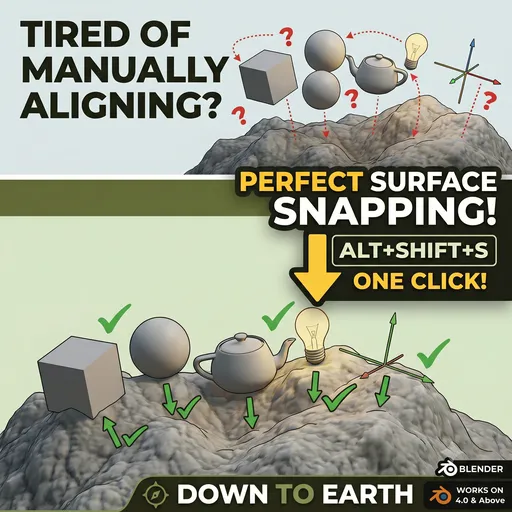
Auto-snap any object to the nearest surface in your scene — no selection juggling, no mouse dragging. One click and it's grounded.
Down to Earth is a one-click surface-snapping addon for Blender. Select any object — a mesh, an empty, a light, anything — press Alt+Shift+S, and it drops cleanly onto the nearest surface in your scene. No intersection. No gap. No fiddling.
Forget manually aligning objects, toggling Blender's built-in snapping settings, or eyeballing positions. Down to Earth scans the entire scene automatically, finds the nearest surface via raycasting, and teleports your object flush on top of it in a single action.
FEATURES
• Works on any object type — meshes, empties, cameras, lights, curves
• Fully automatic target detection — no need to select a second object
• Zero intersection — raycasting guarantees clean surface contact
• 7 snap directions: drop down (Z), snap up (-Z), snap sideways (X/-X, Y/-Y), or find the nearest surface in any direction (XYZ)
• Offset control — add clearance above or below the surface
• Search radius — limit snapping to nearby objects only
• Ignore system — exclude specific objects from being used as targets
• Modifier-aware — respects Subdivision, Mirror, and all other modifiers
• Live target preview in the sidebar
• Undo support (Ctrl+Z)
• Clean sidebar panel (N key → Snap Tools tab)
HOW IT WORKS
Select your object → press Alt+Shift+S (or click in the Snap Tools sidebar). That's it.
The addon casts rays from every vertex of your object in the chosen direction and finds the nearest surface hit across all other meshes. The whole object then moves so it sits perfectly flush on that surface. For empties and non-mesh objects, it raycasts from the object's origin point.
DIRECTIONS
↓ Z Drop straight down onto the surface below (default, classic "drop to floor")
↑ -Z Snap upward onto a ceiling or overhang
← X / → -X Snap sideways to a wall on the X axis
↙ Y / ↗ -Y Snap sideways to a wall on the Y axis
⬡ XYZ Find and snap to the absolute nearest surface in any direction
COMPATIBILITY
Blender 3.0 and above, including Blender 5.1
Single .py file — lightweight and dependency-free.


