
 Models
 Materials
 HDRIs
HDRIs
 Scenes
 Brushes
 Node Groups
 Printables
 Creators
 Creations
DAE Importer for Blender 5.0+ (COLLADA Restore)
 add-on
Restore COLLADA (.dae) import in Blender 5.0+! Easily import DAE files and packaged ZIP archives with textures automatically extracted and linked. The ultimate SketchUp-to-Blender pipeline tool.
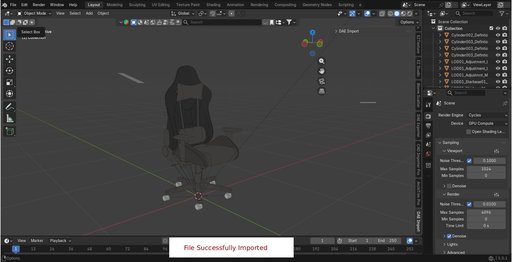
🚀 Restore COLLADA (.dae) and ZIP Bundle Import in Blender 5.0+
Since Blender 5.0 permanently removed the native C++ COLLADA module, importing 3D assets from tools like SketchUp, 3ds Max, Maya, and other CAD/architectural software has become a major roadblock.
The DAE Import addon fully restores this functionality with a custom, high-performance, Python-only XML parsing engine. With zero external dependencies, it provides a seamless, one-click solution to import .dae files and fully packaged .zip archives directly into Blender 4.0, 4.2, and 5.0+.
🔥 Why Choose DAE Import?
-
⚡ Fully Blender 5.0+ Compatible: Designed specifically to bridge the gap left by the removal of native COLLADA support. Future-proof your 3D pipeline.
-
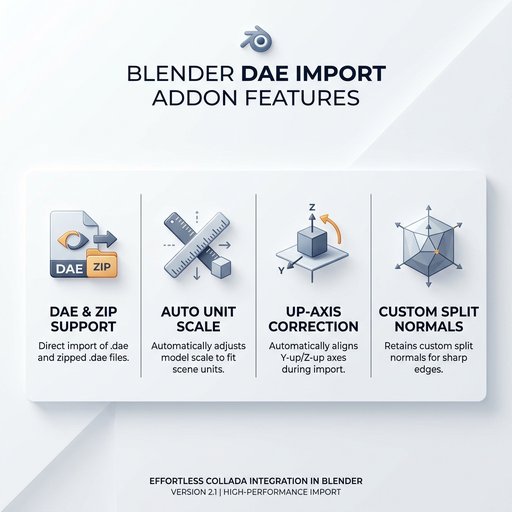
📦 Smart ZIP Archive Importer: Don't waste time extracting textures manually! Import a .zip bundle containing a DAE and its textures. The addon automatically extracts files, wires up modern shader nodes, and packs textures directly into your .blend file.
-
📐 High-Fidelity Custom Normals: Imports geometry with custom split normals preserved. Say goodbye to shading glitches, weird smoothing, and blocky faces.
-
🖼️ Automatic Material & Texture Mapping: Automatically parses COLLADA effects (base colors, diffuse maps) and links them to standard Principled BSDF shaders.
-
📏 Auto-Unit Scale Conversion: Reads file metadata (e.g. inches, centimeters) and scales imported models to match Blender’s metric meter system.
-
🔄 Automatic Up-Axis Correction: Detects the source file’s coordinate system (e.g., Y-Up from SketchUp or X-Up) and automatically rotates the hierarchy to align with Blender’s Z-Up layout.
-
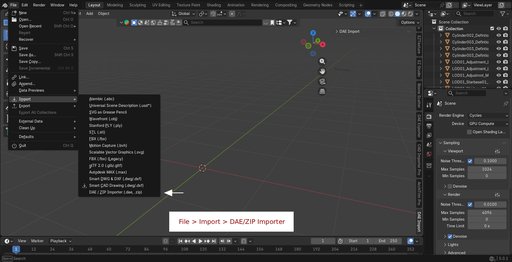
🎨 Clean & Integrated UI: Import from the native File > Import > DAE Import (.dae, .zip) menu or use the custom sidebar tab in your 3D Viewport.
🛠️ Target Workflows & Pipelines
- SketchUp to Blender: Import architectural assets, furniture, and complex villa scenes with textures and UV coordinates fully intact.
- CAD & ArchVis Pipelines: Speed up floor plan drafting and 3D modeling transfers.
- Legacy Asset Library Imports: Access older 3D COLLADA catalogs without needing to install older versions of Blender.
⚙️ How to Install
- Download the dae_import.zip file.
- Open Blender (version 4.0 or newer).
- Go to Edit > Preferences > Get Extensions (or Add-ons in older Blender versions).
- Click the gear/arrow menu button in the top-right corner and choose Install from Disk...
- Select the dae_import.zip file and click Install.
- Ensure that the DAE Import addon is enabled.
📖 How to Use
- Go to File > Import > DAE Import (.dae, .zip).
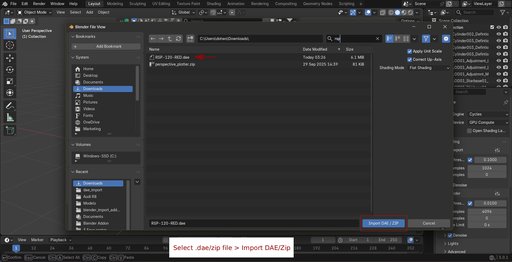
- Select your .dae file or a .zip archive containing the DAE and textures.
- Configure the settings in the import panel (Unit Scale, Up-Axis, Shading Mode).
- Click Import DAE.
- Press N in the 3D Viewport to open the Sidebar panel.
- Select the DAE Import tab.
- Select your file path, adjust parameters, and click Import DAE / ZIP.


