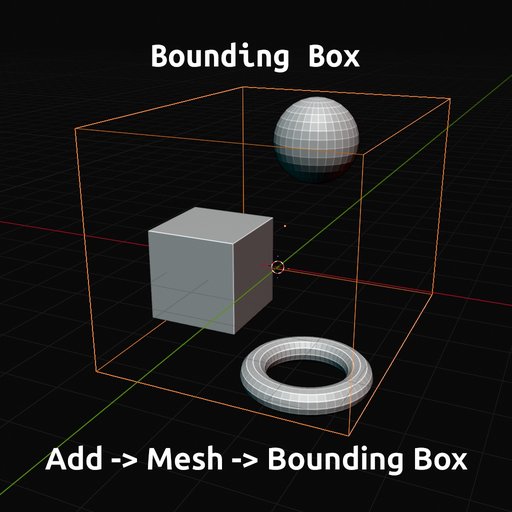
Bounding Box - Fixed, Dynamically, Shrinkwrapping - Easy to use
Create a bounding box wrapping your selected objects with this easy to use "Add Mesh"-operator. Simply surround your objects with a mesh-box, add an "atmosphere"-material quickly or add resize-dynamic to it with different modifiers.
Bounding Box
I created this addon because of own needs ...
Did you ever think "I need a box around these objects to have an overall-surrounding atmosphere." ... and created a cube, resized it manually a while to fit the overall size of your objects ?
Did you ever think "What's the dimensions of my created asset ?". ... Your asset is made of multiple objects in multiple collections and you need to know the dimensions of it itself, not of the single objects. Blender only gives you the option via the Item-panel to get the dimensions of the primary selected object, not of all selected objects combined.
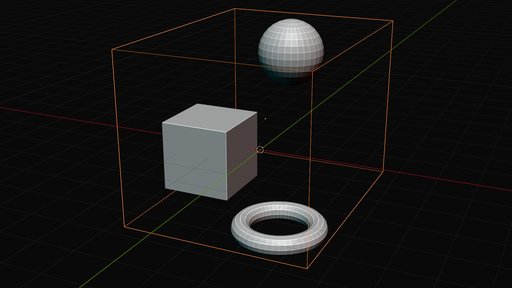
Bounding Box gives you the operator "Add -> Mesh -> Bounding Box" to add a bounding box around your selected objects and adjust directly some useful features, like visibility, displaying, fixed or dynamic resizing, etc.
Bounding Box saves a lot of time creating a box around your objects or calculating the size of multiple objects.
Usage
- Select your objects to be wrapped with a bounding box.
- Use operator "3D Viewport (Object Mode) -> Add -> Mesh -> Bounding Box" to add a bounding box.
- Open the Redo-/Operator-Panel to adjust settings for your need, like ... selection, visibility, display-style, parenting, offset, atmosphere material, dynamic resizing, shrink wrapping, showing dimensions.
Images
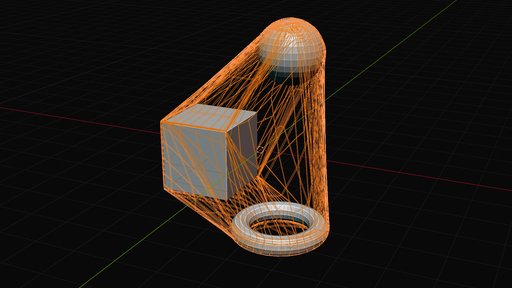
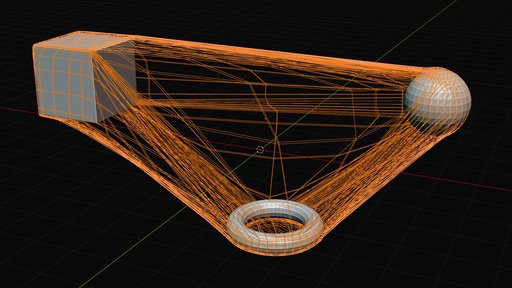
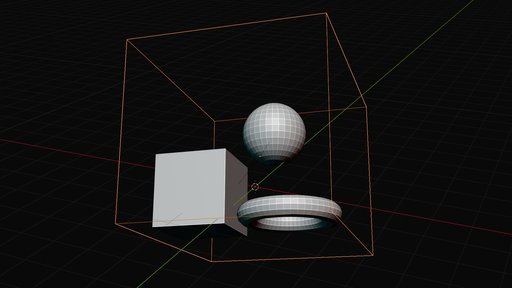
Features
The "Bounding Box" addon comes with some handy and useful features, and three geometry nodes modifiers for accurate adjustments:
3D Viewport (Object Mode) -> Add -> Mesh -> Bounding Box -> Redo-/Operator Panel
-
Select
Let's you switch the selection between the newly created bounding box and the previous selected objects. -
Viewport, Renders
Let's you control directly where to show the bounding box. -
In Front, Display As
Let's you set the display mode, like always in front, above the objects, and as wireframe or a solid mode. -
Offset
Adjust the offset value for the bounding box, make it smaller or bigger. -
Add Atmosphere Material
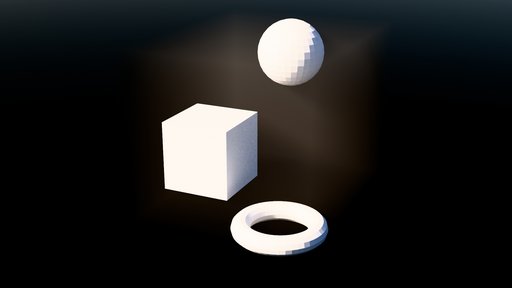
Let's you directly add a simple "atmosphere"-material, to save some time in the workflow. The material is a simple "Volume Scatter"-volume material. -
Resizing
Adds a geometry nodes modifier, which keeps wrapped around the selected objects, still after moving them around. ... Links the selected objects into a newly created, hidden collection. Take a look at the added modifier. -
Shrinkwrap
Adds a geometry nodes modifiers, which keeps wrapped around the selected objects, but adds a dynamic wrapped feeling. ... Links the selected objects into a newly created, hidden collection. Take a look at the added modifier. -
Show Dimensions
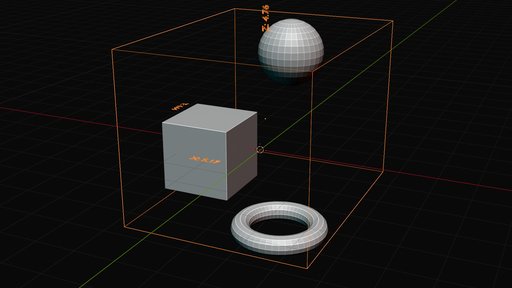
Adds a simple geometry nodes modifier, which shows the dimensions of the bounding box, directly in the scene.
Addon-Preview on YouTube
Versions Changelog
v1.0
* First, initial version, adding "Bounding Box"-operator to Add -> Mesh -> Bounding Box, with Redo-Panel adjusting selection, displaying, visualization, parenting, atmosphere material, resizing, shrinkwrapping, dimensions.