Product Autouploader
🚀 Product Lighting Setup - Blender Addon
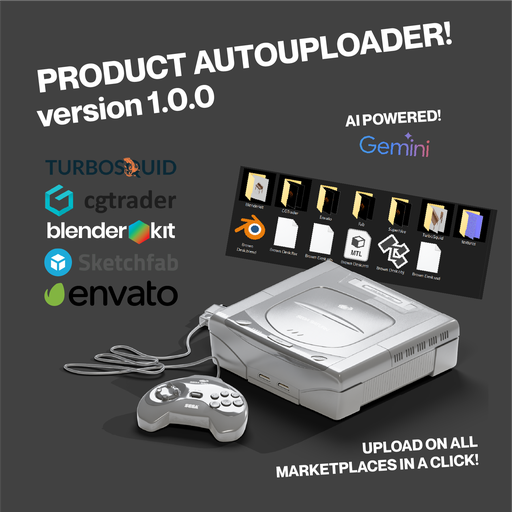
Turn your 3D models into marketplace gold with ONE CLICK! ✨
🎯 What it does: • Auto-creates studio lighting + 8 camera angles • Exports for TurboSquid, CGTrader, Fab, BlenderKit & more
Product Autouploader Add-on
Transform your 3D models into marketplace-ready products with professional studio lighting, automated export capabilities, and (coming soon) auto uploading capabilities that will upload all your assets to all marketplaces in a jiffy.
🎯 What Does This Add-on Do?
Product Autouploader is a powerful Blender addon that automatically creates professional studio lighting setups and camera angles for your 3D models, then exports them in the exact formats and specifications required by major 3D marketplaces.
Think of it as having a virtual photography studio inside Blender that knows exactly what each marketplace wants.
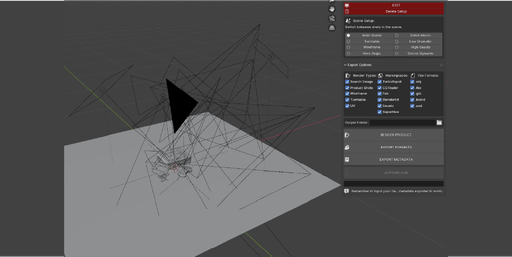
✨ Why You'll Love This Addon
🚀 Save Hours of Work
- No more manually positioning lights and cameras for each product shot
- Instantly create 8 different professional camera angles
- One-click setup replaces hours of manual work
💼 Marketplace Ready
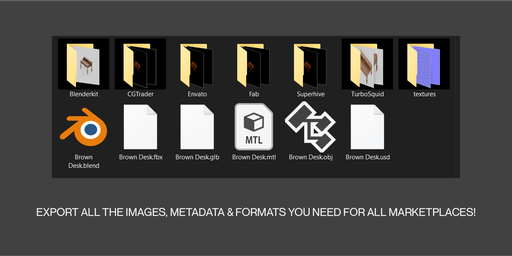
Pre-configured export settings for 6 major marketplaces:
* TurboSquid - Industry standard 3D marketplace
* CGTrader - Professional 3D asset store
* Fab (Epic Games) - Unreal Engine marketplace
* BlenderKit - Blender's official asset library
* Envato Elements - Creative marketplace
* Superhive - Growing 3D platform
🎨 Professional Results
- Studio-quality lighting with Key, Fill, and Rim lights
- Perfect camera positioning for hero shots, detail views, and turntables
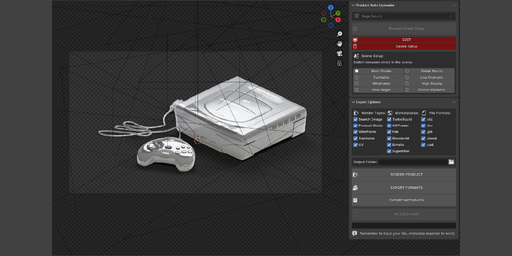
- Wireframe rendering capabilities
- Shadow catcher ground plane for realistic shadows
📦 Complete Export Pipeline
- Multiple file formats: .blend, .obj, .fbx, .glb, .usd
- Correct image sizes and specifications for each marketplace
- Automated turntable animations (36 frames)
- UV layout exports
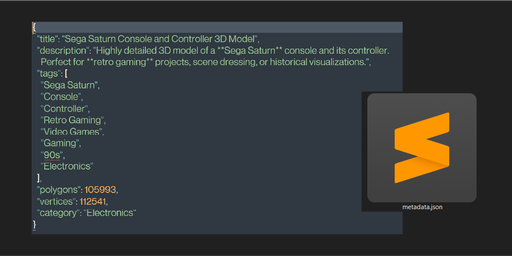
- AI-powered metadata generation
Step 1: Prepare Your Model
- Create or import your 3D model in Blender
- Organize your model objects into a collection
- Make sure your model is properly scaled and positioned
Step 2: Set Up the Studio
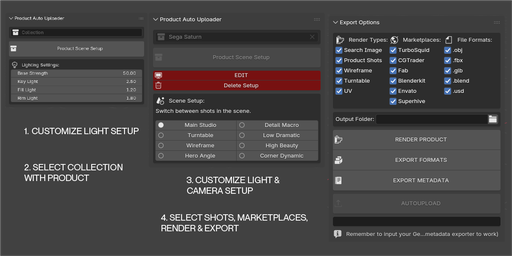
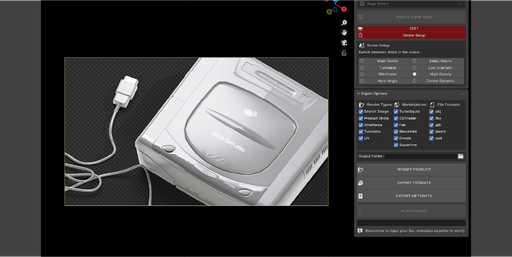
- Open the "Product Auto Uploader" panel in the 3D Viewport sidebar (press N to show/hide)
- Select your model collection from the dropdown
- Adjust lighting settings if needed:
- Base Strength: Overall brightness of all lights
- Key Light: Main studio light (usually brightest)
- Fill Light: Softens shadows and fills dark areas
- Rim Light: Creates edge definition and separation
- Click "Product Scene Setup"
✨ That's it! The addon automatically creates:
- 8 professional camera angles positioned around your model
- 3-point studio lighting system (Key, Fill, Rim)
- Shadow catcher ground plane
- Proper scene organization
🚀 Getting Started
- Install the addon in Blender (Preferences → Add-ons → Install)
- Enable "Product Lighting Setup" in the add-ons list
- Find the "Product Auto Uploader" panel in the 3D Viewport sidebar
- Select your model collection
- Click "Product Scene Setup"
- Start creating marketplace-ready renders!