Collection colorizer - auto-assigning viewport colors to meshes in specified collections
This addon colors objects placed in specified collections.
These colors are only displayed in the viewport and do not affect materials in any way.
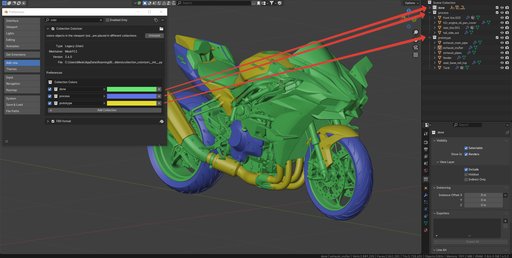
Have you ever worked on a massive project, such as a detailed motorcycle model with hundreds of parts, and wished for a clear visual guide to see what had been completed and what remained? This compact add-on can provide that clarity.
With just a few clicks, you can personalize the color scheme of objects within different collections—like "done," "in progress," and more. Install the add-on, access its settings, assign colors to your collections, and instantly, all objects within those collections will be automatically colored. If you remove an object from a colored collection, it will revert to its default color.
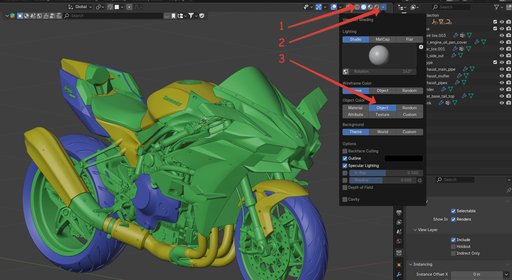
This coloring is purely aesthetic and does not affect the materials used. It's visible only in Solid mode within the Viewport. Once installed, the add-on automatically activates the necessary settings. For your convenience, I've also included a duplicate location: Viewport Shading -> Object Color and enable Object. (See the screenshot below for reference).
P.S. If you use object color for rendering (not materials), do not use this add-on, as this may lead to a software compatibility conflict.