Quick origin tool
Quick Origin Tools – Blender Addon
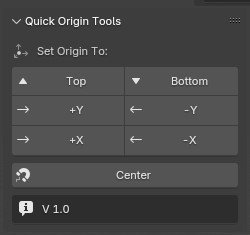
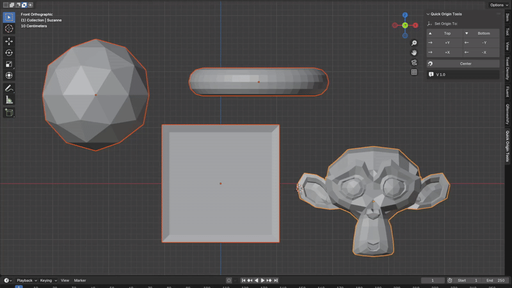
Quick Origin Tools is a lightweight and easy-to-use Blender addon that lets you quickly set object origins to common positions. ( top ,bottom, +y,-y,+x,-x).
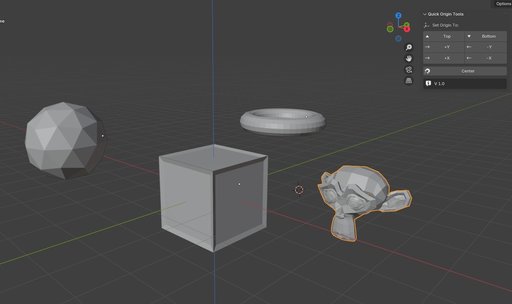
It also supports batch origin setup.
Quick Origin Tools – Blender Addon
Quick Origin Tools is a lightweight and easy-to-use Blender addon that lets you quickly set object origins to common positions. Designed for speed and simplicity, it’s perfect for modelers, game asset creators, and anyone who frequently adjusts object origins.
Key Features
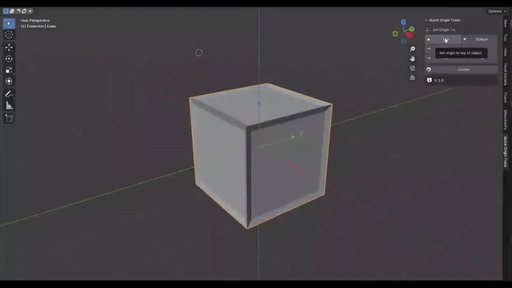
One-Click Origin Placement
Set the origin to:
- Bottom
- Top
- +X / -X
- +Y / -Y
Batch Origin Setter
* Select multiple objects and apply origin changes in bulk.
Simple, Clean UI
* Access everything from the N-Panel in the 3D Viewport. No clutter, no confusion — just straightforward tools.
Installation Guide
- Open Blender.
- Go to Edit > Preferences > Add-ons.
- Click Install... in the top-right corner.
- Navigate to your downloaded addon .zip file and select it.
- After installation, enable the addon by checking the box next to its name.
- Close the Preferences window.
- After installation, go to the 3D Viewport, press N to open the side panel, and look for the “Quick Origin Tools” tab.