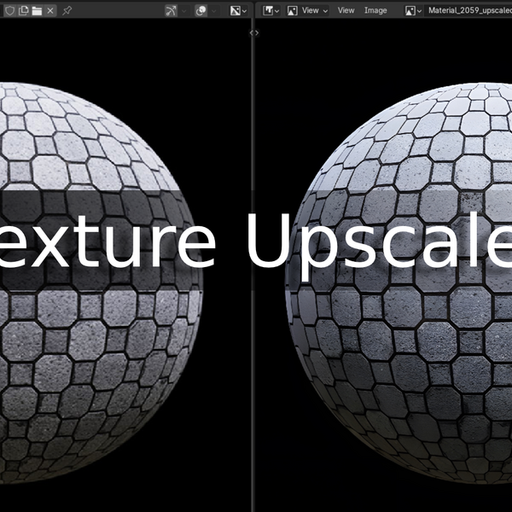
Texture Upscaler - Offine Image Upscaler For Blender
This addon lets you upscale your textures in image editor
What this addon do ?
This addon lets you upscale your textures in image editor
Features:
- Upscale Offline locally on your pc
- Upscale Texture up to 16x
- Include 6 models by default more available here
- Allows For replacing Textures in material with Upscaled Textures
- No dependencies required
- Allows you to compress Upscaled Textures to save memory
- Upscale in separate thread so no Blender Freezing
- Allow for Upscaling image to a custom resolution (Even Downscale)
- Allows you save Upscaled Textures in other formats
- Shows progress of Upscaling in realtime
Usage:
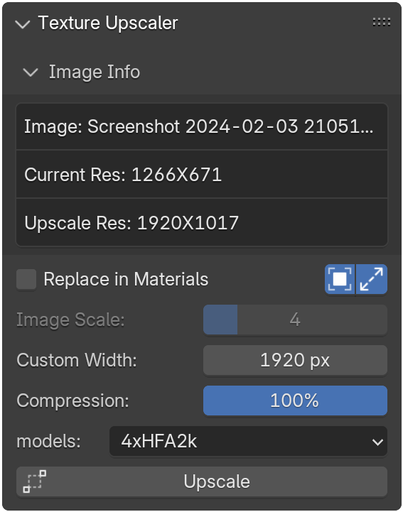
Addon's Panel is present in Image Editor > N-Panel > Texture Upscaler
- Navigate to the image editor window within Blender.
- Open the texture you want to upscale.
- Press 'N' to open the right-side toolbar
- Navigate to the Texture Upscaler and click 'Texture Upscaler'
This addon only works on vulkan supported CPUs and GPUs .
INSTALLATION:
- Download the ZIP file
- Within Blender, navigate to Edit > Preferences > Addons > Install
- Select the ZIP file
- Enable the addon by clicking on the box
- Select Path for the Upscaled Textures in addon's preferences
About Real ESRGAN:
Real-ESRGAN aims at developing Practical Algorithms for General Image/Video Restoration.
We extend the powerful ESRGAN to a practical restoration application (namely, Real-ESRGAN), which is trained with pure synthetic data.
ncnn is a high-performance neural network inference computing framework optimized for mobile platforms. ncnn is deeply considerate about deployment and uses on mobile phones from the beginning of design. ncnn does not have third party dependencies.
This addon is the ncnn implementation of Real-ESRGAN in blender .
Additional links:
If you want to add another model in the addon you can get the models for this page
To add custom models to the addon there is an option in addon preferences.