Lottie Animation Addon
From Blender to Web in One Click!
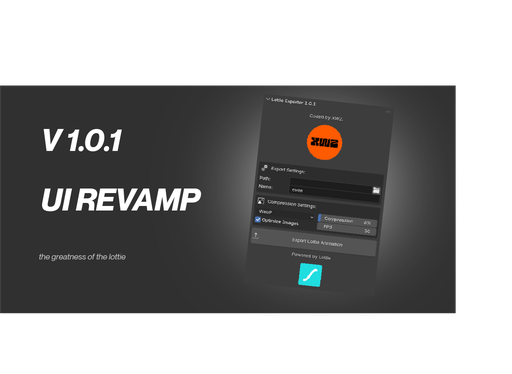
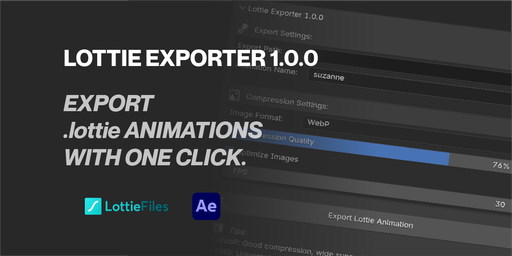
New Lottie Animation Exporter addon transforms your 3D Blender animations into web-ready Lottie files instantly!
Transform Your Blender Animations into Fast Web-Animations powered by Lottie.
Version 1.0.0 | Blender 4.0+
Why download Lottie Exporter?
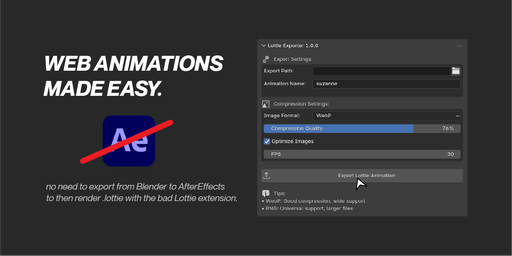
Tired of your beautiful Blender animations being trapped in heavy video files that slow down your websites? Annoyed with jumping through Blender to After Effects and back? Frustrated with complex export workflows that eat up your creative time? The Lottie Exporter transforms your workflow by converting Blender animations directly into lightweight, scalable Lottie files that load instantly on any device.
Web developers and motion designers constantly struggle with the trade-off between animation quality and file size. Traditional video exports can be massive, while GIFs look pixelated and outdated. Lottie files give you the best of both worlds: vector-quality animations at a fraction of the file size.
✨ Key Features That Transform Your Workflow ✨ One-Click Export
Export your entire Blender animation timeline directly to a .lottie file with a single click. No more complex render pipelines or external software.
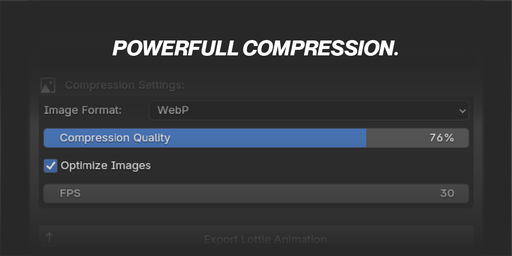
✨ Smart CompressionChoose between PNG for universal compatibility or WebP for 50-80% smaller file sizes. Built-in optimization reduces file size without quality loss.
✨ Professional StandardsGenerates industry-standard Lottie 5.9.4 format with proper manifest files, ensuring compatibility with all major platforms.
🚀 Benefits That Matter to You
- 🚀 Save 90% File Size: Turn 50MB video exports into 2MB Lottie files
- 🚀 Perfect Scalability: Your animations look crisp on 4K displays and mobile screens
- 🚀 Lightning Fast Loading: Websites load instantly with micro-sized animation files
- 🚀 Cross-Platform Magic: Works on iOS, Android, web, and desktop applications
- 🚀 Developer-Friendly: Direct integration with web frameworks, React, Vue, Angular
🛠 How to Install 1. Download the Addon
Download the lottie_addon.zip file to your computer. Keep it zipped - Blender can install directly from the ZIP file.
2. Open Blender PreferencesIn Blender, go to Edit → Preferences (or Blender → Preferences on macOS)
3. Install the AddonClick the Add-ons tab, then click Install... and select your downloaded ZIP file. Enable the checkbox next to "Lottie Animation Exporter".
4. Access the PanelIn the 3D Viewport, press N to open the sidebar and look for the "Lottie" tab.
🎮 How to Use 1. Set Up Your SceneCreate your animation in Blender with a camera focused on your subject. Set your timeline start and end frames.
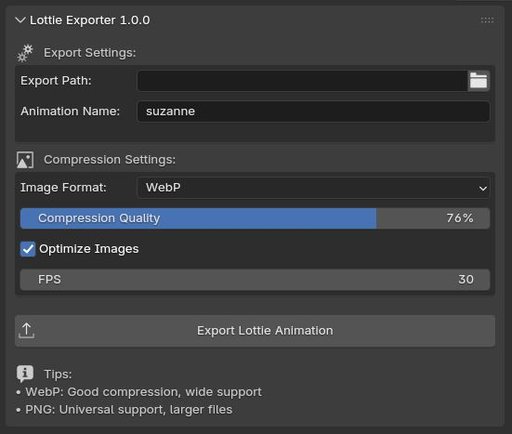
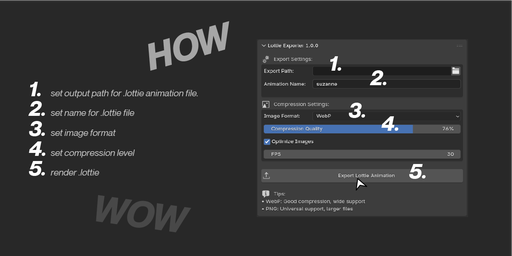
2. Configure Export SettingsIn the Lottie panel:
- Export Path: Choose where to save your file
- Animation Name: Give your animation a descriptive name
- Image Format: PNG (universal) or WebP (smaller files)
- Compression Quality: 75% is recommended for most use cases
- FPS: 30 FPS works well for most animations
Click "Export Lottie Animation" and watch as your Blender animation transforms into a web-ready Lottie file!
4. Use Your Lottie FileUpload your .lottie file to your website, app, or design tool. The file can be played using the Lottie player libraries available for all major platforms.
⚙️ Technical Specifications 🔧 Export Formats- Output: .lottie (ZIP archive containing JSON + images)
- Images: PNG or WebP with adjustable quality
- Animation: Lottie JSON 5.9.4 specification
- Manifest: Standard Lottie manifest with autoplay/loop settings
- Frame-by-frame animation export
- Custom resolution support (uses render settings)
- Configurable frame rates (1-60 FPS)
- Automatic image optimization
- UUID-based asset management
- Requires an active camera in your scene
- Export time depends on animation length and render resolution
- WebP format may not be supported in older browsers
- Large animations may require adequate disk space during export
Create stunning loading animations, hero sections, and interactive elements that load instantly.
✨ Mobile App DesignersAdd smooth animations to your apps without bloating the file size or affecting performance.
✨ Digital MarketersCreate eye-catching animated ads and social media content that loads fast on any connection.
✨ UI/UX DesignersPrototype interactive animations and micro-interactions that feel native to digital interfaces.
🎬 Example Use CasesLogo Animations: Turn your static logo into an engaging animated sequence for website headers.
Loading Spinners: Create custom loading animations that match your brand perfectly.
Product Showcases: Animate 3D product rotations and feature highlights for e-commerce sites.
Explainer Graphics: Build step-by-step animated infographics that educate and engage.
Mobile Onboarding: Design smooth tutorial animations that guide users through your app.
Transform your Blender animations into web-ready masterpieces. Download the Lottie Animation Exporter today and experience the future of animation export.
All animations in this presentation were exported using Lottie Exporter Addon.