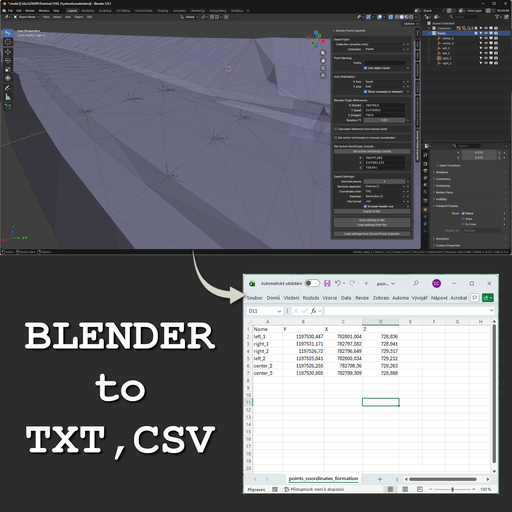
Survey Points Exporter – Geodetic & Construction Workflow
Professional Blender add-on for exporting mesh vertices and empties into real-world coordinates. Supports custom axis orientation, reference offsets, rotation, CSV/TXT export, and tools for surveying, construction, CAD/GIS workflows.
Survey Points Exporter is a professional Blender addon for exporting survey points — mesh vertices and Empty object locations — into real-world coordinates.
It allows you to work with a custom axis orientation (East / West / North / South), reference point offsets, and optional Z-axis rotation, instead of relying on Blender’s default origin.
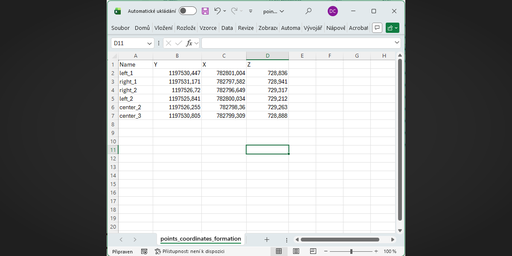
The addon supports exporting points from the active mesh or entire collections, with control over coordinate order, decimal formatting, and output format (TXT or CSV).
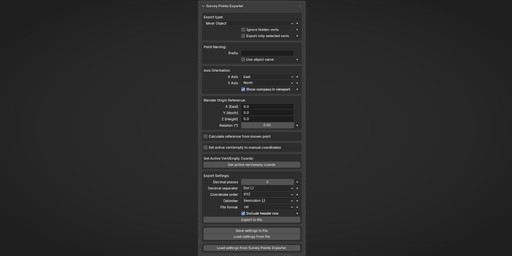
Additional tools include calculating a reference point from a known surveyed point, retrieving real-world coordinates of an active vertex or Empty, moving points to entered coordinates, and a viewport compass overlay for orientation.
Designed for surveying, construction, civil engineering, and CAD/GIS workflows.
For roundtrip workflows, this add-on integrates seamlessly with Survey Points Importer – Geodetic & Construction Workflow, allowing consistent coordinate system settings between import and export.
📘 Documentation
Survey Points Exporter – Blender Add-on
1. Introduction
Points Export is a professional Blender add-on for exporting point coordinates from 3D scenes into survey-friendly formats.
It supports:
vertices and empty objects
user-defined coordinate systems
configurable axis orientation and rotation
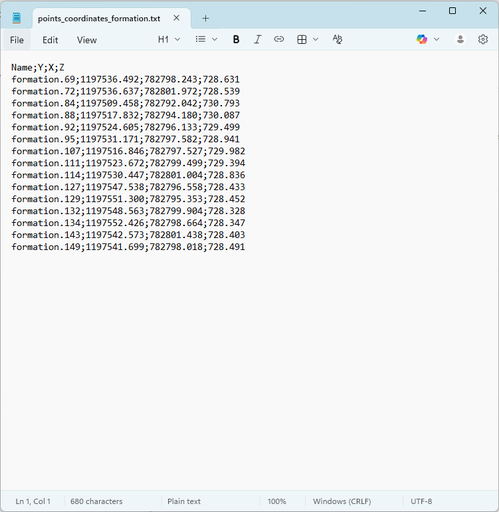
TXT and CSV export formats
The add-on is designed for surveying, civil engineering, road design, and GIS workflows.
2. Installation
Download the add-on ZIP file
Open Blender
Go to Edit → Preferences → Get Extensions → arrow in the upper right corner → Install from Disk
Select the ZIP file and Click Install from Disk
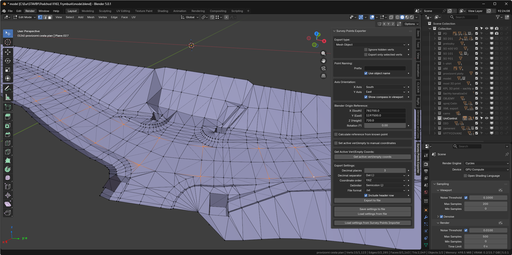
Open the N-panel in the 3D Viewport (N)
Find the Survey tab
3. Export Types
3.1 Mesh Object
Exports vertices from the active mesh object.
Options:
Export only selected vertices
Ignore hidden vertices
3.2 Collection (mesh objects and empties)
Exports:
vertices from all mesh objects
locations from empty objects
within the selected collection.
3.3 Collection (empties only)
Exports only empty object locations from a collection.
4. Coordinate System Configuration
4.1 Axis Orientation
X and Y axes can be set to North, South, East, or West
X and Y must be perpendicular
Z-axis rotation can be applied if required
This allows alignment with real-world survey coordinate systems.
4.2 Reference Point
Reference points are used to align Blender coordinates with real-world coordinates.
Calculate Reference from Known Point
Select a vertex or empty with known real coordinates
Enter known X, Y, Z values
Click Calculate Reference
Click Apply Calculated Reference
4.3 Verification
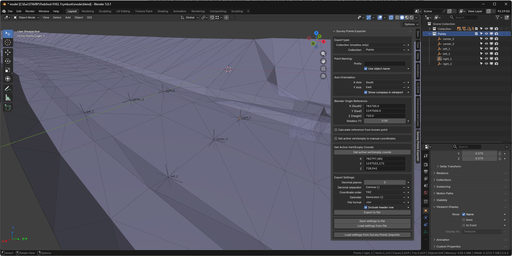
Use Get Active Vert / Empty Coords to:
display transformed coordinates
verify correctness against known values
5. Export Settings
5.1 Point Naming
Custom prefix
Optional object name inclusion
Example:
P_001
BOD_PointA
5.2 Precision
Decimal places: 0–10
5.3 File Formats
TXT
Configurable delimiter
Configurable decimal separator
CSV
Configurable delimiter
Configurable decimal separator
Supported delimiters:
comma
semicolon
tab
6. Coordinate Editing (Inverse Transformation)
The add-on allows setting empty/vert positions using real-world coordinates.
Set Active Vert / Empty to Coordinates
Enable the tool
Enter target X, Y, Z
Select a vertex or empty
Click Set to Coordinates
The inverse transformation is applied automatically.
7. Visual Tools
7.1 Compass Overlay
A compass is displayed in the 3D viewport showing:
current X and Y axis orientation
coordinate system alignment
8. Settings Management
8.1 Save Settings
Opens a file dialog and saves the current add-on configuration to an external
.txt file.
The saved settings include:
export options
axis orientation
reference point
formatting settings
The settings file can be reused across different Blender projects
and shared between computers or users.
8.2 Load Settings
Opens a file dialog and loads add-on settings from a previously saved
settings .txt file.
All stored parameters are applied immediately after loading.
8.3 Import from Survey Points Importer
If the compatible add-on is installed (currently in development), the following can be imported:
axis orientation
reference point coordinates
9. Supported Coordinate System Examples
S-JTSK
X Axis: South
Y Axis: West
Z Rotation: 0°
10. Requirements
Blender: 5.0.0 or later
11. License
GNU General Public License v3.0 or later
(GPL-3.0-or-later)