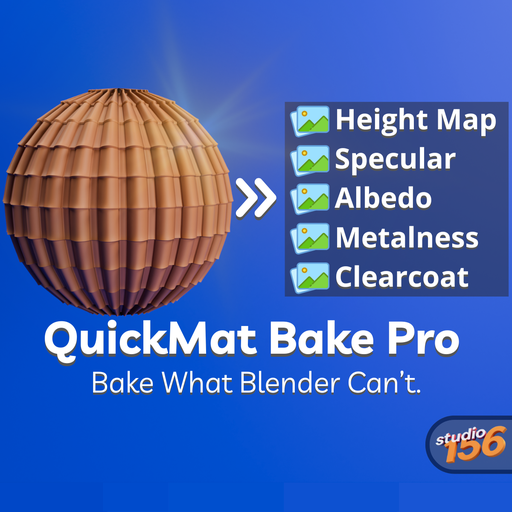
QuickMat Bake Pro – Ultimate Texture Baking Tool
Bake procedural materials into image textures in one click
QuickMat Bake Pro is a powerful, time-saving Blender addon that makes baking textures fast, organized, and fully customizable. With support for 20+ types of baking, including formats not natively supported by Blender, this tool is perfect for preparing textures for game engines, real-time applications, or advanced material workflows.
✅ Key Features:
20+ Bake Types Includes both standard and extended bake passes:
* Diffuse, Normal, Roughness, Metalness, Specular, Emission
* Albedo, ORM, AO, Clearcoat, Transmission, Alpha
* Height (Displacement), UV map, Position, Shadow
* Custom pass support planned in future updates!
Batch Baking by Object Automatically bakes textures for multiple objects. Each material’s textures are saved into its own folder for clean, organized output.
Multiple File Format Support Choose from a wide list of file formats per bake type:
* PNG, EXR, HDR, TIFF, TGA Even bake types like ORM or Metalness can be saved in your desired format.
Flexible Image Resolution
* Choose from preset sizes: 512, 1024, 2048, 4096, etc.
* Or input any custom resolution you need (e.g., 3000×3000).
Smart Automation
* Automatically detects materials and organizes texture outputs.
* Warns you if essential connections (e.g., Displacement) are missing.
Two Modes: Neutral & Current Scene
* Neutral Mode: Produces clean, consistent results by ignoring all scene lighting, materials, and render settings. Great for creating reusable texture assets.
* Current Scene Mode: Uses your current lighting, material, and render settings for more artistic or customized results.
Fast Workflow Designed for speed and batch workflows—ideal for artists preparing assets for Unity, Unreal Engine, or custom pipelines.
📦 Installation Instructions
- Download the .zip file of the addon.
- Open Blender and go to Edit > Preferences > Add-ons.
- Click Install, then select the downloaded .zip file.
- After installing, enable the checkbox next to QuickMat Bake Pro.
🚀 How to Use
- Select the objects you want to bake.
- Go to Render > Bake Material To Textures in the top menu.
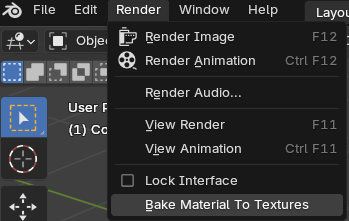
3 In the QuickMat Bake Pro panel:
* Choose the bake types you want (e.g., Diffuse, Normal, ORM, etc.).
* You can switch between Neutral and Scene mode at the top of the addon panel:
Neutral Mode ignores your scene’s lighting and materials — use this when you want clean, uniform baking.
Current Scene Mode uses the current scene’s lights, materials, and render settings — useful when baking textures based on the actual look of your project.
* Select the file format for each bake type.
* Set the image resolution or enter a custom size.
* Choose the output directory for saving the textures.
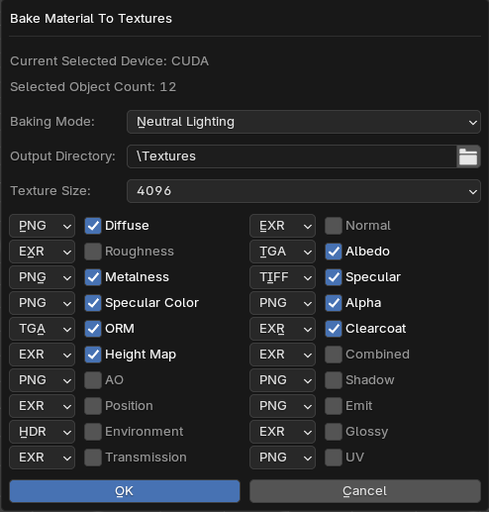
4 Click OK.
5 The addon will:
* Bake textures for each selected object.
* Create folders for each material.
* Save textures with the selected format and resolution.
💡 Tips
- To bake a height map, ensure your material output has a connected Displacement input.
- Use EXR or TIFF for high-dynamic-range maps (e.g., Height, Normal).
- Use PNG or TGA for color passes like Albedo, ID Map, and Diffuse.