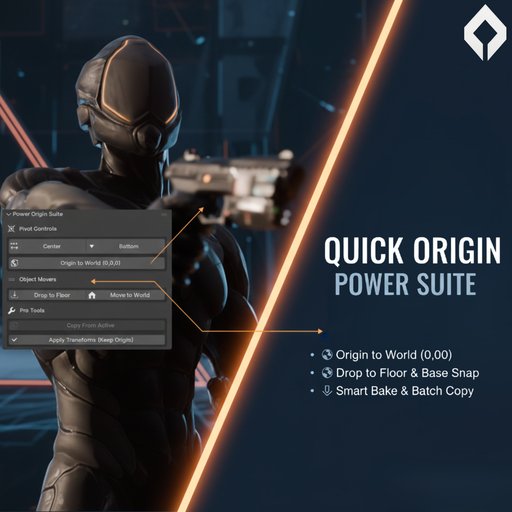
Quick Origin Power Suite: Ultimate Pivot & Alignment Tools
Stop tedious alignment! 1-Click Origin to Bottom, World Snap, Smart Bake, and Batch Copy for game dev and asset creation.
🚀 Quick Origin Power Suite:
The Ultimate Pivot & Alignment Tool for Blender
Are you tired of constantly digging through menus just to set the object origin? Do you struggle getting props perfectly flush with the ground or correctly resetting scale without breaking your pivot points?
Quick Origin Power Suite is the premium, one-click solution that streamlines the most painful parts of the 3D modeling and asset preparation workflow. Built for game developers, 3D printing enthusiasts, and advanced environment artists, this add-on turns multi-step tasks into instant results, saving you hours of frustrating manual adjustments.
⭐ Key Features That Make This Premium
1. World & Base Snapping Mastery
Origin to Bottom/Base: Instantly set the object's pivot point to the absolute lowest point of its bounding box. Perfect for furniture, characters, and props that need to sit flat on the floor or ground plane.
Drop to Floor (Z=0): Not just an origin setter, this utility calculates the lowest geometry point and physically drops the entire object so it sits perfectly flush with the world grid (Z=0).
Origin to World Center (0,0,0): Snap the origin point directly to the world origin—critical for modular assets and center-pivot requirements—without moving your geometry!
Move Object to World: Need a clean slate? Move the entire object selection to the absolute center of the world at (0,0,0).
2. The "Smart Bake" & Batch Fixer
Smart Bake Transforms (Apply Rotation/Scale): Finally, a solution to the classic Blender problem! This button applies your object's rotation and scale data, but PRESERVES your custom-set Origin location. Say goodbye to your origin flying to the center of the geometry every time you hit Ctrl+A.
Copy Origin From Active: Select an entire batch of misaligned assets (like a modular wall kit). Set the origin perfectly on one piece, select the rest, and click "Copy From Active." Instantly align the pivots of hundreds of objects to the same point.
Origin to Selection (Edit Mode): Select a specific face, edge, or vertex group in Edit Mode, hit the button, and the Origin instantly snaps to the center of that selection. No more manual cursor movements!
🔑 Why Upgrade to the Power Suite?
Manual origin management is a huge time sink. If you spend just 5 minutes per day fixing origins across a dozen objects, that's 25 hours per year wasted.
Quick Origin Power Suite is the one-time investment that pays for itself on your very first serious project. Stop fighting Blender's defaults and start creating assets that are game-engine ready and professionally aligned.
Get the Power Suite and master your pivots today!