Models
 Materials
 HDRIs
HDRIs
 Scenes
 Brushes
 Node Groups
 Printables
 Creators
 Creations

B.slicer
 add-on
B.slicer, the Blender addon that makes slicing objects a breeze. With just a few clicks, you can slice any object in Blender and export it as an SVG file .
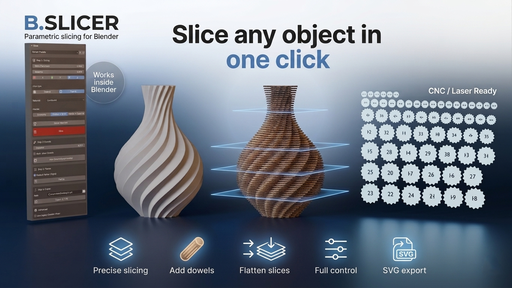
B.slicer is the ultimate slicing addon for Blender, built for designers, engineers, architects, and hobbyists who need precision and control in their parametric workflows. It allows you to slice any object in Blender and export the result as a clean, properly scaled SVG file—ideal for laser cutting, CNC, or illustrative presentations.
Updates:
[1.4.0] — Major Update (April 17, 2026)
⚠️ Make sure to uninstall the current version before installing the new one and restart Blender.
New Slicing Engine
• Replaced the legacy Boolean-modifier-based slicing with a high-performance Bisect slicing engine.
• Significantly faster and more reliable on dense meshes.
Note: Slicing still works best with manifold objects. Use the Check Manifold button to verify your mesh before slicing. If the new slicing method does not produce the correct result for your mesh, you can switch back to the legacy Boolean method under Advanced → Use Legacy Boolean Slicer.
Slicing Modes
• Extremity — Start slicing from the edge of the object.
• Middle → Slice — Slice symmetrically from the center; the center is a slice.
• Middle → Spacing — Slice symmetrically from the center; the center is a gap.
Check Manifold
• Analyze your mesh health before slicing with a single click.
• Highlights problematic geometry (open edges, complex edges, loose elements) directly in the viewport.
• Per-island analysis — manifold islands are reported as healthy, not flagged as errors.
• Visual report popup with details and an OK button to dismiss.
Packed Flatten
• A compact, space-efficient flatten layout for your slices.
• Enable Packed Flatten (Tight) in the Step 3 panel for a tighter arrangement.
Add Dowels (Experimental)
• Interactive tool for placing registration dowels between slices.
• 2D grid view with per-slice health status (Safe / Weak / Unstable).
• 3D preview with draggable handles and trim/extend via intersections.
• Smart Span placement with Alt+LMB.
• Auto-place toggle for automatic or manual placement.
• Undo / Redo support within the tool.
Updates:
Version [1.3.4]
Make sure to uninstall the current version before installing the new one and restart blender.
changlog:
Improvements & Bug Fixes.
How to use it !:
The workflow is streamlined: select your object, choose your slicing axis, adjust slice thickness and spacing, and execute. If you need to make changes after slicing, B.slicer includes a redo panel that lets you tweak slice parameters or fix orientation issues when flattening.
deffirence between type A and type B
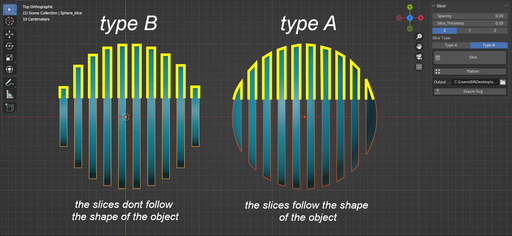
It also includes a flatten option that lets you flatten your sliced object, that can be exported as an SVG file with just one click, no need to set any camera or other settings, select what you want to export as svg file, chose the output path and click export! .
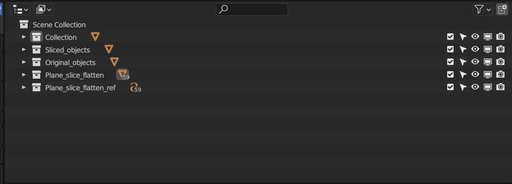
Bslicer manage your objects in Blender's outliner. Original objects are hidden in a collection called "Original Objects," while the sliced objects are in a collection called "Sliced Objects," and the flattened objects are in a collection called "Flattened Objects." This makes it easy to find and manage your objects, even as your projects become more complex.