Models
 Materials
 HDRIs
HDRIs
 Scenes
 Brushes
 Node Groups
 Printables
 Creators
 Creations
FSX3D Blueprint Tool
 add-on
FSX3D Blueprint Tool
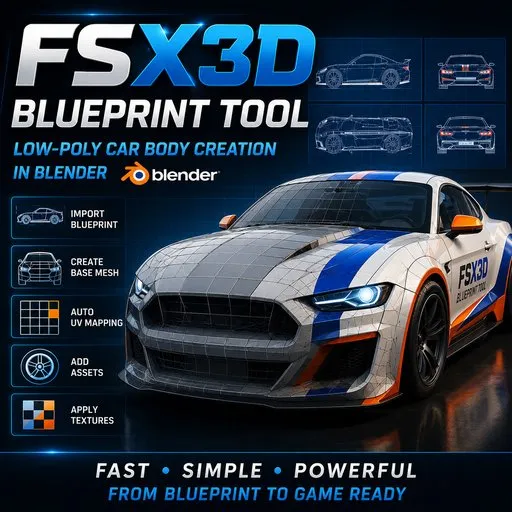
Create low-poly vehicle base meshes from blueprint images, directly inside Blender.
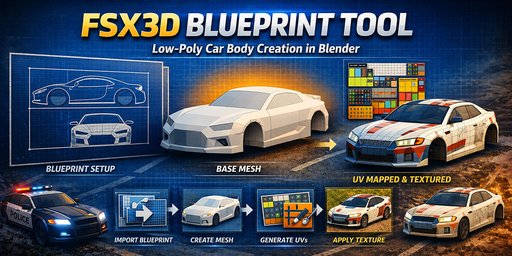
Generate a clean editable 3D base mesh from a multi-view blueprint, with material setup and UV mapping.
From Blueprint to Low-Poly Vehicle Mesh
FSX3D Blueprint Tool
Quickly create a low-poly 3D vehicle base mesh from a blueprint image, directly inside Blender.
FSX3D Blueprint Tool is a Blender add-on designed to speed up the first stage of vehicle creation: getting a clean, consistent, and usable base mesh from a multi-view template.
The goal is simple: help you move faster from your blueprint image to a 3D base model, so you can spend more time on refinement, optimization, detailing, and final asset production.
What is FSX3D Blueprint Tool for?
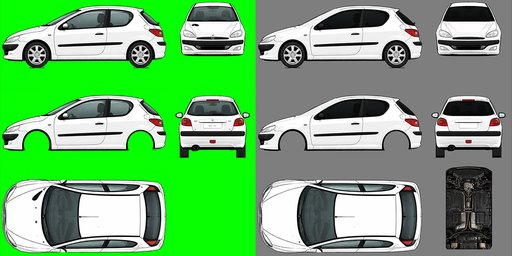
FSX3D Blueprint Tool lets you prepare a vehicle from one image containing several views: left side, right side, front, rear, and top.
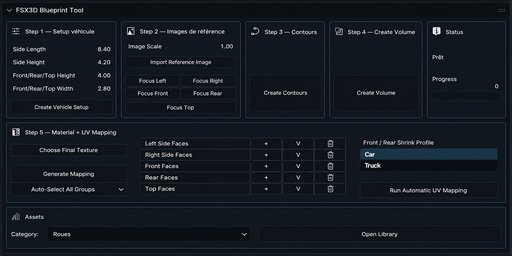
The add-on guides you step by step inside Blender to:
create the vehicle work frames import your blueprint image prepared with the included template automatically generate the main outlines create a usable base volume apply a final texture run automatic UV mapping manually correct face groups when needed quickly add extra assets from a small built-in library.Included template
FSX3D Blueprint Tool is designed to work with a dedicated work template.
The UV template and user manual are not embedded directly in the BlenderKit add-on package. They can be downloaded from the add-on panel using the “Download Template + Manual” button.
After clicking the button, your browser will open and the ZIP file will usually be saved in your Downloads folder.
The template lets you place each vehicle view in a dedicated area:
left side, right side, top, front, rear, and bottom / extra texture area.
For best results, use a clean image with a uniform green background and well-centered silhouettes in each area.
A simple 5-step workflow
1. Vehicle setup
Define the general dimensions of the vehicle: length, height, and width.
The add-on then creates the reference frames used to organize your workflow inside Blender.
2. Blueprint image import
Prepare your image with the included template, then import it in one step.
The same image is automatically used for the different views required by the workflow.
3. Outline creation
FSX3D Blueprint Tool extracts the useful outlines from your reference image.
This helps you quickly prepare the visual base of the vehicle without having to trace everything manually.
4. Volume creation
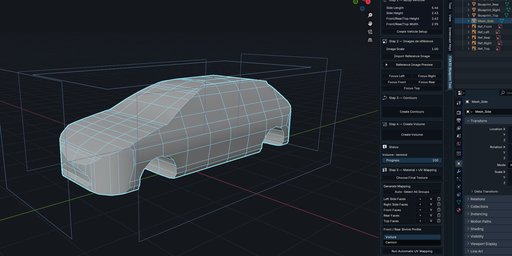
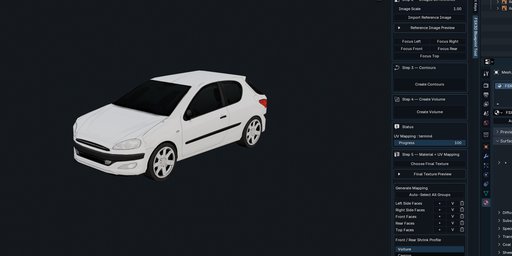
Once the outlines are created, the add-on automatically generates a first 3D base for the vehicle.
The result is a starting point for your modeling, cleanup, and customization work.
5. Material + UV Mapping
Load your final texture, check the face groups if needed, then run automatic UV mapping.
You can preview detected groups, manually adjust a selection, and lock your corrections before launching the mapping again.
Included template
The add-on is designed to work with an included work template.
This template lets you place each vehicle view in a dedicated area:
left side right side top front rear bottom / extra texture area.For best results, use a clean image with a uniform green background and well-centered silhouettes in each area.
Ideal for
Built-in asset library
FSX3D Blueprint Tool includes a small asset library, available directly from the add-on panel.
In this version, you can add car or truck wheels to quickly complete your vehicle base.
Assets can then be moved, adjusted, modified, or replaced depending on your needs.
Key features
Compatibility
Blender 4.5.x
The add-on appears in Blender’s 3D View sidebar:
View3D > Sidebar > FSX3D Blueprint Tool
Important
FSX3D Blueprint Tool is not a one-click final vehicle generator.
It is designed to quickly create a clean and usable low-poly 3D base.
The quality of the result mainly depends on the quality of the prepared blueprint image: well-aligned views, clean background, readable silhouettes, and correct placement inside the template.
Once the base is created, you can continue working in Blender: adjustments, details, optimization, accessories, materials, and export according to your own pipeline.
In short
FSX3D Blueprint Tool saves time when creating 3D vehicle base meshes.
Prepare your image, import it, follow the steps, generate your volume, apply your texture, and quickly get a low-poly base ready to be improved inside Blender.