05 June 2022
PBR Textures & Material setup 🔗
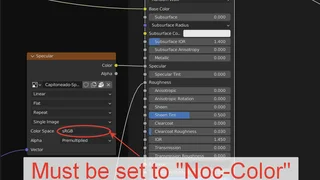
Principled shader setup 🔗
If your principled shader setup is incorrect, please have a look at the setups of other materials in our database. This will help you understand how to resolve it.
Remember, it is important that all imported PBR channels are connected. Besides the Albedo channel, all should be set to non-color.
Thanks and fingers crossed!
PBR textures and values 🔗
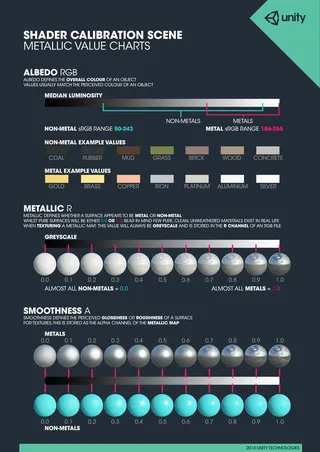
As a thumb rule. Keep the values in your textures in range depending on the type
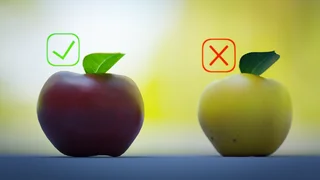
- Albedo - Try not to have fully Bright or Dark textures or patches in there. Try not to make fully saturated in color.
- Roughness - White is fully rough and Black is zero rough. There is nothing in the real world fully or zero rough. Keep it in 0.1 to 0.9 range and added surface variation is cherry on top.
- Metallic - Try to keep metallic and non-metallic parts fully white or black. In rare cases you can have in-between values. For example Golden Paint or Velvet
Remember, it is important that all the values in PBR textures are correct. Also most important, to make sure the textures are read right in shader, remember all textures should be set to non-color except the Albedo texture.
Thanks for making PBR textures with values in range!