
 Models
 Materials
 HDRIs
HDRIs
 Scenes
 Brushes
 Node Groups
 Printables
 Creators
 Creations
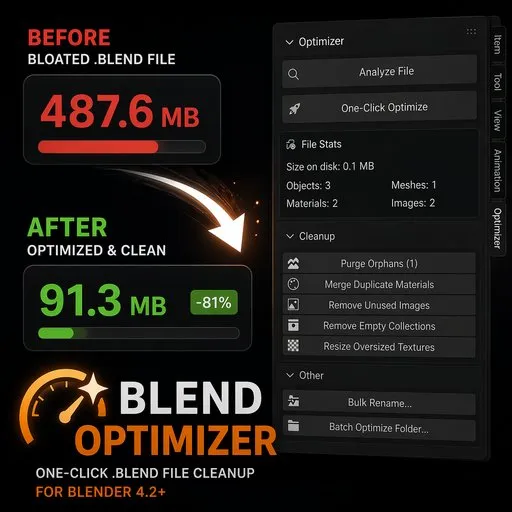
BlendOptimizer
 add-on
One-Click .blend File Cleanup for Blender 4.2+
Your `.blend` files are way bigger than they need to be
$4.49
$3.82
What you get
Every Blender artist accumulates the same bloat: 200 duplicate materials with .001 .002 .003 suffixes, orphan datablocks from deleted objects, images you imported once and never used, oversized 8K textures that should be 2K, empty collections from layer reorganizations.
- Analyze — instant breakdown of what's bloating your file
- Hash-based duplicate material detection — finds materials with identical node setups (not just .001 suffixes), merges them safely
- Recursive orphan purge with category report
- Empty collection sweeper
- Unused image cleanup
- Oversized texture resizer (configurable threshold)
- Regex bulk rename across objects/materials/meshes/images
- One-Click Optimize — runs everything with auto-backup + HTML report
- Batch Processor — point at a folder, optimize 100 .blend files automatically. CSV report included.
Safety first
Every destructive operation creates a timestamped backup automatically. Undo (Ctrl+Z) works on every operation. Datablocks marked use_fake_user are never touched. Dry-run mode for material dedup, texture resize, and bulk rename.
Compatibility
- Blender 4.2 through 5.1+
- Windows, macOS, Linux (pure Python, no compiled binaries)
- Installs as a Blender Extension (Edit → Preferences → Get Extensions → Install from Disk)


