BlenderKit logo
  • Download BlenderKit
  • Subscribe
  • Mission
  • Users
    • Info for users
      • FAQ
      • Get Blender add-ons
      • BlenderKit in Godot
      • Add-on troubleshooting
      • Licenses
      • Licenses FAQ
    • Terms & conditions
      • Terms and Conditions
      • Privacy Policy
      • Refund Policy
    • Service status
    • Cookies
      • Cookie Policy
      • Cookie settings
  • Creators
    • Overview
    • FAQ
    • Terms and Conditions for creators
    • General Uploading info
    • Upload Models
    • Upload Materials
    • Upload Brushes
    • Upload Add-ons
    • Upload Scenes
    • Upload HDRs
    • Upload Printables
    • Guidelines for add-on creators
    • Blender Tutorials
    • Validation Statuses
    • Fair Share Redistributions
    • Affiliate program
    • Most common upload issues
  • News
  • About
    • Our team
    • Contact
    • Press Kit
    • Blender 3D Training
    • Job positions
  • BKON 2026
  • Models
  • Materials
  • HDRI
  • Scenes
  • Brushes
  • PrintablesNEW
  • Add-onsNEW
  • Log In
  • Register

BK BD 25

Blender 3D Object Blender Add-Ons

Free Plan

Get 62,110 free assets

Full Plan

Access the full library & enjoy 131,581 assets

Blender add-ons 15%

Find free & paid Blender add-ons

Become creator

Share & sell your assets

< All assets

Add-ons icon Add-ons

  • Models icon Models
    • Architecture
      • Building
        • Commercial Historic Private Sci-fi
        • other...
        Door Exterior element
        • Bench Facade element Fence Fountain Playground Swimming pool Urban Environment
        • other...
        Floor Covering Molding / Carving Scenes Stairs Structure Wall Panel
        • 3D Panel Stone Panel Upholstery Panel Wood Panel
        • other...
        Window
      • other...
      Character
      • Anatomy
        • Full Body Head Internal organ Limbs Skeleton
        • other...
        Animal
        • Bird Dinosaur Fish Insect Mammal Reptile
        • other...
        Clothing
        • Accessories Footwear Headwear Man Clothing Woman Clothing
        • other...
        Humanoids
        • Child Fantasy Hero/ Heroines Medical Men Military Police Sci-Fi Sports Women
        • other...
        Monster / Creature Robot
      • other...
      Decoration
      • Bag / Suitcase Blanket Book Carpets Clock / Watch Curtain Decoration Set Fabrics Fireplace Food / Drinks
        • Beverage Food Fruit / Vegetable Kitchenware Sweets / Dessert Tableware set
        • other...
        Holiday Decoration Mirror Money Picture Pillow Sculpture Textile Vase Miscellaneous
      • other...
      Effects / Simulations
      • Modifier Motion design Simulations Technical
      • other...
      Industrial
      • Container Equipment Machinery Parts Sign Tools
        • Handtools Powertools
        • other...
      • other...
      Interior
      • Armchair Bathroom furniture
        • Accessories Bathhub Faucet Furniture Set Laundry Shower Toilet / Bidet Towel rail Wash Basin
        • other...
        Bed Cabinets
        • Bookcase Commode Shelving TV Cabinets
        • other...
        Chair
        • Bar Chair Regular Chair
        • other...
        Console Dressing Table Kids furniture
        • Bed Chair Furniture Set Miscellaneous Table Toy Wardrobe
        • other...
        Kitchen Furniture
        • Faucet Kitchen Appliance Kitchen Set Sink Storage
        • other...
        Lights
        • Ceiling Light Floor Lamp IES Light Industrial Light Outdoor Light Table Lamp Wall Light
        • other...
        Office Furniture
        • Chair Desk Stationery Storage Table
        • other...
        Outdoor Furniture Pouf Restaurant / Bar Seating Set
        • Chair-table Set Sofa-table Set
        • other...
        Shopping / Retail Sideboard / Drawers Chest Sofa Table Wardrobe
      • other...
      Military
      • Aircraft Vehicles Watercraft Weapon / Armor
        • Historic Modern Sci-Fi
        • other...
      • other...
      Nature
      • Atmosphere
        • Cloud Fog Smoke / Fire Wind Setup
        • other...
        Grass Landscape
        • Environment Elements Terrain
        • other...
        Plant
        • Bouquet Fitowall Indoor Outdoor
        • other...
        Tree
      • other...
      Science
      • Lab Equipment Medical Equipment Microbiology Miscellaneous Pharmacy
      • other...
      Space
      • Miscellaneous Planet Satellite Spacecraft Station
      • other...
      Sport / Hobby
      • Fishing Gym Hobby Accessories Miscellaneous Music
        • Accessories Instruments Stage Studio
        • other...
        Sport
      • other...
      Technology
      • Audio Devices Computer
        • Components / Hardware Desktop Game Console Keyboard Laptop Monitor Mouse Peripheral
        • other...
        Device
        • Cellular Phone Corded Phone Smartphone Smart Watch Tablet
        • other...
        Home Appliance Miscellaneous Photography Robotics Video devices
      • other...
      Transport
      • Aircraft
        • Accessories / Part Air Baloon Airplane Drone Glider Helicopter Historic Plane Private Jet Seaplane
        • other...
        Bicycle Car
        • Buggy Concept Historical Luxury / Supercar Modern Racing Sci-Fi
        • other...
        Emergency
        • Ambulance Fire trucks Police
        • other...
        Heavy Vehicle
        • Industrial Trailer Truck Van
        • other...
        Motocycle
        • Historical Race Standard
        • other...
        Public Transport
        • Bus Taxi
        • other...
        Railed vehicle
        • Cargo Passenger
        • other...
        Small Electric Vehicles Vehicle Parts Watercraft
        • Accessories / Part Boat Hovercraft Ship Submarine Yacht
        • other...
      • other...
    • other...
  • Materials icon Materials
    • Animal Asphalt Bricks Ceramic Concrete Dirt Fabric
      • Blackout Chenille Dimout Embroidery Flat weave Jacquard Print Sheer Suede Texture Velvet Vinyl / Imitation leather
      • other...
      Floor Food Fx Glass Grass Ground Human Ice Leather Liquid Marble Metal Organic Ornaments Paper Paving Plaster Plastic Rock Roofing Rubber Rust Sand Soil Stone Tech Tiles Wood
    • other...
  • HDRIs icon HDRIs
    • Indoor
      • Abstract Futuristic Environments Holiday Industrial Interiors Nighttime Environments Public Residential Rural Sports Studio
      • other...
      Outdoor
      • Abstract Architectural Cityscapes Futuristic Environments Holiday Landscapes Nature Nighttime Environments Sports Urban Water Environments
      • other...
    • other...
  • Scenes icon Scenes
    • Abstract Cartoon Exterior
      • Architectural Nature Post-apocalyptic Private Public Rural Urban
      • other...
      Gaming Industrial Interior
      • Creative studios
        • Photography Studios TV Studios YouTube/Podcast Studios
        • other...
        Interior Isometric Private Public
      • other...
      Product visualization
      • Cloth viz Mockup Studio
      • other...
      Science Templates
      • Background Brush templates Magazine cover Typography Validation scenes
      • other...
      Thematic Scenes
      • Fantasy Historical Holiday Sci-fi Space Underwater
      • other...
    • other...
  • Brushes icon Brushes
    • Anatomy
      • Animal / creature
        • Claws Face / head Feather Fins Fur Limbs Organs Scales Scars & wounds Skeleton Skin Spikes Tails & horns
        • other...
        Human
        • Body Face Hair & nails Muscles Organs Scars & wounds Skeleton Skin
        • other...
      • other...
      Art
      • Pattern Sculpture
      • other...
      Clothing
      • Accessories Fabric Stitches
      • other...
      Damage
      • Concrete Crack Cut Dirt Glass Metal Plaster Rust Wood
      • other...
      Geometric Industrial
      • Hard surface Sci-fi
      • other...
      Misc Nature
      • Crater Fire Ice Landscape Organic Plant Rock Soil Stone Wood
      • other...
    • other...
  • Node Groups icon Node Groups
    • Compositing Nodes Geometry Nodes
      • Curves
        • Curve Deformers Curve Optimizers Curve Shapes
        • other...
        Distribution
        • Arrays Distribution Transform Surface Distribution Volumetric Distribution
        • other...
        Generators
        • Animations Curve Generators Measurements Mesh Generators Voxel Generators
        • other...
        Material
        • Colors
        Math
        • Functions
        Selection
        • other...
        Simulation
        • Diffusions Particle Physics
        • other...
        Tools
        • Edit / Object mode
        • other...
        Topology
        • Mesh Deformers Mesh Primitives Remeshers Tessellate Mesh
        • other...
        Utilities
        • Rotation Switches Text / String Tools UV Vector Fields
        • other...
      • other...
      Shading Nodes
      • Effects Procedural Textures
      • other...
  • Printables icon Printables
    • Containers Fashion Games Holders Instruments Mechanics Misc Organics
    • other...
  • Add-ons icon Add-ons
    • 3D View Add Mesh Animation Development General Import - Export Material Mesh Modeling Node Object Paint Render Rigging Scene System Tools User Interface UV
  • Creators icon Creators
  • Creations icon Creations

What is BlenderKit?

BlenderKit is a community‑driven 3D asset library integrated into Blender 3D.

Founded in the spirit of open‑source, BlenderKit is available for free.

With a Full Plan subscription, users support BlenderKit creators and open‑source development, while enjoying access to the full database.

Find out more
YouTube Facebook Instagram GitHub TikTok BlueSky
  • Trending  
  • Most bookmarked  
  • Highest asset score  
  • Highest complexity  
  • Highest quality  
  • Asset count  
  • Asset score sum
  • Newest
  • Most relevant
  • All
  • Free
  • Full
  • Paid
  • All assets
  • My bookmarked assets
  • All
  • 0 - 999
  • 1,000 - 9,999
  • 10,000 - 99,999
  • 100,000 - 999,999
  • 1,000,000 and more
  • All
  • Less than 256
  • 256
  • 512
  • 1K
  • 2K
  • 4K
  • 8K
  • 16K and more
  • All
  • Sculpt
  • Texture paint
  • All
  • Procedural
  • Texture based
  • All
  • Realistic
  • Non photorealistic
  • Other
  • All
  • Yes
  • No
  • All
  • Geometry nodes
  • All
  • Yes
  • No
  • All
  • Yes
  • No
  • All
  • No Sexualized Content
  • Sexualized Content
  • All
  • Yes
  • No
  • All
  • Windows
  • MacOS
  • Linux
  Bookmarks
The asset was added to your bookmarks.
Now you can filter it in BlenderKit add-on.
  Bookmarks
The asset was removed from your bookmarks

N-Gone Pro

add-on add-on

N-gone Asset Optimizer

$12.99 $11.04
Share on Twitter Share on Facebook Share link

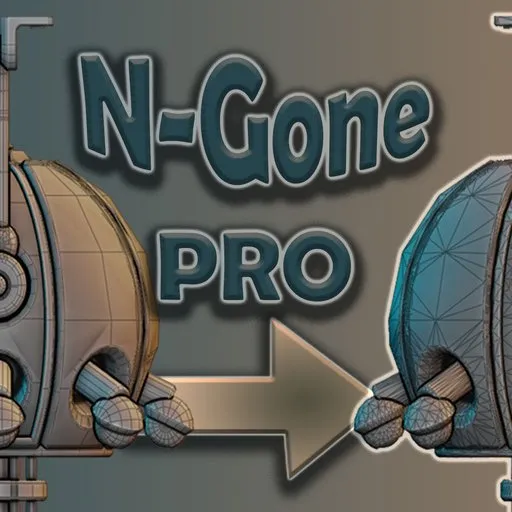
N-Gone Pro is your ultimate workflow tool for optimizing N-Gon & Quad based 3D objects. Specifically designed to take the pain out of optimizing CAD and Boolean meshes, N-Gone Pro supports a comprehensive range of quality-of-life features aimed at making all your pre-export optimization effortless.
**
Documentation:
https://takes-organization-1.gitbook.io/n-gone-pro

UPDATED 26 JAN 2025 Ver 1.5

Tested with Blender 5.0

Release Notes below

With N-Gone Pro, what used to take hours of tedious work can now be achieved with just a few clicks, letting you focus on creativity instead of getting lost in the technical details.
Key Features:

  • Batch Creation of High and Low Poly Models: Optimize multiple objects at once, perfect for baking or game-ready assets.

  • Smart Naming Management: Standardize names for texture baking in other software (Substance Painter, Marmoset Toolbag, InstaMAT Studio) in a single click, reducing manual errors.

  • Low Poly Detail Refinement: Easily reduce polygon count on multiple objects simultaneously while maintaining model detail, ideal for creating efficient low-poly versions for real-time applications and texturing software. Refine detail on multiple objects at once with live feedback in the viewport.
    Dynamically control Detail level with the Hot Key "D" or change it in preferences tab.

  • Smart UV Unwrap or Cube Projection: With just one click, unwrap, combine, and pack UVs for multiple selected objects, saving you from repetitive UV editing and streamlining your workflow.

  • Focused Workspace: A specialized workspace for focusing on the finer details in N-Gone Pro, allowing precise control over intricate model adjustments.

  • Vertex Colors: Apply vertex colors across multiple objects or individual faces easily for greater creative control.

  • POLY FILLETS: Apply Polygon Fillets Across your Models for reduced Poly count on NGon models.

N-Gone Pro version gives you all the tools you need, and it’s regularly updated with new features and improvements to make sure you're always working with the best.
Lite Version Features:

Why N-Gone Pro?

With N-Gone Pro, you can eliminate the manual, error-prone optimization steps that slow down your workflow. From CAD-based models to sculpts and Boolean-heavy projects, N-Gone Pro aims to be the all-in-one solution that allows you to create, optimize, and export with confidence.
Get Started Today

Transform your Blender workflow with N-Gone Pro—available now. Take the hassle out of optimization and focus on what you do best: creating. Get started today and experience the power of N-Gone Pro for yourself.

Change Log:


Change Log: 17 MAY 2025 N-Gone Pro 1.4.3
Uploaded 25 June

Added Documentation

New Command:

Match Names:

· A one-click Solution that on the provision thatthe corresponding objects in High and Low Collections are in the same orderthen the names of the objects in the high poly collection will conform to the namesof the objects in the low poly collection. Useful to circumvent deviations created by blender renaming duplicates(.001,.002 etc) Improvements to Workspace View: 1. Leaving workspace mode now doesn’t unintentionallyinvert the behavior of local view if you accidentally left local view inworkspace mode 2. Leaving Workspace mode doesn’t permanently changeyour theme back ground color and will revert to user settings. Better Hierarchy Management: 1. Creating a Low or High Poly Now removes the objectsfrom the collection they are in and instead of Linking them from the collectionthey are in. this not only is tidier but will automatically remove from anothercollection that may cause double up (i.e. plasticity blender bridge collection) the collections are also now automatically colored for easier readability. Using Back Track and Amend tools will put objects back to the scene collectionand delete the LOW/HIGH collections if there are no remaining objects in them 2. Creating High or Low poly no longer creates a “Backups”collection as the Data Collection already serves this function. It also meansyou will save some memory especially in bigger scenes 3. Data Collection is now auto collapsed, for acleaner outliner. 4. Bug Fixed where sometimes an underscore was notgenerated for high poly objects suffix. Other General Bug Fixes and Code clean up

Change Log N-Gone Pro 1.5

26.Jan.2026

BUG FIXES
ADDED POLY FILLETS PANEL FOR ADDING FILLETS DIRECTLY IN BLENDER.

Change Log N-Gone Pro 1.4.2

20.Nov.2024

Blender 4.3 & 4.2 Tested ( For Blender 4.0 and 4.1 N-gone pro 1.4 is the latest compatible version and for Blender 3.x N-gone pro 1.37 is the most recent compatible version) Improved UI: Each Section is now contained within collapsible sub menus making it less cluttered and easier to navigate, Added Icons to make things clearer. Implemented Focused Workspace Mode to work with whole groups or individual models simultaneously., Workspace Mode alters the overlays and temporarily hides unwanted objects to allow for better focused control Improved decimation feature on Low poly models you can now Decimate multiple objects at once, You can also now activate the operator with hot key "d" and move the mouse to control detail, You can change the hot key in the preference tab In the previous version I upgraded to support extensions, I have now made the code more modular rather than one large script making it easier to debug and add and remove features General Bug Fixes and code improvements

Change Log N-Gone Pro 1.4.1

Updated to Support Blender Extensions.

Change Log N-Gone Pro 1.4
Note: If using N-Gone Pro 1.4 is only supported by Blender 4.0 and up some aspects are reliant on newer features of Blender, if using an earlier version of e.g. Blender 3.5 etc please use an older version of Ngone-Pro.

  1. “One Click Low Poly” Button Added: its now we have a one click optimizer again!!!
    Executes Create Low poly and Smart UV Unwrap and Pack all at once.
  2. Up dated Versatility of Renaming,

  3. you can now rename all selected objects instead of one at a time

  4. Renaming High or Low no longer refers to the text in the box and will not infinitely add New suffix’ to the Object

  5. Smart UV Unwrap renamed to Unwrap Combine and Pack now automatically packs your UVs using the blender internal packer with some optimized settings.
  6. Removed the Easy Remesh Panel Entirely if you want to continue to use this you can find it on earlier versions and should work well with N-Gone Pro versions 1.37 and lower and blender versions prior to 3.5.1 to 4.0, ultimately there are better ways to do this and it doesn’t really fit in with the addon

  7. Bug Fixes:

  8. Removing Modifiers and Backups button now destroys the HIGH and LOW Collections preventing a bug which wouldn’t allow you to create low or high poly again unless you manually removed the collection.

Change Log: N-Gone Pro 1.37

Checked Compatibility for Blender 4.1 Beta
1. Added New Tools for adding Vertex Color Attributes on the basis of Selected Objects or Selected Faces greatly speeding up the ability to get you mesh optimized and into texturing software.
2. UI tidy up:
a. changed the Wire frame Button from a check box to a toggle
b. made "greyed out" Boxes in Object mode consistent have consistent design so the UI is less cluttered looking between modes.


Change log: N-Gone Pro 1.36

New Tools for Refining Lowpoly Meshes:
Detail Tools

A selection of new Tools that all reduce the time spent refining your low poly and overall give you better control and visual feedback while doing so.
1.Wireframe: Toggles Wire Frame Overlay so you don’t have to dig for it in the overlay’s menu, so you can have live feedback on the level of detail of your model
2.Detail: Slider For decimation ratio of active object
3.Paste Detail: Pastes value in the Detail Slider to selected objects, without effecting other modifiers in the stack.
4.Exclude Faces From Decimation: In Edit Mode it will Create a vertex group to exclude faces from the Decimate Modifier in the stack, handy for maintain detail in certain areas.
5.Remove Excluded Faces: Deletes the Vertex Group made with the previous button so you can start again.

Updated UI Layout:

6.Rearranged the order of tools in the Panel and added clearly labelled groups to follow the typical order of operations,
Updated some tool tip descriptions to be clearer.

By

Author avatar Take Refuge TV

File size

524.9 KiB

Version

1.5.0

Platforms

windows-x64, macos-arm64, linux-x64, macos-x64, windows-arm64

Arrange objects evenly in a circle
Free

add-on Arrange objects evenly in a circle

29
Object Mode v1.2 – Hierarchy Selection
Free

add-on Object Mode v1.2 – Hierarchy Selection

13
Quick Origin Power Suite: Ultimate Pivot & Alignment Tools
Free

add-on Quick Origin Power Suite: Ultimate Pivot & Alignment Tools

11
XCut
Free

add-on XCut

10
JiggleGen

add-on JiggleGen

8
Number Generator
Free

add-on Number Generator

7
Stairs Maker

add-on Stairs Maker

5
N-Gone Pro

add-on N-Gone Pro

2
Quick Replace

add-on Quick Replace

1
Batch Rename & Replace Pro Blender addon

add-on Batch Rename & Replace Pro Blender addon

1
Random Object Colorizer

add-on Random Object Colorizer

1
Space Generator

add-on Space Generator

1
Object Disperser

add-on Object Disperser

  • «
  • 1
  • 2
  • 3
  • …
  • 5608
  • 5609
  • 5610
  • »
Added To Cart
To complete your purchase or update it, please go to cart. If you want to find more awesome add-ons, continue to explore.
Go to Cart
Already Purchased
You already purchased this item. It is impossible to buy it again. Continue to explore and enjoy :-)
My Orders