Add-on release notes v3.1.3 🔗
We're are always busy working on our add-on, and we have a new release of our add-on for you! Know that we have rewritten a huge part of the add-on to make it work great for everyone. After release 3.1.0, we have already released 2 bugfix releases that required major changes to the add-on. If you use our add-on and have auto-updater turned on, you've probably been using the new features for a few weeks now.
It's in the background! 🔗
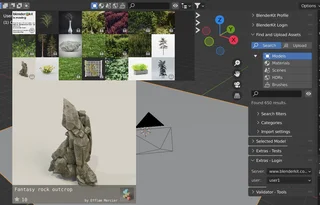
BlenderKit now runs a separate process on your system that takes care of finding and downloading assets from our server. This has several advantages: first, it removes a lot of the code written by threads, which could sometimes cause Blender to be unstable. Second, it frees up performance directly in Blender for your work.
We plan to gradually rewrite the code of the entire add-on so that internet contact and all more demanding tasks run through this process in the background.

Asset Bar 🔗
Asset bar draws faster and loads images more smoothly, further speeding up your work.
Animated models 🔗
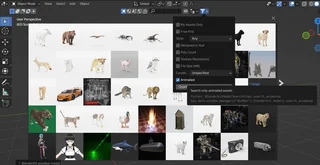
We have plenty of them, but until now you haven't had the ability to filter them. Now you can, thanks to the new search filter.
Proxy settings 🔗
Politics sucks, and sometimes it tries to set boundaries on the creative freedom we're trying to fight for. That's why we've added proxy settings to the add-on settings, it can be especially helpful for Windows users. Try this setting if the add-on fails to use your proxy automatically. You have reported multiple connection issues to us, which we are currently trying to work on.
Setting up proxy in preferences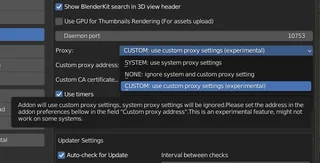
Unpacking is now not on by default 🔗
We turned off automatic unpacking of assets on disk after download, because it was causing too many problems in combination with other add-ons and on different configurations. Until we fix this bug, you can turn unpacking on at any time in the add-on preferences.
Broken installation? 🔗
We know that due to imperfections in the auto-updater, some of you may have experienced installation problems. Here you can read instructions on how to fix the add-on installation.
Fixing broken installation