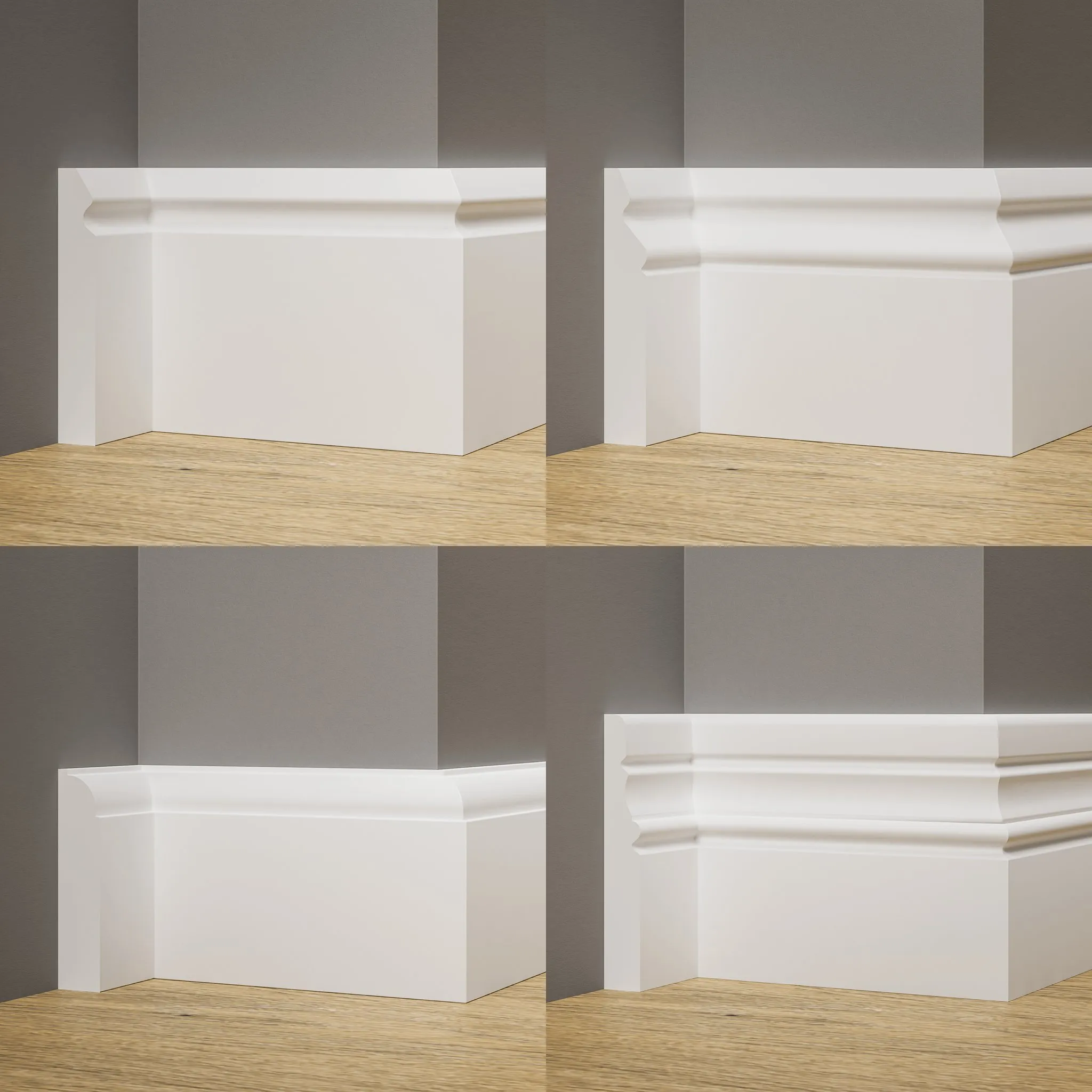
Decorate historical or contemporary buildings with ornaments and carvings. Give your 3D scenes a touch of luxury.
Get free assets
Access the full library & enjoy assets
Find free & paid Blender add-ons
Share & sell your assets
BlenderKit is a community‑driven 3D asset library integrated into Blender 3D.
Founded in the spirit of open‑source, BlenderKit is available for free.
With a Full Plan subscription, users support BlenderKit creators and open‑source development, while enjoying access to the full database.
Set of 4 baseboard / skirting profiles. Just create a curve and add one of the profiles!
INSTRUCTION:
Modify existing curve by moving and extruding vertices.
OR
Create a curve around your room's floor (you can also select floor's edges, duplicate it with "Shift+D" and click "P" to separate it by Selection).
Convert your mesh to a curve (by clicking RMB -> Convert to -> Curve).
With your curve selected, go to Object Data Properties -> Geometry -> Bevel. Select "Object" and choose one of 4 profiles:
JS_Baseboard_Retro_04
Set you curve to 2D Shape in Object Data Properties to eliminate distortion.
Add Bevel modifier to your curve for a more realistic look.
Good job! Now you render looks much better :)
Feel free to rate this asset and leave a comment!