
 Models
 Materials
 HDRIs
HDRIs
 Scenes
 Brushes
 Node Groups
 Printables
 Creators
 Creations
Camera Director Pro
 add-on
Stop wasting hours positioning cameras.
One-click cinematic camera setups, physical lens library, camera shake effects, and multi-cam timeline switching for Blender 4.2+.
What you get
Every shot in Blender starts with the same boring workflow: add camera, rotate, adjust focal length, reposition, adjust again, guess the composition, tweak the sensor, wonder why it looks flat.
Camera Director Pro skips all of that.
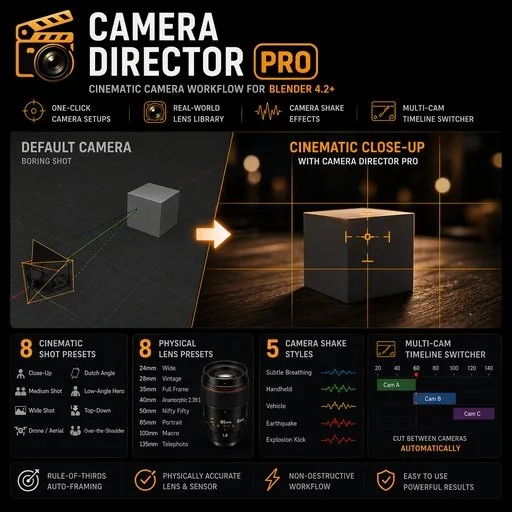
Select your subject. Click "Close-Up." Done, a new camera appears with an 85mm lens, slight low angle, rule-of-thirds composition, framed tight. Click "Drone" and it's a high-angle wide at 35mm. Click "Handheld" and the camera starts breathing like a real documentary operator.
8 Cinematic Shot Presets
Close-Up • Medium Shot • Wide Shot • Drone/Aerial • Dutch Angle • Low-Angle Hero • Top-Down • Over-the-Shoulder. Each preset is real-world calibrated: correct focal length, correct distance from subject, correct angle.
8 Physical Lens Presets
24mm Wide • 28mm Vintage • 35mm Full Frame • 40mm Anamorphic 2.39:1 • 50mm Nifty Fifty • 85mm Portrait • 100mm Macro • 135mm Telephoto. Each with accurate sensor dimensions and optional aspect-ratio matching.
5 Camera Shake Styles
Subtle Breathing • Handheld • Vehicle • Earthquake • Explosion Kick. Non-destructive — added as f-curve noise modifiers so you can tweak intensity, layer them, or remove with one click. Optional frame-range with automatic blend in/out.
Rule-of-Thirds Auto-Framing
7 composition modes (center + 6 thirds intersections). Your subject lands exactly where the eye wants it.
Multi-Cam Timeline Switcher
Bind cameras to frames via markers. Blender cuts between them automatically during playback and render. No driver setup, no compositor tricks — just click, click, done.
Compatibility
- Blender 4.2 through 5.1+ (handles both legacy and new Action APIs)
- Windows, macOS, Linux
- Installs as a Blender Extension (Edit → Preferences → Get Extensions → Install from Disk)


