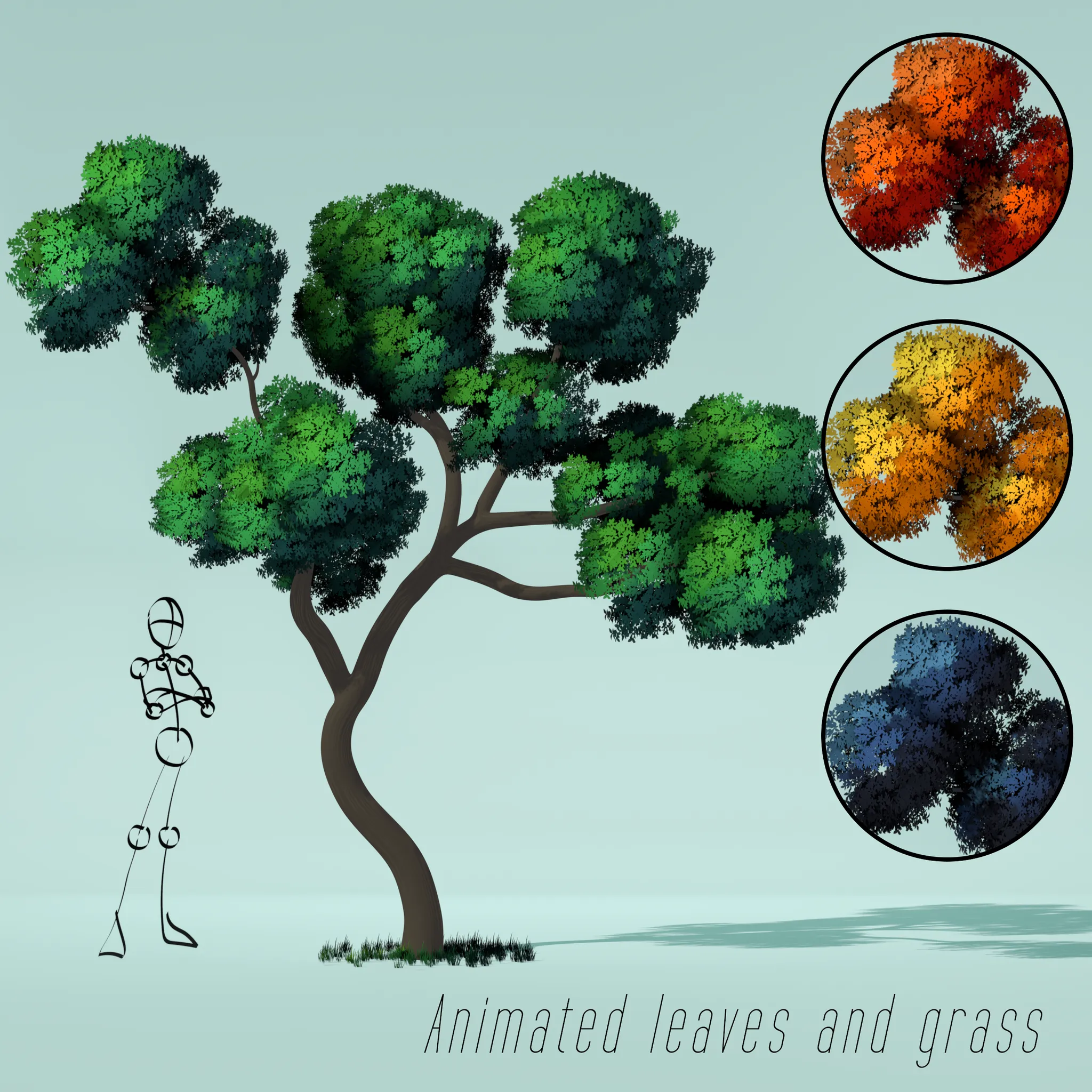
A pseudo 2D tree inspired by Japanese animation (anime) (in particular, the works of Studio Ghibli) and a bit of pixel art.
I animated the leaves and grass as if a small breeze were blowing on them (the wind strength can be adjusted).
I have also provided several color options: summer with green foliage (by default), autumn with red foliage, autumn with yellow foliage and night, where everything has bluish shades. Color options can be switched in the Shader editor (in addition to the leaves, do not forget about the trunk of the tree and the grass!)
Important notes:
1. This model was developed for the EEVEE rendering engine (if you have an older version of Blender, do not forget to enable Ambient Occlusion in the settings). You can certainly render it in Cycles, but the model is not optimized for this and will look worse (+ you will spend an unjustifiably long time on it).
2. Do not delete the "NORMAL_SOURCE" object! It is needed for proper shading of foliage and grass. Just make sure that it is disabled from rendering.
3. Foliage and grass should always be directed towards the camera. That's why I've included an Empty called CAM_POSITION. All the particles (leaves and grass) are oriented towards it, that is, they are always perpendicular to it. In my opinion, the easiest way to work with this is to create a camera, move it to this Empty, and make this Empty a child to camera (parent it), if it is assumed that the camera will move. Alternatively, you can reassign the orientation to another object (for example, a camera) by specifying it in the Face cam position modifier (this will need to be done with each foliage and grass object) instead of the CAM_POSITION Empty.
4. The shader of foliage and grass strongly depends on the light source used in the scene. In my opinion, the best option when working with these trees is the Sun light source.
5. Since this tree was created for 2D (and/or pseudo 2D) animation, it looks good from the front, but bad from other angles (because it is not intended for this).
6. You can play with the wind animation by adjusting its intensity in the Geometry Nodes menu.