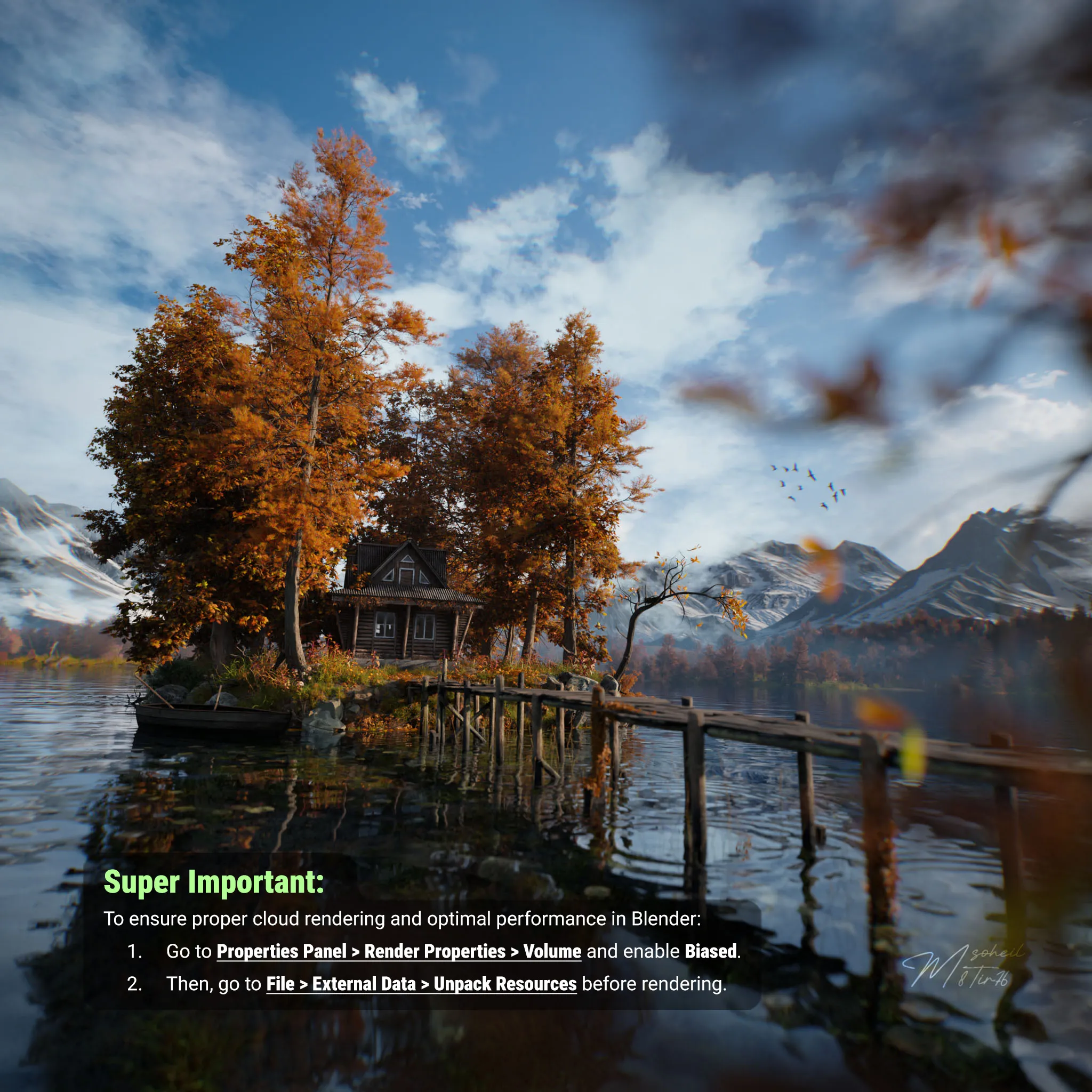
Is your 3D bird looking for a nesting site? Your 3D cabin searching for a forest? Your 3D character hoping for a lake? Take a deep breath and choose a render-ready 3D nature scene.
Super important: To ensure proper cloud rendering and optimal performance in Blender:
Go to Properties Panel → Render Properties → Volume and enable Biased.
Then, go to File → External Data → Unpack Resources.
This is a 3D scene of a small island in the middle of a lake, this time made in a fall setting. The trees are orange and the plants look a bit dry, giving that autumn feeling. On the island there’s a small wooden house with a porch. Some tools like a pickaxe, shovel, and ladder are leaning against the side of the house. There’s also a simple bench near the water, and a small boat floating by the island.
Around the island you can see tall mountains in the background, made in Gaea, and pine trees in the distance made with SpeedTree. The island itself, the house, and the boat were modeled in Blender. The trees and plants are made in SpeedTree, the mountains in Gaea, and I used Substance Painter for the textures of the house, boat, and other objects. The volumetric clouds and the lighting were done in Blender, with a custom HDRI that I adjusted in Photoshop to fit the scene. The final render was done with Cycles.
If your GPU runs out of memory make sure you did Unpack Resources. Also you can switch to CPU rendering, 16GB RAM should be enough for CPU.