Is your 3D bird looking for a nesting site? Your 3D cabin searching for a forest? Your 3D character hoping for a lake? Take a deep breath and choose a render-ready 3D nature scene.
Super important: To ensure proper cloud rendering and optimal performance in Blender:
Go to Properties Panel → Render Properties → Volume and enable Biased.
Then, go to File → External Data → Unpack Resources.
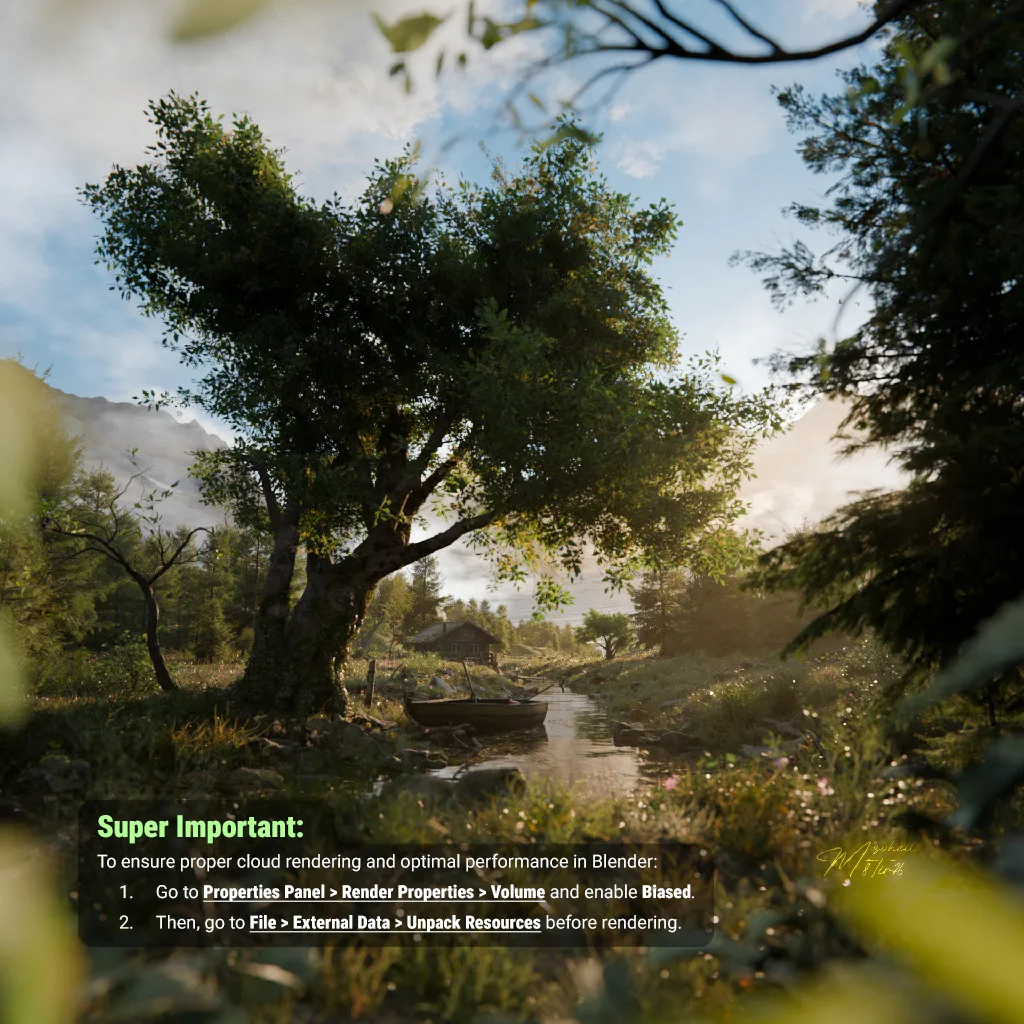
This scene shows a quiet, hidden spot in the woods. A small creek flows through a clearing, with a little wooden boat resting on the bank. Inside the boat, an oil lantern sits, ready for evening. A large, leafy tree provides shade, and you can see a cozy cabin tucked away in the background.
The air looks soft and misty, with sunlight streaming through the volumetric clouds and lighting up the dewy grass. In the far distance, you can just make out the shapes of mountains. It feels very peaceful, like an early morning in the wilderness.
Everything in the scene, including the trees, mountains, cabin, boat, and the oil lantern in the boat was modeled and textured from scratch.
I lowered the number of objects in the viewport so you can easily navigate through the scene. When you hit render, it will load all the detailed objects to give you the final image you see in the thumbnail.
If your GPU runs out of memory make sure you did Unpack Resources. Also you can switch to CPU rendering, 16GB RAM should be enough for CPU.