Get free assets
Access the full library & enjoy assets
Find free & paid Blender add-ons
Share & sell your assets
BlenderKit is a community‑driven 3D asset library integrated into Blender 3D.
Founded in the spirit of open‑source, BlenderKit is available for free.
With a Full Plan subscription, users support BlenderKit creators and open‑source development, while enjoying access to the full database.
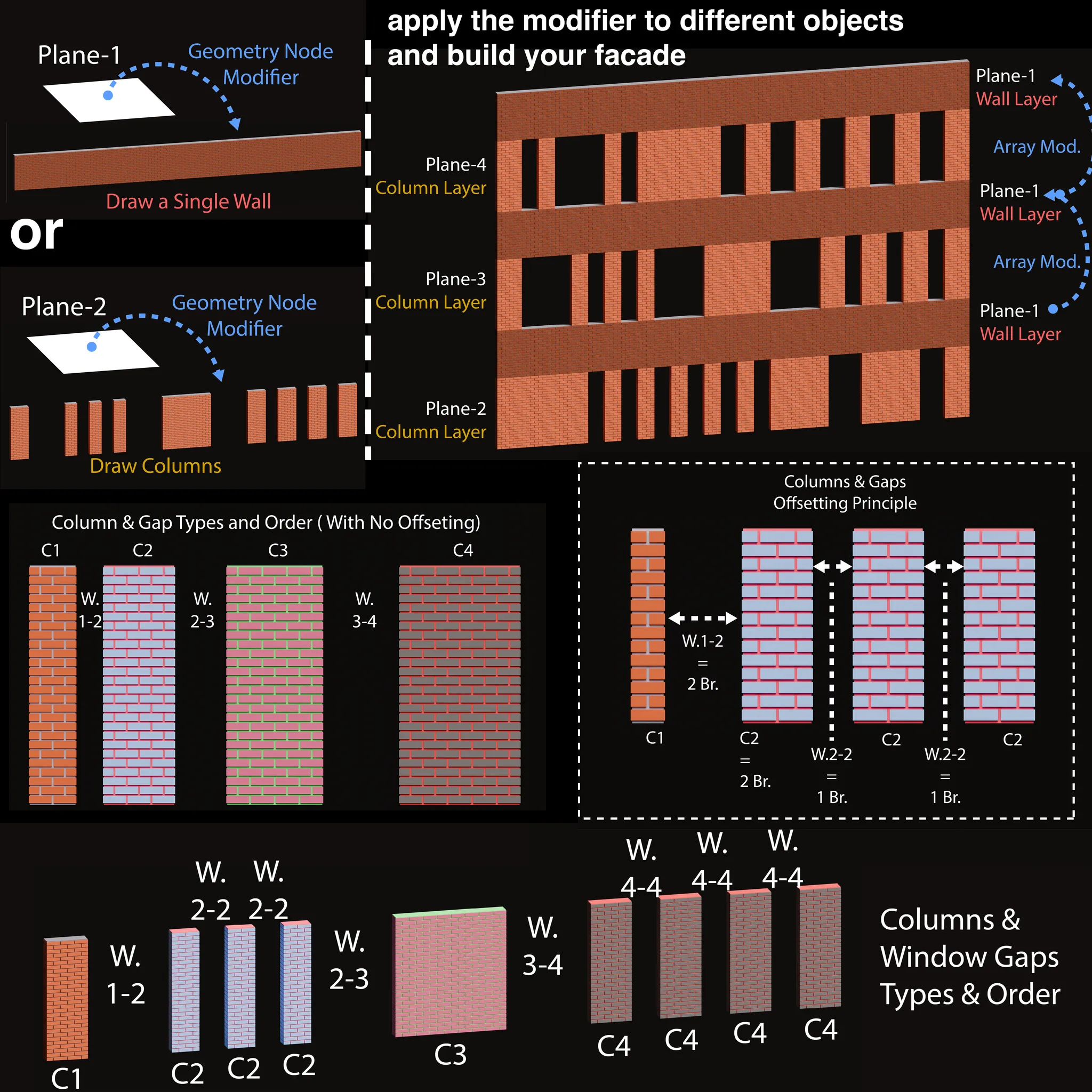
this is a brick block laying geometry node modifier. you can tile brick blocks as a wall (a single column) or columns in a row (with gaps between them). there are multiple properties that you can : adjust the sizes of brick blocks; define the lengths, width and height of the wall; change numbers of columns and gaps; draw bordures; apply materials etc...
to understand better which parameters you can play with, please watch the video https://www.youtube.com/watch?v=C3yqdJ7fhXI.
Basically, there is 4 different column types which have same parameters but you can play with them separately. To draw colum or wall, you only need to define the brick numbers, offset numbers of each columns and the brick numbers of each windows gap. Besides you can also change each columns side number. And as quick reminder, to draw wall, you only need to give 0 to the brick numbers of C2,C3 and C4 columns and make C1 column single sided. Thats All.
So, to build a facade with the (window) gaps is also easy. you only need to : apply the node group to different objects and change their parameters based which one will be work as a wall or columns with window gaps, and bring them together on the Z axis.
Even more, by reducing the side numbers, changing brick row ending format, you can connect them to each other on x or y axis for building more than 4 sided a new building block or a column...
it just depends on what you want to build with it !!