Introducing Texture Resolutions for Models, Materials and HDRs 🔗
We are glad to introduce the Texture Resolutions feature in Blender 2.92. If you have a small GPU memory or want to create much larger scenes, this is the feature you’ve been waiting for. Now, you can work much faster with lighter scenes in Blender and swap to higher quality only if you need to. Go ahead and try it in Blender 2.92 beta.
All textured assets with original higher resolutions now have lower resolutions generated. This saves memory, speeds up all interactions and also helps you to render bigger scenes.
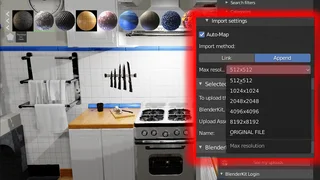
All assets in BlenderKit are uploaded in the highest possible resolution - usually with 4K images and sometimes more. So, if you have a PBR material, it may be as large as 5x4K images, which is huge - 80 Megapixels with 80 million of them usually stored in 4 values each (RGBA color channels). This adds up to 320 megabytes of data!
That’s why we now generate lower versions of these assets, in which we reduce not only the size of the images, but also the number of channels when needed. The images are also converted from .png to .jpg when needed. Thanks to this, the download size will be reduced tremendously, while the quality of the assets stays very similar or the same in your viewport.
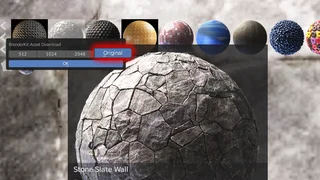
Moreover, render time and especially memory efficiency will be improved manifoldly. If you use 1k textures for your scene (which is frequently enough for most assets), you are using 16x less memory space, while the size of the assets is often even smaller (up to 100x smaller).
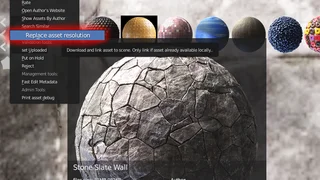
Resolutions can be swapped with the command 'Replace asset resolution' in the Selected model panel or in the Asset bar.
The Resolutions feature is currently available for Models, Materials and HDRs. In the future, it will be introduced for Scenes as well.