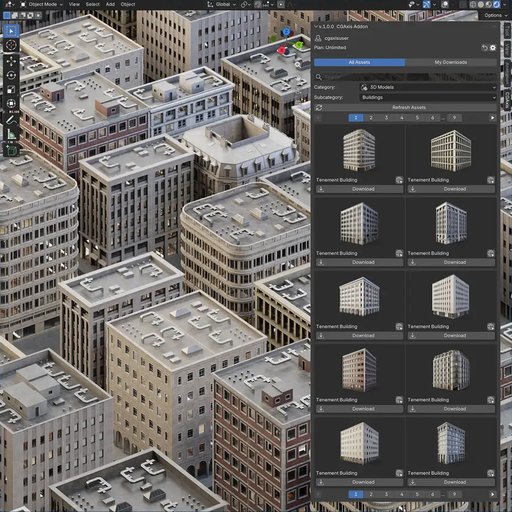
Cgaxis Add-On For Blender - Browse & Import Assets Directly In Blender
Browse 12,500+ Premium Assets directly in Blender and Get started for free - over 120 assets are available at no cost.
Browse 12,500+ Assets Directly in Blender
CGAxis Blender Add-on gives you instant access to a library of 12,500+ production-ready assets directly from Blender's 3D Viewport sidebar. No more jumping between your browser and Blender - browse thumbnails, filter by category, pick your resolution, and import with a single click.
Get started for free - over 120 assets are available at no cost, with no account or subscription required. Unlock the full library of 12,500+ PBR materials, 3D models, HDRIs, decals and imperfections with a CGAxis Subscription Plan.
Whether you're working on archviz, game assets, product visualization, or any 3D project, this add-on eliminates the friction of manually downloading, unpacking, and importing assets.
See It in Action
Watch how to install the add-on, log in, and import your first asset in under 2 minutes.
Everything You Need, Inside Blender
No more switching between browser and Blender. Access the entire CGAxis library from your viewport sidebar.
Browse Assets
Access the full CGAxis library with thumbnail previews, category filters, subcategories, and search - directly in the 3D Viewport sidebar panel.
One-Click Download
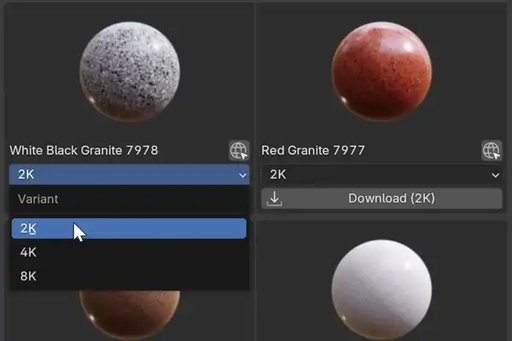
Multi-threaded downloads with real-time progress tracking. Choose your preferred variant and texture resolution (2K / 4K / 8K) before downloading.
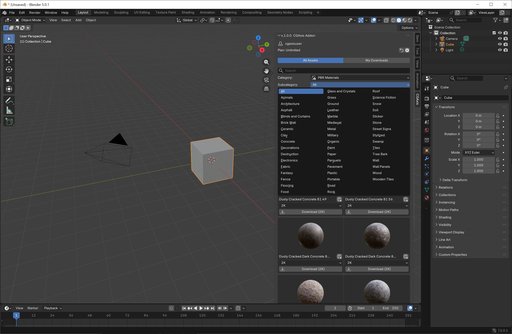
PBR Materials
Auto-detect BaseColor, Normal, Roughness, Metallic, and more. The add-on builds a proper Principled BSDF material and appends it to any selected object - instantly.
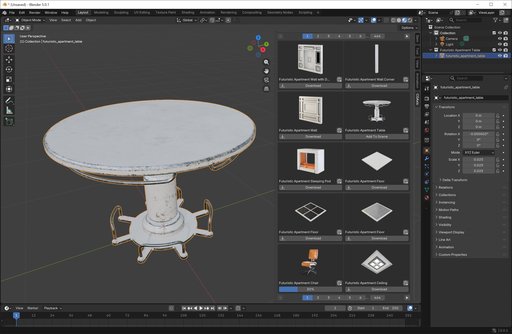
3D Models
Import Blend and FBX files with automatic named collections and materials. Models are ready to use the moment they're added to your scene.
HDRI Maps
One-click World Environment setup. Load any HDRI and the add-on creates all required shader nodes automatically.
Decals & Imperfections
Apply decals and surface imperfections with automatic Mix Shader blending and alpha transparency support.
Three Steps to Your First Asset
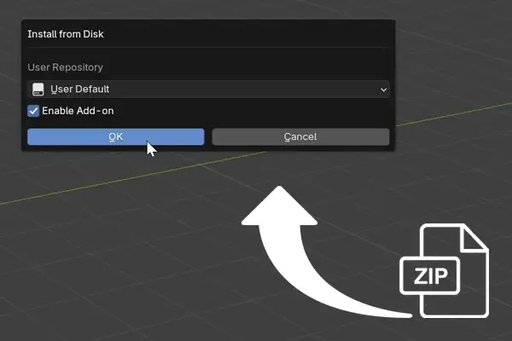
1. Install
Drag & drop the downloaded .zip file directly into Blender (4.2+) or manually install it via Edit → Preferences → Add-ons.
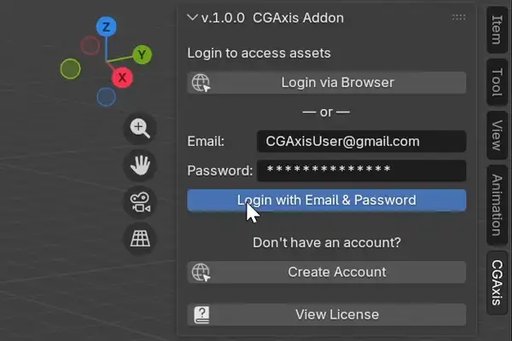
2. Login
Sign in with your CGAxis account. Use browser-based OAuth for one-click login or enter your email and password directly.
3. Browse & Import
Find assets using categories or search, pick your resolution, download, and add them to your scene with a single click.
What's Included
- PBR Materials (concrete, wood, metal, stone, fabric, and more)
- 3D Models (furniture, plants, decor, architecture)
- HDRI Maps (interior, exterior, studio lighting)
- Surface Imperfections (dirt, scratches, leaks, wear)
- Decals (signs, stickers, labels with alpha transparency)
- 120+ free assets available instantly, no subscription needed
Technical Details
- Full Blender 5.0 support (extension system with bl_ext namespace)
- Compatible with Blender 4.0 – 5.0
- Works on Windows, macOS, and Linux
- Browser-based OAuth and email/password login
- Configurable download folder in add-on preferences
- Asset Browser integration (beta) - sync downloads to Blender's built-in browser
- Automatic update checking with 24-hour cache
- Named collections for imported 3D models
- PBR material auto-detection and Principled BSDF builder
- Texture size selection (2K / 4K / 8K)
- One-click HDRI World Environment setup
Free vs. Full Library
This add-on is completely free to download and install.
120+ free assets are available right away - no account or subscription required. The free library is actively growing, with new assets added regularly.
Want access to the full library of 12,500+ assets? Check out CGAxis subscription plans - all plans work seamlessly with the add-on.