Subdivide Selected
This plugin applies subdivision to a selection with clean topology afterward and without separating polygons.
Useful when you need to fix selected mesh areas affected by topology errors or low-poly problems
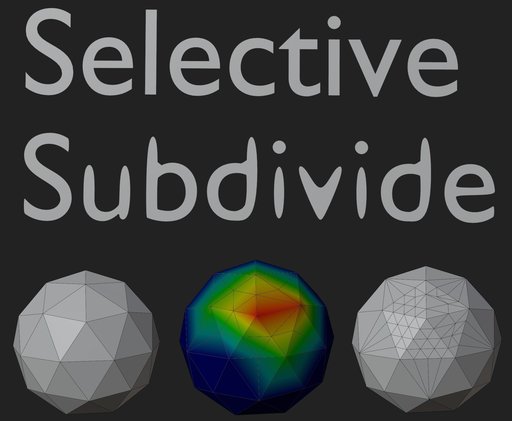
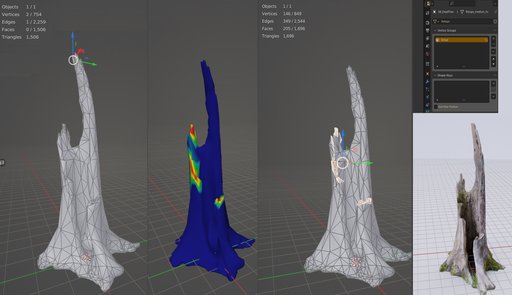
This plugin applies subdivision to a selection with clean topology afterward and without separating polygons.
Useful when you need to fix selected mesh areas affected by topology errors or low poly problems,
be it shadow problems or the object not having enough geometry resulting in spiky vertices.
e.g., imagine a wheel without enough polygons that you need to make round.
If you finished a mesh complete with UV and textures, you may need to apply a topology fix to a problematic area without backtracking or redoing your work.
Ok but how does it work?
You need to select the areas of the mesh in weight paint mode, then switch to object mode and press a button; the selected areas will be subdivided and cleaned.
The Vertex Group must be called "Group."
Installation
install like any other blender plugin, i.e., navigate to edit -> preferences -> Add-ons and select install;
then select the zip file provided (Subdivide selected.zip).
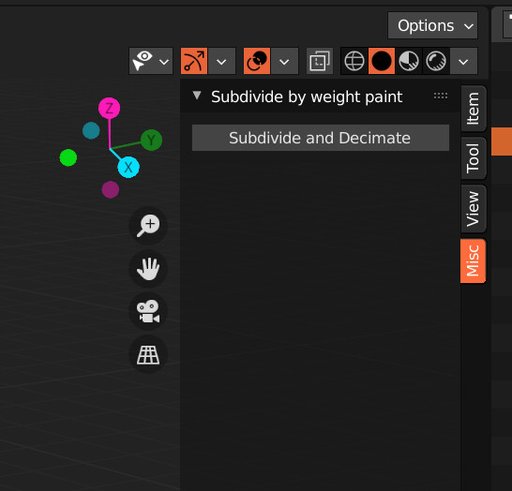
The plugin is installed in the View3D-> misc section
Tested in blender 2.9 and 3.5+, in older blenders like 2.7 it works too but registers at the bottom of the old viewport toolbar