ABO Connect
Access 8,000+ Free, High-Quality 3D Models.
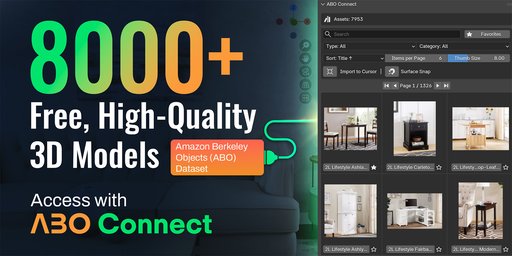
Access a library of 8,000 free, high-quality 3D models.
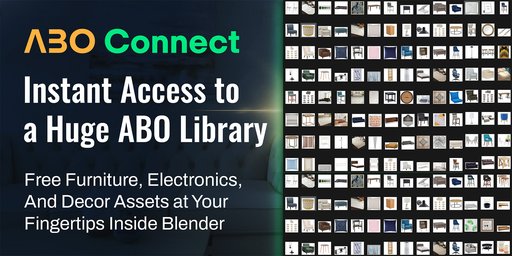
That's the reality of the Amazon Berkeley Objects (ABO) dataset - an incredible, professional-grade resource that has remained largely inaccessible to the average artist. Why? Because managing a 140GB local library just to find one chair is a workflow nightmare.
So I built ABO Connect to change that.
This addon is not another model pack; it's a lightweight and efficient 🔗 bridge that connects your Blender viewport directly to the entire ABO database. It makes browsing and importing from this massive library as simple and intuitive as a local asset browser, without the colossal storage footprint.
✨ A More Efficient Workflow Awaits
✅ Instant Access to 8,000+ Free Assets
From furniture and electronics to home goods and toys, find exactly what you need to bring your scenes to life.
💾 A Smarter, On-Demand Workflow
The addon only downloads the models you choose to import, saving you tons of valuable disk space.
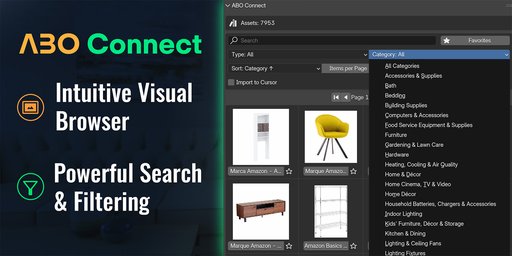
🎨 Intuitive Visual Browser
No more guessing games! Clean, thumbnail-driven interface lets you see exactly what you're getting before you import.
🔎 Powerful Search & Filtering
Quickly find the perfect asset with robust search, sorting, and filtering by category or product type.
🎯 Drag, Drop, Aligned: The New Placement Workflow
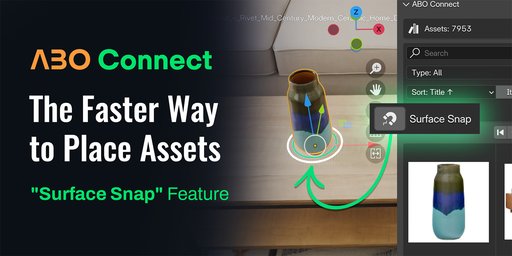
Interactive Surface Snap
Forget about importing to the world origin and manually moving objects. With Surface Snap, you simply drag your model into the scene, and it will actively detect the surface under your cursor.
Smart Alignment: Instead of just snapping to a point, the tool aligns the object's orientation to match the surface normal. This means wall clocks sit flush against walls, and rugs lie flat on floors.
Interactive Rotation: Hold Shift + Scroll to rotate your object on the fly while placing it.
Axis Cycling: Press A to cycle through alignment axes if the model isn't oriented exactly how you want.
Visual Feedback: A clear bounding box shows you exactly how the object will sit before you click to confirm.
Precision Placement with 3D Cursor
Prefer a click-to-place workflow? Use the "Import to Cursor" mode. Just click your 3D cursor anywhere in the scene—on a shelf, a ceiling, or a specific coordinate—and your asset will spawn exactly at that point. It's perfect for pre-planned layouts or when you need absolute coordinate precision.
Who Is This For?
Whether you're an archviz artist, 3D artist, or a hobbyist, ABO Connect provides the assets you need to work more efficiently and creatively.
While professionally curated, paid asset libraries offer immense value and quality (and we love them!), I believe Blender users shouldn't miss out on this amazing, high-quality free resource. ABO Connect is the key to unlocking that potential.
Technical Details:
A powerful, lightweight Blender addon.
On-demand access to the complete ABO dataset.
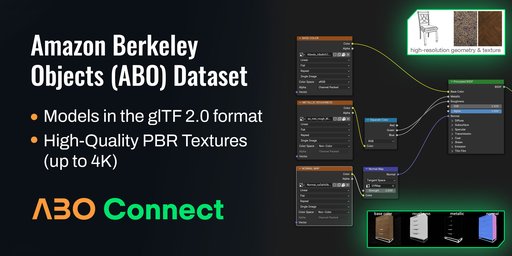
Models in the standard glTF 2.0 format.
High-Quality PBR Textures (up to 4K Base Color, Metallic, and Roughness maps).
A Commitment to Your Workflow
While I've tested the addon thoroughly, the world of software can have unexpected quirks. If you encounter any issues, have a question, or have an idea for a new feature, I encourage you to reach out.
Your feedback is invaluable in helping me improve the tool for the entire Blender community.