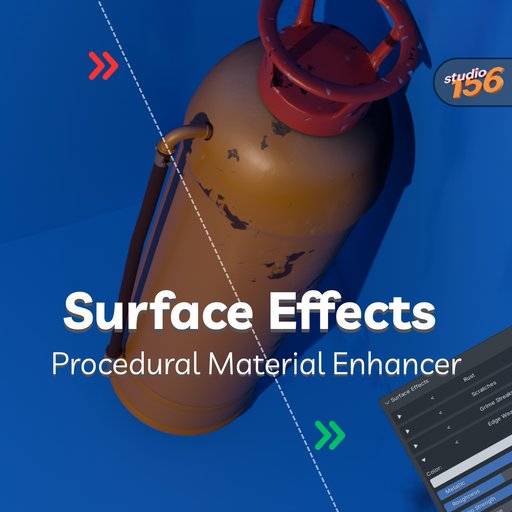
Surface Effects – Procedural Material Enhancer
Bring your materials to life with procedural surface details that stack seamlessly on top of any existing shader.
No need to break your workflow — simply add effects like dirt, scratches, rust, or wetness directly to the active material, with full control and infinite combinations.
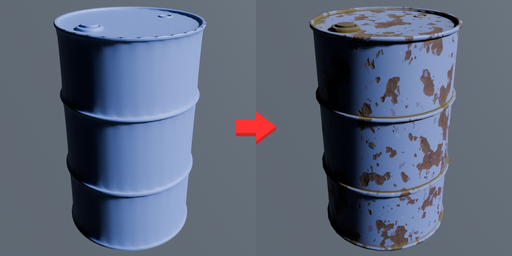
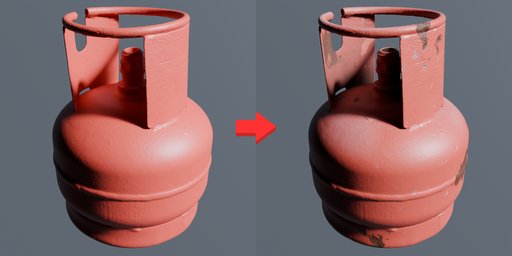

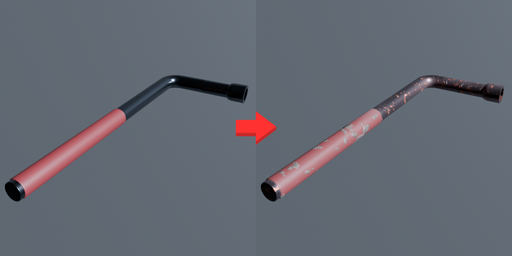
✨ Features
7 surface effects available now:
- Dirt in Crevices
- Dust
- Edge Wear (Cycles only)
- Grime Streaks
- Rust
- Scratches
- Wetness
Stackable effects: Add as many effects as you want, combine them freely, and adjust them independently.
Non-destructive workflow: Effects are layered on top of your material without breaking it — you can always remove them with a single click.
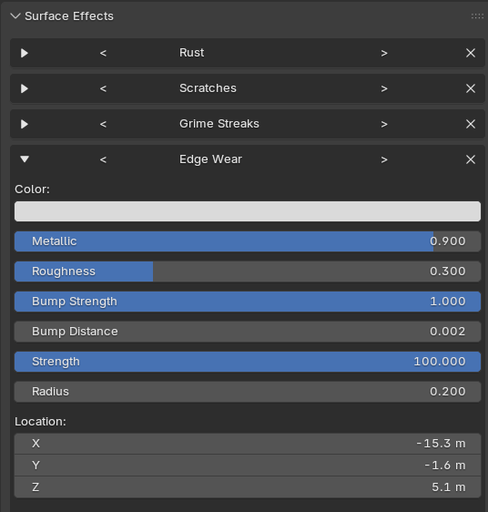
Flexible customization: Each effect comes with settings you can tweak to get exactly the look you want. For example: Edge Wear can be changed from shiny metallic scratches → to matte chipped paint → to rusty worn edges.
Works with any material: Effects apply even to a plain BSDF color, procedural textures, or image-based materials.
Advanced control: Power users can dive into the Shader Editor to further adjust or mix the generated node groups.
📦 Installation
- Download the .zip file of the addon.
- In Blender, go to Edit → Preferences → Add-ons → Install…
- Select the .zip file and click Install Add-on.
- Enable Surface Effects in the addons list.
🎨 Usage
1 Select any object with a material.
2 Go to the Material Properties panel → find the new Surface Effects tab.
3 Click + to add an effect.
• Use the arrows < > next to the effect name to cycle between different effect types.
• Use the X button to remove an effect — the material will return to its previous state.
4 Adjust the sliders and settings inside the effect to customize the look.
5 Add more effects and combine them for unique results!
💡 Tips
- You can stack multiple instances of the same effect for layered results (e.g., two different types of scratches).
- Effects don’t overwrite your material — they’re layered in procedurally.
- If you want to refine further, open the Shader Editor: each effect is a node group that you can edit, mix, or even animate.
- Edge Wear currently works only in Cycles because it relies on bevel node support.
⚡ More effects are coming in future updates to expand your creative options.