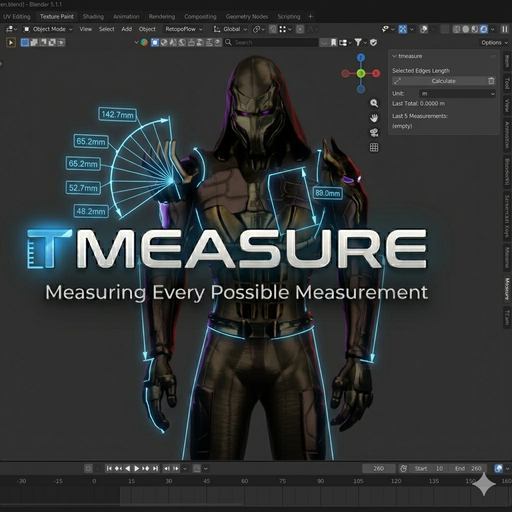
Tmeasure
Measure edge paths, not just distance. Calculates the total length of selected edges in Edit Mode, including curves. Perfect for seams, cables, trims, and precise modeling workflows. Stores the last 5 measurements for quick comparison.
TMEASURE | QUICK START GUIDE
HOW TO USE:
1. Select your object and switch to "Edit Mode" (TAB).
2. Select the edges you want to measure (Individual edges or Edge Loops).
3. Open the "N-Panel" (press N in 3D Viewport).
4. Locate the "Measure" tab.
5. Click the "Calculate" button.
6. The total length will appear in the panel, and previous values will be listed in the History section.
PRO TIPS FOR ACCURACY:
- IMPORTANT: Always apply scale before measuring (Ctrl + A -> Apply Scale). If your scale is not 1.1.1, the result will be mathematically incorrect.
- Unit Settings: TMeasure uses your scene's global unit settings (Meters, Centimeters, etc.).
- Complex Paths: You can select non-continuous edges; the tool will still calculate the sum of their lengths.
SUPPORT:
If you encounter any issues or have feedback, please contact me through Gumroad or the BlenderKit portal.
TMEASURE - Digital Measuring Tape for Blender
-
OVERVIEW
TMeasure acts as a digital tape measure within Blender. It calculates not only the distance between two points, but also the total length of selected edges (straight or curved) along the form. -
KEY FEATURES
- Path Measurement: Calculates the selected edge loops.
- History Log: Stores the last 5 measurements for quick comparison.
-
Versatile Use: Can be used in every field, from character anatomy (seam allowances, belt length) to mechanical parts.
-
TECHNICAL REQUIREMENTS
- Blender Version: 4.2 and above (Compatible with extension system)
-
Scale Safety: Calculations are accurate only when Object Scale is applied (1,1,1).
-
AUTHOR
Developed by Otonkart