ShakeMaker
ShakeMaker adds dynamic and customizable noise modifiers to shake, wiggle, oscillate, vibrate, or wobble any object in a single click. Perfect for adding realistic shake effects to cameras and objects with ease!
ShakeMaker 1.5.0 Released!
ShakeMaker adds dynamic and customizable noise modifiers to shake, wiggle, oscillate, vibrate, or wobble any object in a single click. Perfect for adding realistic shake effects to cameras and objects with ease. Whether you're animating a handheld camera effect or adding subtle motion to an object, ShakeMaker provides the tools you need to achieve professional results effortlessly.
Powerful yet Simple Interface
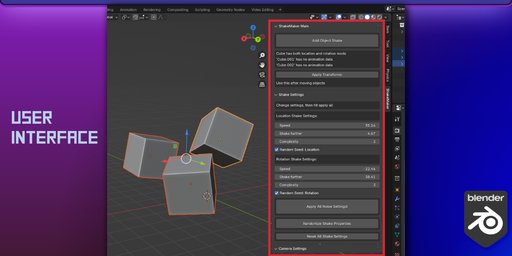
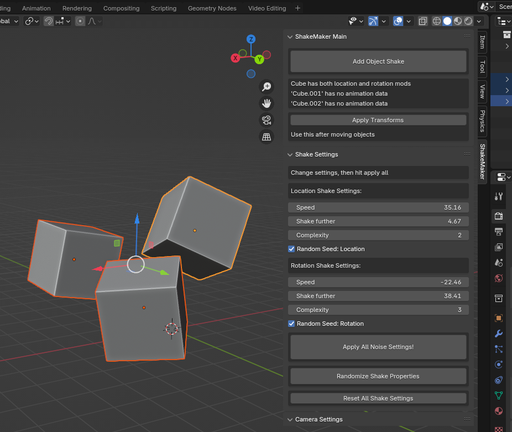
Anyone can create their own shake animations with a simple interface. Find it in the 3D viewport under the 'N' tab to the right > ShakeMaker.
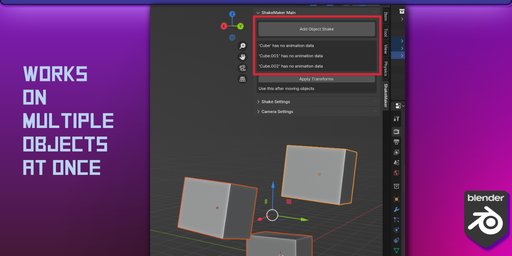
- Select any objects or cameras (individual or multiple)
- Click the button at the top to 'Add Shake'
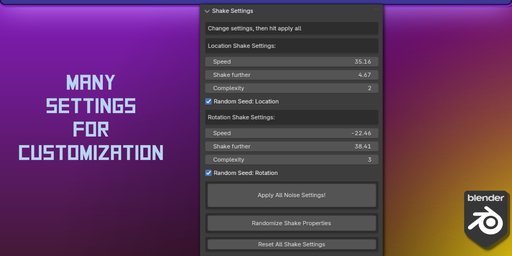
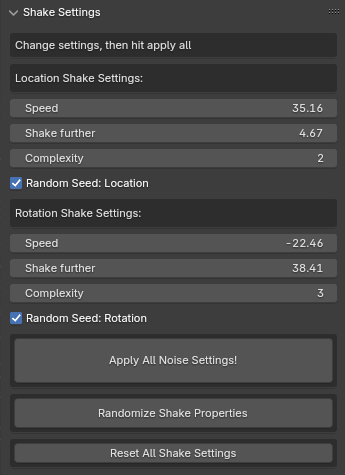
- Customize to your heart's content within the 'Shake Settings' menu below
Reasons to get ShakeMaker!
-
Speed up the animation workflow
-
Use randomization as a base for tweaking custom shake animations
-
Simplify the process of using f-curves and their modifiers
-
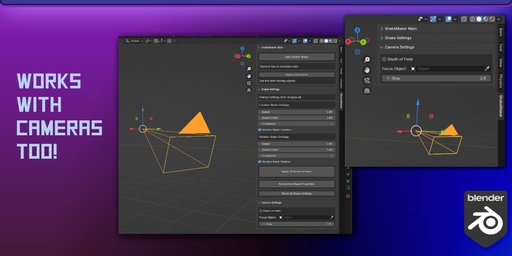
Access necessary camera settings more easily
-
Shake anything!
Features of ShakeMaker!
-
Customizable Noise Modifiers: Adjust the scale, strength, depth, and phase of noise modifiers for precise control over your shake effects
-
Random Shake Settings: To get different and varied shake settings in a single click
-
Toggle for Oscillation: By turning off the random phase checkbox, the animation will oscillate
-
Restrict shake animation on frames: Easily turn off shake animation for a range of frames
-
Random Phase Option: Easily and automatically give each object a different shake pattern
-
User-Friendly Interface: Simple and intuitive panels to manage your shake settings directly in the viewport
-
List of Animation Info: Each selected object is listed with the current f-curve noise modifiers listed
-
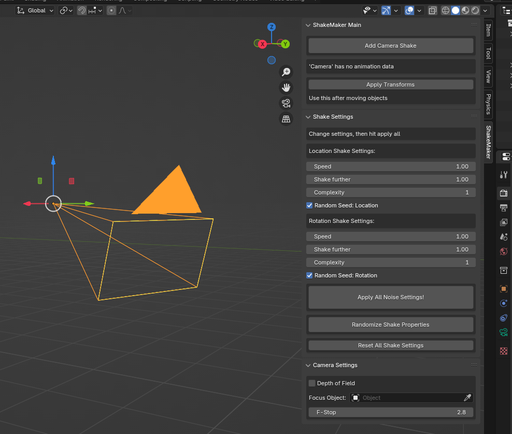
Camera Controls: Common camera controls within the 'Camera Settings' panel
-
Reset and Randomize: Easily reset to default settings or randomize properties for creative experimentation
-
Presets: Both built-in and custom for anyone to save their favorite settings
-
Advanced controls: Allows for control of each axis (X, Y, and Z) individually for even more control over your shake animations
Video Demo:
Released Versions:
v1.5.0 - October 28, 2025 - Major bug fixes, 'Advanced Shake Control' panel added for individual axis controls, presets panel with built-in and custom presets
v1.4.0 - September 10, 2025 - Allow for deleting only shake animation from objects and restore objects to their original position before adding noise modifiers. Invert the Scale / 'Slowness' value to 'Speed' value for more intuitive settings. 'Speed', 'Distance', and 'Complexity' settings should now be keyframe-able. Initial keyframe needed for adding noise modifiers moved to frame 0 to hopefully clean timeline for those with many animations. Resetting shake settings while 'Auto-Apply' is active, no longer adds noise modifiers on its own. Blend in/out options added. Bugs cleaned up.
v1.3.0 - February 6, 2025 - Finally able to do some bug fixes, added functionality to restrict animation during a range of frames in the settings tab
v1.2.0 - August 23, 2024 - Added features (auto-apply settings option, delete selected objects animation button), reworded title and descriptions of some UI for clarity, refactored reused code
v1.1.2 - August 17, 2024 - console warning fixes for panels, inconsistent button sizing fix, clean up
v1.1.1 - August 4, 2024 - few bug fixes and refactoring, new extension add-on formatting
v1.1.0 - July 28, 2024 - Initial release
Check back on the downloads page for access to all future updates forever!
Spend more time creating with ShakeMaker!
Contact me anytime for any bug reports, suggestions, questions, comments, or concerns!