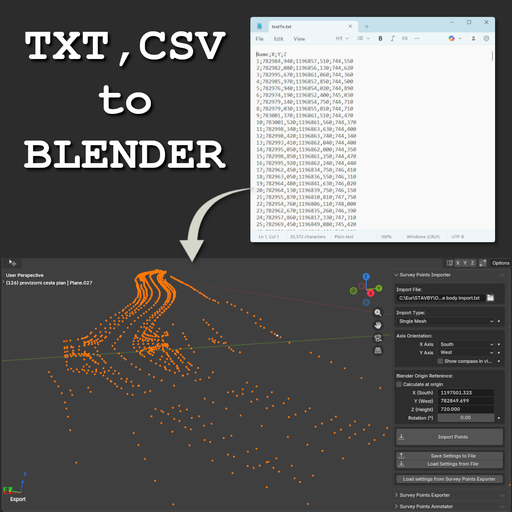
Survey Points Importer – Geodetic & Construction Workflow
Survey Points Importer – Geodetic & Construction Workflow
Professional Blender add-on for accurate import of survey and control points. Provides full control over coordinates, axes, offsets, and orientation. Supports CSV/TXT and is ideal for geodesy,
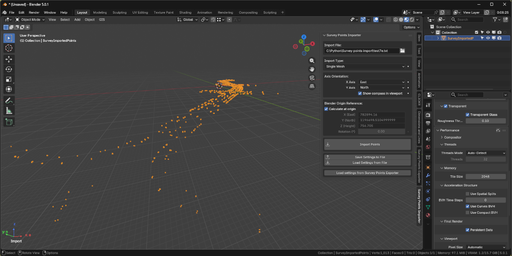
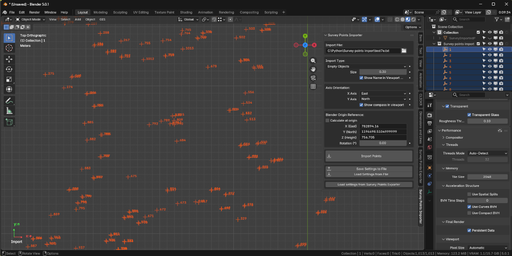
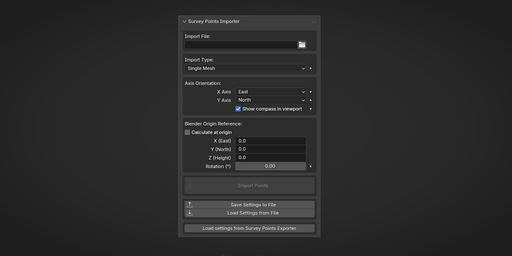
Survey Points Importer is a professional Blender add-on designed for importing real-world survey and control point data into Blender with maximum accuracy and flexibility.
It is built for geodesy, construction, engineering, and BIM-oriented workflows, where correct coordinates, orientation, and scale matter.
The add-on allows you to import survey points from common text-based formats while maintaining full control over coordinate mapping, axis orientation, reference offsets, and visualization.
For roundtrip workflows, this add-on integrates seamlessly with Survey Points Exporter – Geodetic & Construction Workflow, allowing consistent coordinate system settings between import and export.
Key Features
CSV / TXT survey data import
Flexible column mapping (X, Y, Z, name)
Reference point offset support
Easily shift local survey coordinates into Blender space
Axis remapping & orientation control
Adapt survey coordinate systems to Blender’s axis conventions
Rotation correction
Align imported data to project orientation
Robust parsing
Handles different separators, decimal formats, encodings, and headers
Automatic point grouping
Clear visualization using empties for precise point placement
Non-destructive workflow – reimport and adjust settings at any time
Typical Use Cases
Importing geodetic survey points into Blender
Construction site visualization
Engineering and infrastructure projects
BIM / CAD → Blender data pipelines
Creating accurate base data for modeling or visualization
Preparing survey layouts for coordination and presentation
Designed for Professionals
This add-on is not a generic point importer.
It is designed for users who need engineering-grade precision, predictable results, and full control over how survey data is interpreted and placed inside Blender.
Perfectly complements Survey Points Exporter – Geodetic & Construction Workflow, making it easy to build a complete import/export pipeline for real-world projects.
Installation
Download the add-on .zip
Open Blender
Go to Edit → Preferences → Get Extensions → Install from Disk
Select the ZIP file and install
Open the 3D Viewport, press N, and find the Survey tab
Getting Started
Open your Blender project
Open the Survey Points Importer panel
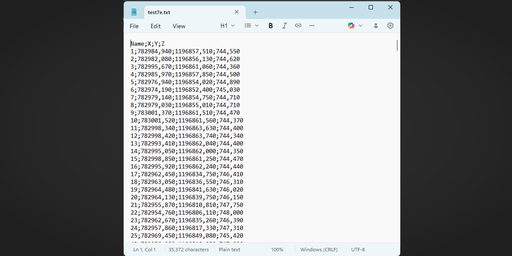
Select a TXT or CSV file
Click Import Points
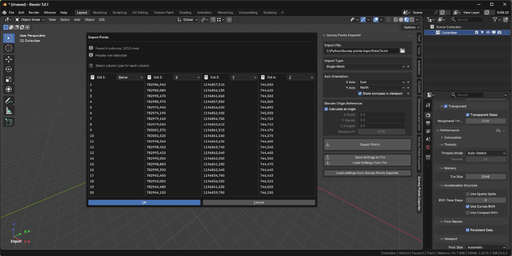
An import dialog appears where you:
Assign columns (X, Y, Z, Point Name)
Review import settings
Confirm the dialog to import the points
Supported File Format
.txt, .csv
Header row optional
Delimiters auto-detected:
Semicolon, tab, comma, space
Decimal separators:
Dot (.) or comma (,)
Minimum requirement:
At least two coordinate axes (X, Y, or Z) must be present.
Missing coordinates default to 0.0.
Import Modes
Single Mesh (Recommended)
All points imported as vertices in one mesh
Fastest and most memory-efficient
Ideal for large datasets and modeling workflows
Grouped Meshes
Creates separate mesh objects based on alphabetic prefixes in Point Name
Useful for organizing points by type (e.g. P, B, C)
Empty Objects
Creates one empty object per point
Best for reference points, parents, and small datasets
Point names are used for object naming when available
Coordinate System Settings
Survey coordinate systems often differ from Blender’s.
Transformations are applied in this order:
Reference Point Offset
Z Rotation
Axis Orientation Mapping
Reference Point
Offsets large real-world coordinates (e.g. UTM) to values suitable for Blender’s precision.
Calculate at Origin
Automatically calculates a reference point so imported data is centered at Blender’s origin.
Z Rotation
Rotates imported points around the Z axis.
Use only when necessary — rotating reference images is often safer.
Axis Orientation
Maps survey axis directions (North, South, East, West) to Blender’s coordinate system.
Settings Management
Save Settings to File
Stores reference point and axis orientation inside the .blend file
Load Settings from File
Restores previously saved settings
Load Settings from Survey Points Exporter
Enables consistent roundtrip import/export workflows
Requirements
Blender 5.0+
Survey data in CSV or TXT format