Delete Loose
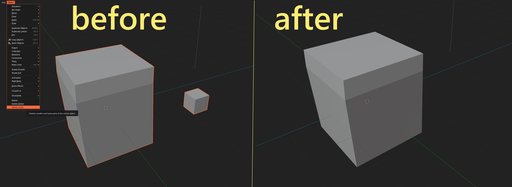
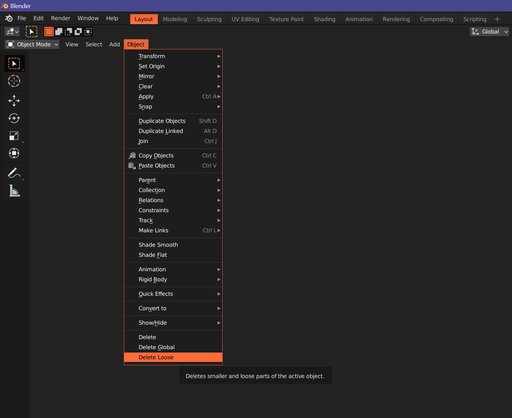
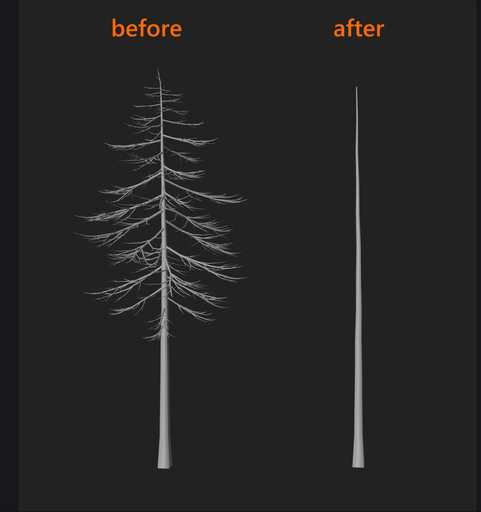
with this handy addon, you eliminate smaller and loose parts of a mesh while keeping the largest parts intact. In object mode, go to Object ---> click delete loose. It operates on the selected layer and leaves the largest mesh by volume intact.
With a click of a button, you eliminate smaller and loose parts of a mesh while keeping the largest parts intact.
It is similar to Houdini's Labs Delete Small Parts geometry node.
Ok. But how?
In object mode, go to Object ---> click delete loose
Conditions:
The plugin operates on a selection.
The plugin expects a mesh type object.
The plugin operates on objects from the same layer.
Ok. But why?
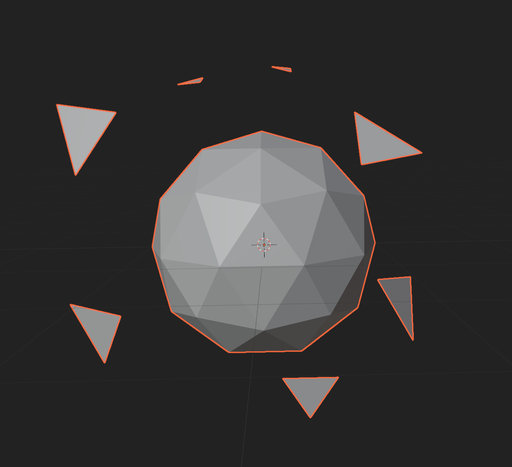
useful during sculping when a lot of garbage accumulates, or after a particle simulation, you name it
can save tons of time and it is useful for mesh cleaning
I did not pay attention; what does it do again?
Automatically separates the selected mesh object by loose parts, selects the smaller loose parts (after volume calculations), and deletes them, leaving the larger part untouched. Only one object remains from the layer.
Tested in Blender 2.8+, including latest Blender