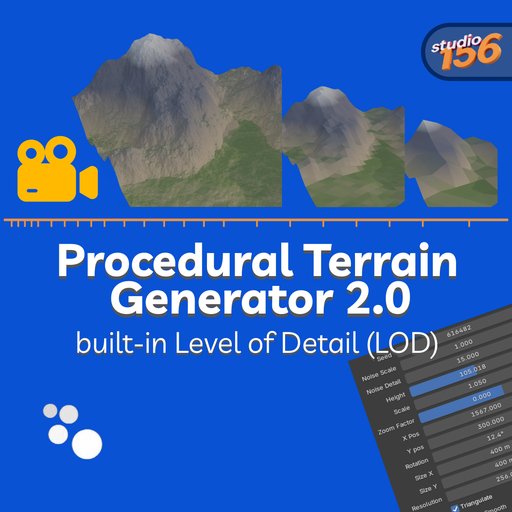
Procedural Terrain 2.0 – Geometry Nodes Terrain Generator
Fast procedural terrain generator powered by Geometry Nodes. Infinite landscapes, height-based materials, and automatic LOD for huge scenes with smooth performance. One click to create. Fully procedural.
Procedural Terrain 2.0 is a fast, fully procedural terrain generator for Blender built entirely with Geometry Nodes and Shader Nodes.
Create massive landscapes in seconds with automatic materials, adjustable resolution, and built-in Level of Detail (LOD) optimization — all non-destructive and fully editable.
No baking.
No scripts running every frame.
Just pure node-based performance.
Perfect for:
- environments
- landscapes
- games
- cinematics
- concept art
- large-scale worlds
Simply press Shift + A → Mesh → Terrain and start shaping your world.
🔹 Features
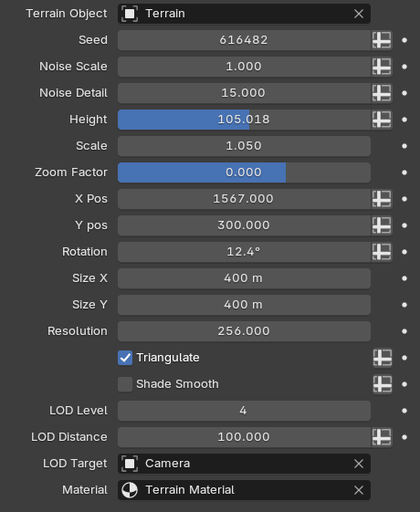
Geometry (Terrain Shape)
* Seed (randomized automatically)
* Noise Scale & Detail
* Height control
* Z Scale (independent from noise)
* Zoom Factor for macro/micro terrain control
* Position & Rotation offsets
* Adjustable terrain size (X/Y)
* Resolution control
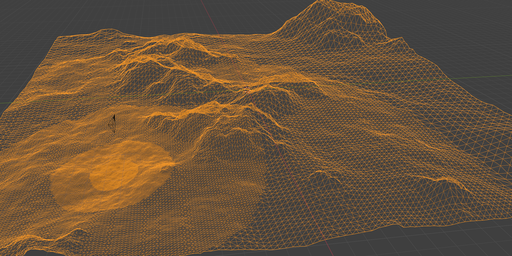
* Built-in circular LOD system (up to 6 levels)
* LOD target object (camera or custom)
* Optional triangulation
* Shade smooth toggle
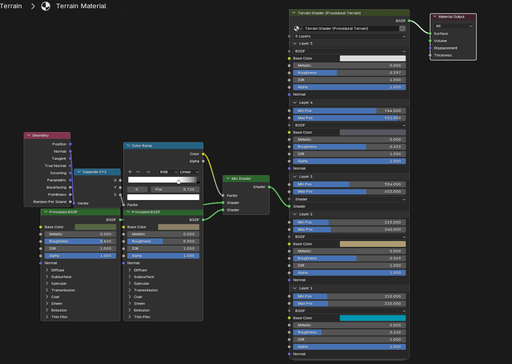
Materials (Terrain Shader)
* Up to 6 height-based layers
* Each layer supports:
- full Principled inputs (color, roughness, metallic, etc.)
- OR full custom shader input
* Height blending with Min/Max positions
* Sharp or smooth transitions
* Works with any textures or procedural shaders
* Ready-to-use default material included
Workflow
* One click terrain creation
* Geometry + material assigned automatically
* Fully procedural & non-destructive
* Works in real time
* Optimized for large scenes
🔹 What’s New in Version 2.0
Version 2.0 is a complete redesign.
Compared to Version 1.0:
* ✅ Geometry Nodes instead of slow Python generation
* ✅ Massive performance improvement
* ✅ Real-time updates
* ✅ Non-destructive workflow
* ✅ Built-in Level of Detail (LOD)
* ✅ Higher resolutions possible with minimal slowdown
* ✅ Cleaner, more flexible system
* ✅ Easier customization
Version 1.0 rebuilt the mesh using scripts.
Version 2.0 runs directly on Blender’s node system — faster, smoother, and scalable.
🔹 How to Use
- Press Shift + A → Mesh → Terrain
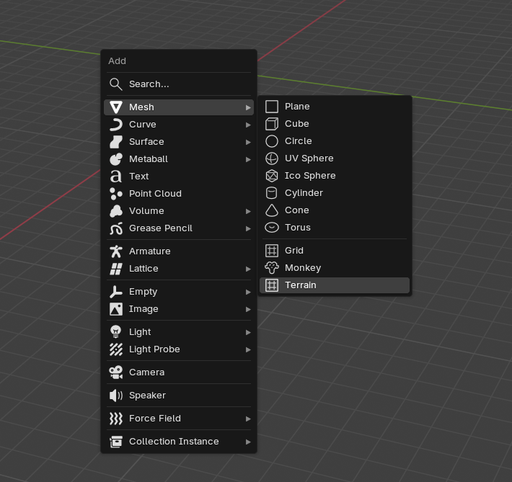
2 . A terrain object is created automatically
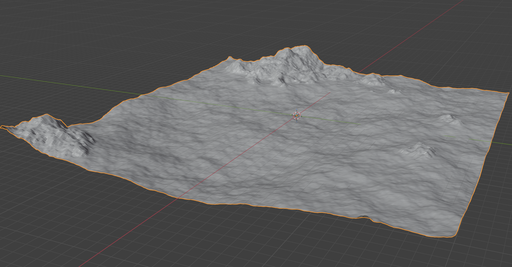
3 . Geometry Nodes modifier + material are assigned
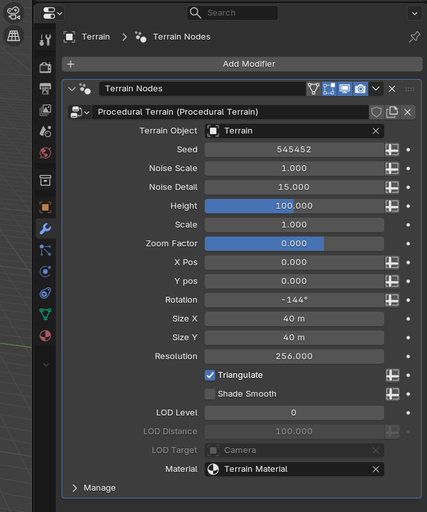
4 . Adjust terrain parameters in the modifier panel:
* Seed
* Scale
* Height
* Resolution
* LOD settings
* etc.
5 . Edit the material to customize textures and layers
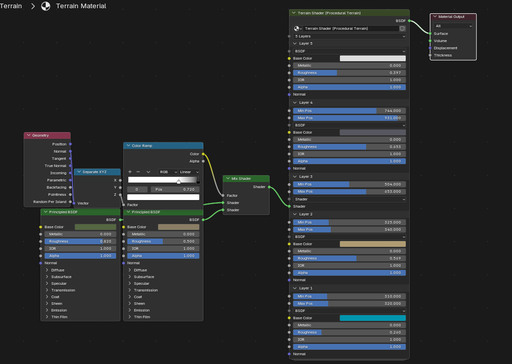
Everything updates live.
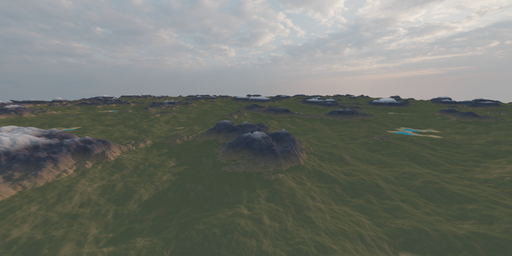
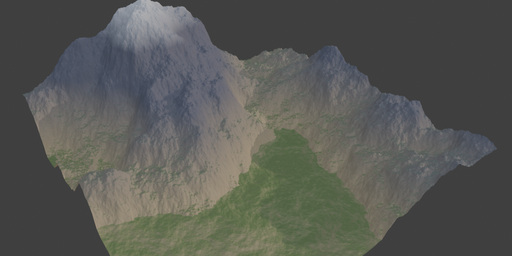
You can also apply the Geometry Nodes modifier at any time to convert the terrain into a regular mesh and switch to Sculpt Mode for manual refinement. Sculpt rivers, cliffs, hills, or custom shapes freely — the material will continue to work correctly. Because the shader is height-based, layer colors automatically adapt to your edits, so newly sculpted mountains, valleys, or slopes are shaded appropriately without any extra setup.
🔹 Installation
- Edit → Preferences → Add-ons
- Click Install
- Select the .zip file
- Enable the addon
🔹 Who is this for?
- Environment artists
- Game developers
- Blender generalists
- Procedural workflows
- Anyone who needs fast terrain generation without heavy setup