RenderVise
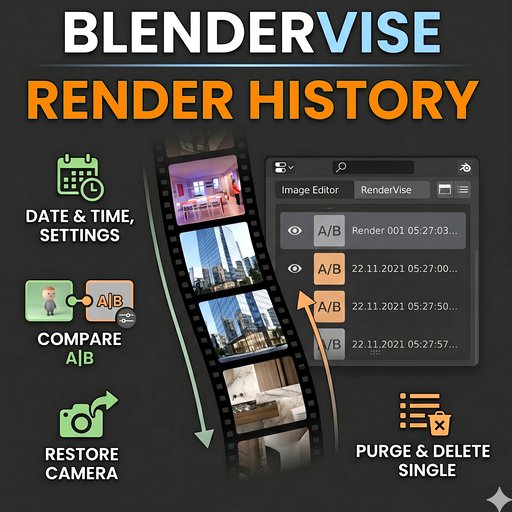
RenderVise tracks your render history with thumbnails, render time, resolution and camera data. Compare renders side by side, preview any render in a floating window and restore any camera.
RenderVise — Render History, Preview & Comparison Tool
Where to find it
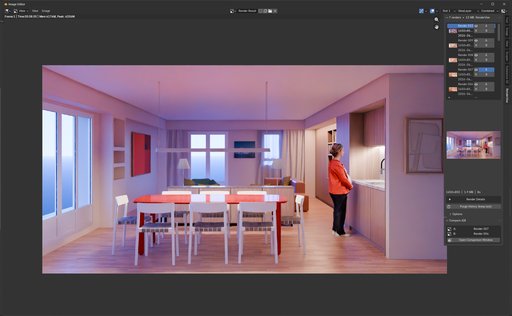
Open an Image Editor in your layout (UV Editing workspace, or split any area)
Press N to open the side panel
Click the RenderVise tab
Features
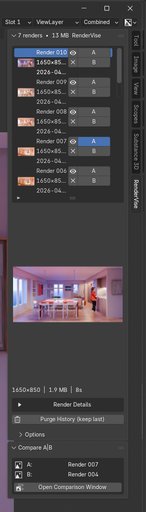
Render History
Every time you press F12, RenderVise automatically captures:
A full resolution image (packed into the .blend file)
A thumbnail for the list
Render time, resolution, file size
Engine settings (Cycles: samples, denoising)
Active camera data
The history is displayed as a scrollable list, newest render at the top.
Preview a Render
Click the 👁 button next to any render to open it in a floating window.
Render Details
Click on a render in the list to see its details below:
Date and time
Resolution and file size
Render time
Engine, samples, denoising
Camera: focal length, type, clip, DOF
Click ▶ Render Details to expand the full details panel.
Restore a Camera
In the details panel, click Restore & Activate Camera to:
Create a new camera object (RH_Camera_001) with the exact settings used for that render
Automatically set it as the active scene camera
Compare Two Renders
Click A on one render in the list
Click B on another render
Open the Compare A|B panel
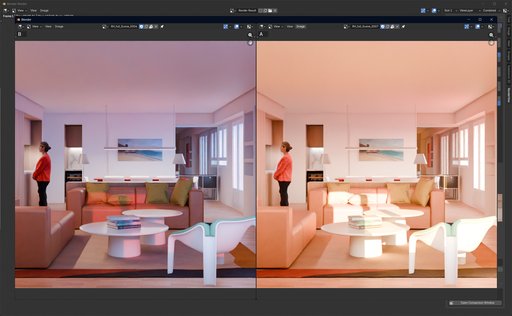
Click Open Comparison Window
A floating window opens with both renders side by side
Zoom and pan each side independently
Close the window with the ✕ button
Purge History
Click Purge History (keep last) to delete all history entries except the most recent render. A confirmation dialog will appear.
Delete a Single Render
Click the ✕ button next to any render in the list to remove it individually.
OPTIONS
Open the Options sub-panel in the RenderVise tab:
OptionDescriptionPurge on SaveAutomatically deletes all history except the last render when saving the .blend fileMax HistoryMaximum number of renders to keep. Set to 0 for unlimited. Oldest renders are removed automatically when the limit is reached