3MF Import/Export with Material/Paint data
Import and export 3MF - Material and Paint supported, Orca/Bambu Prusa/Super slicers all supported, many features included. Full walkthrough/guide available.
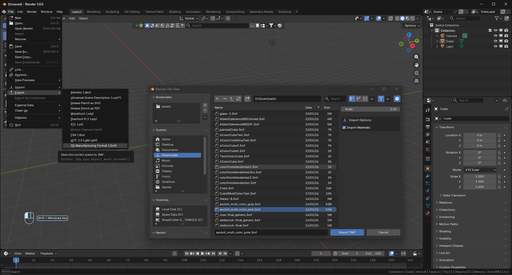
A Full walkthrough for this addon can be found HERE
Includes an FAQ and search feature, so you can try to find anything you may need help with.
- Import and export 3MF Core Specification v1.4.0
- Correct ZIP / OPC package structure
- Proper handling of units, build items, and object hierarchies
- Robust parsing with recovery-oriented import behavior
- Multi-object and multi-build support
- Linked duplicates (Alt+D) export efficiently as shared components (smaller files), and re-import as linked duplicates
- Optional modifier application on export
- Selection-only and hidden-object export options (with clear warnings when things are skipped)
- Configurable coordinate precision
- Drag & drop .3mf files directly into Blender’s viewport (with a quick options popup)
- Flexible import placement (keep original / world origin / 3D cursor, with origin placement options)
- Choose to keep the objects extracted location, place at world origin, or place at your 3d cursor.
- Full support for Base Materials (basematerials) extension
- Full support for PBR materials (metallic, specular, and translucent workflows)
- Textured PBR support for base color / roughness / metallic maps (with textures brought along in the 3MF)
- Face-level color preservation via Blender materials
- Stable color round-tripping across import/export cycles
- Smarter material reuse on re-import (reduces duplicate materials)
- Import and edit slicer multi-material paint data directly in Blender
- Automatic UV map generation for objects lacking proper mapping
- Built-in painting tools for filament assignment
- User-defined filament count and color selection
-
Bake textures, PBR materials, or procedural shaders into discrete filament colors
-
HSL conversion and quantization to a user-defined palette
- Export slicer-ready triangle data compatible with multi-material workflows
This part of the add-on can take some help, if you find you need some please read this part of the guide: https://www.clonecore.net/docs/3mf-guide/mmu-painting
Slicer Support-
Orca Slicer / BambuStudio
-
Full round-trip support
- Multi-color (painted) zones preserved
- Filament colors read from and written to slicer metadata
-
Production Extension multi-file structure supported
-
PrusaSlicer
-
Multi-material zones imported and preserved
- Compatible export for painted multi-material workflows
- Graceful handling of filament index–based color systems
- Embedded viewport thumbnail included in exported 3MF files
- Metadata preserved where possible across round trips
- Non-destructive handling of unknown or vendor-specific metadata
- Clear progress/status messages during import/export, with warnings designed to stay readable (no spam)
Can be reported here: https://github.com/Clonephaze/3MF-Blender-Add-on---Maintained/issues
CreditsClonephaze (2025 - ): Current Maintainer https://www.clonecore.net/
Ghostkeeper (2020–2023): Original Blender 3MF add-on author https://github.com/Ghostkeeper