BlenQuick Auto-Rigger (BAR)
The Feature-Rich Multipurpose Rigging Tool
Binding, Detection, Retargeting, Fingers Toggling, Adding Or Duplicating Parts, Final Rig Generation, Rig Export, And More...
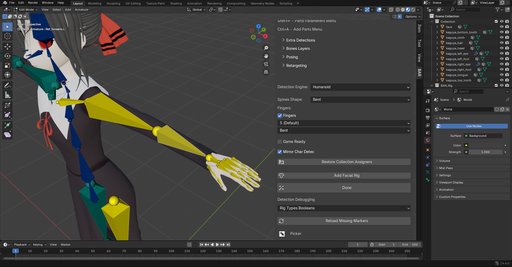
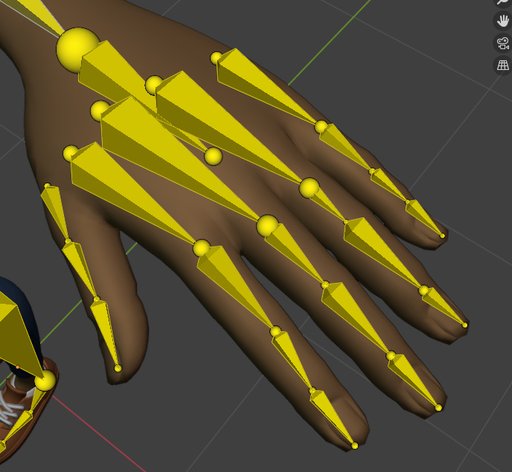
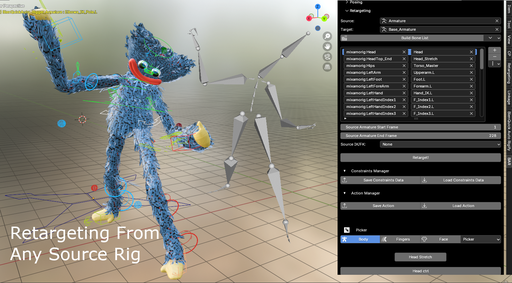
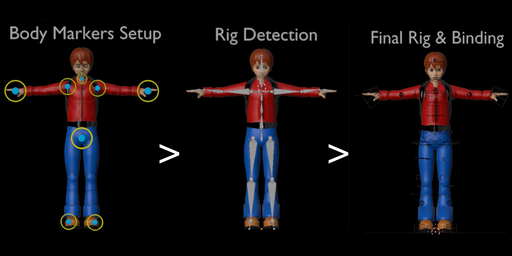
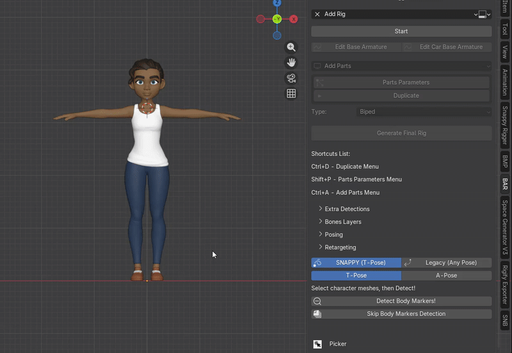
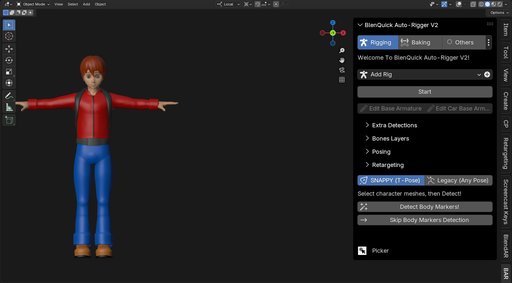

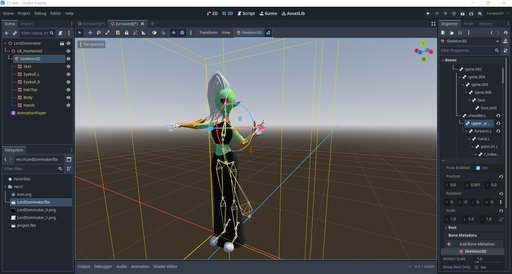
Compatible With Blender 5.1.0.
Compatible With Linux And Windows.
Our Other Addons
https://www.blenderkit.com/?query=author_id:1089774
It all started when I discovered Blender and started to play with character rigging.
Alas I couldn't find any auto-rigger that was suitable for me and so I decided to develop my own.
Later on, a friend joined me and here we are, BlenQuick Auto-Rigger, AKA BAR, was born...
Leading Innovation
In February 2025 we unveiled SNAPPY, the first, and so far only, 1 click body detection system that works out of the box and does it right as the best and the fastest on Blender (not a figure of speech or some AI generated blah blah, Snappy really is the most accurate and the fastest body detection system on Blender).
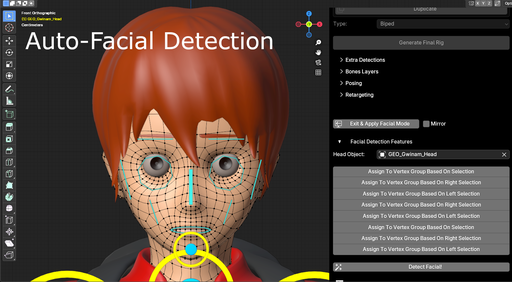
Fast forward to April 2026 and another breakthrough, now meet SNAPPY FACIAL!
The first, and so far only (again :D), 1 click facial detection system, and it works out of the box too...
Updates Are Free.
Our Customer Service Is Available 7 Days A Week So Questions Are Usually Answered Within A Few Hours And Confirmed Bugs Are Fixed Within 24-36 Hours...
Make sure to check our documentation:
https://superhivemarket.com/products/blenquick-auto-rigger-a-tool-to-rig-nearly-everything/docs
Try it once and never look back but don't take our word on it, check our latest Demo Video (new Demo Video coming soon):
Why Choose BAR?
- Performance: By far the fastest Auto-Rigger on the market, BAR makes complex rigging tasks a breeze. Binding, bone placement, final Rig, Rig export, duplicating or adding parts, parts toggling, all with unprecedented speed...
- Easy to Use: With our unique SNAPPY and SNAPPY FACIAL features, rigging characters becomes a quick and automated process. Select the character, click once to detect the markers and boom! BAR will place the bones for you
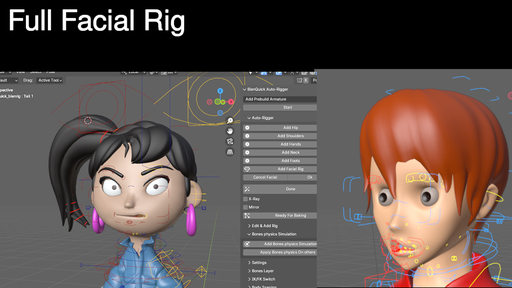
- Universal Rigging: From humans to animals with multiple limbs and from body Rigs to facial Rigs, not to forget vehicle Rigs and even clothing or accessories (like skirts, scarves, dresses etc.), BAR handles it all
- Customization: Customize the User Interface to match your needs with options for UI scaling and button styling
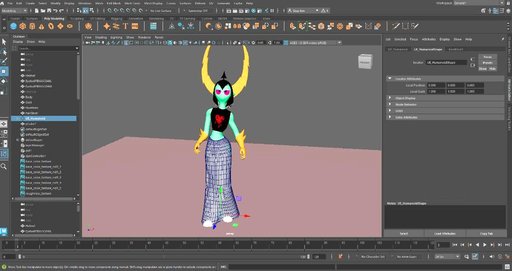
- Export in FBX and GLTF format, compatible with Unreal Engine, Maya, Godot, Unity and any other similar 3D animation program
- The Rig can be edited anytime, even after baking, because it's based on a non-destructive workflow
To summarize, whether you're working on humanoid or non-humanoid characters (be it animals or any strangely shaped creature), or even vehicles or objects, BAR eases the entire rigging process, saving you plenty of time and energy while maintaining excellent quality
Distinctive Features
- SNAPPY, Our One Of A Kind 1 Click Body Detection System For Humanoid Characters
- SNAPPY FACIAL, Same As Above But For Facial Detection
- Automatic Markers Placement For Body And Facial (Manual Rigging AKA Legacy, If Your Character Isn't SNAPPY Compatible Yet Or If For Some Reasons You Want To Rig It Manually)
(Rain: Blender Studio)
* Body Markers Setup And Facial Markers For Animals, And Presets (Fish/Sea Mammal, Horse, Snake)
https://www.youtube.com/watch?v=CoVukq5QBDQ&t=125s
* Quality Fast Baking For Facial And Body https://www.youtube.com/watch?v=CoVukq5QBDQ&t=245s
You can define extra objects to improve binding for the facial area.
Our binding mechanism is an hybrid between Voxelized and Heat Maps with all of Voxelize's advantages but none of its bugs for fingers and facial, as long as pants and jackets have been defined.
BAR supports Voxel Heat Diffuse Skinning as baking engine.
* Automatic Character Objects Assignment Based On Guessing And Recognition System https://www.youtube.com/watch?v=CoVukq5QBDQ&t=101s
* Multi-Rig Parts Duplication For Head, Arms, Legs, Spine, Fingers, Toes And Neck https://youtu.be/VUUVqAjIbRg
* Click Simulation, To Simulate Clicking Effects On Choosen Buttons Objects and Bones
* Universal Vehicle Rig And Vehicle Detection Without User Action (Based On Cars But Can Be Easily Edited To Work On Buses, Trains, Planes, Motorbikes, Boats etc.), And Presets (Car And Bus) https://youtu.be/oaehTyDXpe0
* Redesigned UI With Tons Of New Settings For Ultimate Customization, Take Full Control Of Your Add-On! https://www.youtube.com/watch?v=f9m_3ZlK4Jg
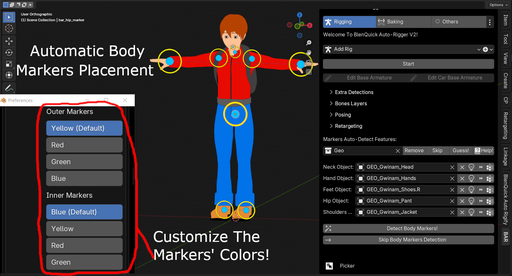
* Even The Body Markers Can Be Themed
V2 Is Out, It's A Game Changer!
As Fast As Ever And With Even More Features, The Second Generation Of BAR Completely Rewritten From Scratch Using Our Own Custom Rig
Optimized Existing And New Features, Making It the Fastest Auto-Rigger For:
* Markers Detection
* Advanced Detection
* Automatic Facial Detection Based On Assignments
* Advanced Binding
* Retargeting
* Final Rig Generation
* Rig Export
* Fingers Toggling
* Automatic Parts Detector For Detecting Extra Parts
* Adding And/Or Duplicating Rig Parts (Duplicate Nearly Anything On The Rig: Head, Spine, Tail, Fingers, Toes, Legs And Arms)
Want To Try It First?
Download the Free Demo Version (https://github.com/DenixStudio1/BlenQuick-Auto-Rigger-Demo/releases/tag/blender),
or the Free Demogorgon Character Rig (https://github.com/DenixStudio1/Demogorgon-Rig-BlenQuick-Auto-Rigger-/releases/tag/blender), and see BAR in action.
Watch The Rigged Character Demo:
https://youtu.be/SFqWuZXxQH4
Need Help?
Make sure to check our documentation:
https://superhivemarket.com/products/blenquick-auto-rigger-a-tool-to-rig-nearly-everything/docs
YouTube Channel:
https://www.youtube.com/channel/UC654JCjREKgDkxgF_z9IwAg/
Questions, Feature Requests, Bug Tracker?
Join Our Community On Discord https://discord.gg/UUQ9DpHYmC
If you're looking for a cheaper Auto-Rigger, with less features but without compromising on the main core functions, check our Snappy Rigger (compatible with Blender 5.0 and above) https://www.blenderkit.com/addons/c9841f8d-5056-41a5-972d-6c6cea2fd4d4/ ,
or our S And B Rigger (compatible with Blender 5.0 and above) https://superhivemarket.com/products/s-and-b ,
or our BlenQuick Lite add-on (legacy) https://blendermarket.com/products/blenquick-rig-add-on .
Main Features
- Fast binding, detection, retargeting, fingers toggling, adding and/or duplicating Rig parts, final Rig generation and Rig export
- Quality binding for facial and body
- Body markers setup for humans and animals
- SNAPPY and SNAPPY FACIAL, our unique 1 click markers detection systems
- Automatic bone placement for characters, asymmetrical models supported
- Automatic facial markers placement
- Quality facial markers detection for humans and animals
- Automatic character objects assignment
- Body markers mirroring
- Duplicate, add and/or remove body parts (head, spine, fingers, toes, legs and arms, click on "Parts Parameters", or on "Shift P", to access these options)
- Game engines export/support in FBX and GLTF format (compatible with Unreal Engine, Autodesk Maya, Godot, Unity and any other similar 3D program) https://youtu.be/6vzyGN9zKTw
The exported Rig includes everything, that is the facial Rig (if you made one) and all the body parts/limbs.
NOTE - Before exporting the Rig, do not forget to click on the "Set Skeleton" button. If you don't, the Set Skeleton feature will be done automatically when exporting but weights might fail and/or extra tweaks might be needed. - Feature rich parts parameters settings
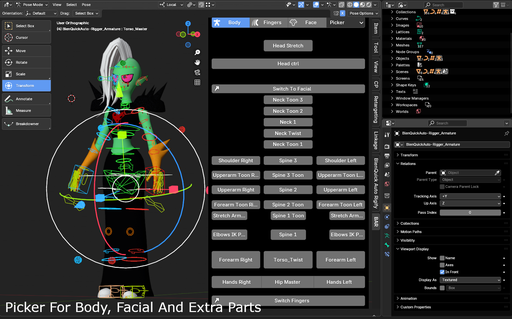
- Picker body/face
- Eye location locked or free
- Save/load your Rig in .json format
- Create/delete custom armature presets
- Save custom retargeting mapping or load custom mappings
- Save/load animations and constraints
- Picker body/face
- Eye location locked or free
- IK/FK eyes
- Auto-eyelid rotation
- Eye location locked or free
- Fingers/fist close from scale
- Breath bone from scale
- Root bone for humans and animals
- IK/FK switches
- IK-FK for fingers, toes, hands and feet
- FK tail base to Rig ropes, FK spines, tentacles, wires, ponytails etc.
- IK/FK Switches for legs, arms, torso, fingers, toes etc.
- Rig & Character Layers, store bones and objects to easily turn on/off character layers to hide or show clothes, hair, shoes, scarves, hats and bones controllers.
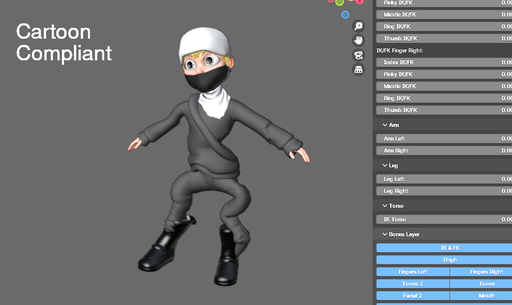
- Cartoon compliant : stretchy spine, legs, arms, head
- Ready to use prebuilt poses (T-Pose, Y-Pose and Unreal Engine A-Pose)
- Add Rigs : skirts, jumpers, scarves, sleeves, dresses, tails, hair, hairbands etc.
- Simulations : click simulation to generate click effects on the object(s) you choose
- Bone Physics simulation, easily create a wiggle effect on bones
- Universal Vehicle Rig And Vehicle Detection (buses, trains, planes, motorbikes, boats etc without user action
If you want to edit the base reference bone, do not click on "Edit Base Armature" but on "Edit Car Base Armature".
Make sure to set the type to "Vehicles" before generating the final Rig, and click on "Multi-Wheels (Vehicles)" if your vehicles has more than 4 wheels. - Saver/loader for Rig data, action data, retargeting presets data and custom armature preset
- Themes for the outer and inner body markers
- UI customizations, customize your UI in a few clicks and take control of your addon!
In the UI tab, click on the 3 dots menu to access all the UI settings and customizations and scale buttons, align buttons, split between 2 or 3 buttons, change text label, change pop-up size, set custom icons for buttons, and set colored theme for buttons, properties and dropdown enums.
Want To See More? Watch Our UI Customization Demo!
https://www.youtube.com/watch?v=f9m_3ZlK4Jg
Changelog
V2.7.0
* Unveiling of SNAPPY FACIAL, the first, and so far only, 1 click facial detection system!
* Optimizations
* Bug fixes
Older Changelog
https://superhivemarket.com/products/blenquick-auto-rigger-a-tool-to-rig-nearly-everything/docs
Credits:
Serpens, the visual scripting editor, for the time it saved us:
https://superhivemarket.com/products/serpens?search_id=44946697
Happy Blending!