HotkeyBoard - All Blender Keyboard Shortcut Overlay
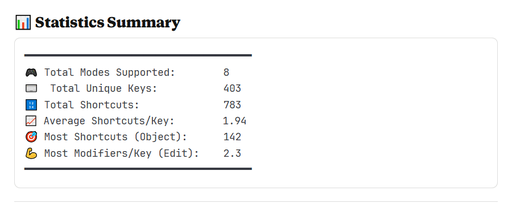
HotkeyBoard is the ultimate interactive keyboard overlay addon for Blender that helps you master 500+ keyboard shortcuts through visual learning. Whether you're a complete beginner struggling to remember hotkeys or an experienced artist wanting to di
Interactive keyboard overlay with 750+ Blender shortcuts

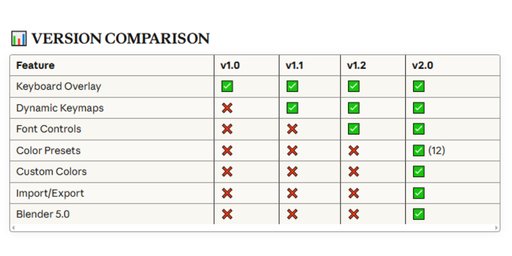
**What Makes HotkeyBoard Different?
**
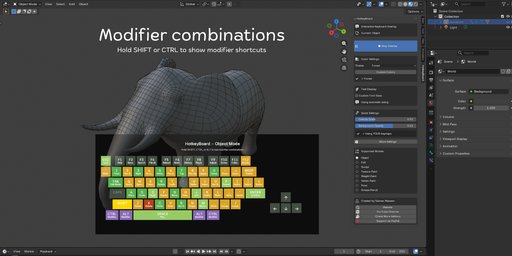
Unlike static shortcut lists or PDF cheat sheets, HotkeyBoard displays a live, interactive keyboard directly in your 3D viewport. Watch keys highlight in real-time as you press them, see shortcuts change automatically when you switch modes, and discover modifier combinations by simply holding SHIFT, CTRL, or ALT.
** Key Features:
**
500+ Keyboard Shortcuts - Complete database covering all Blender 4.5 shortcuts
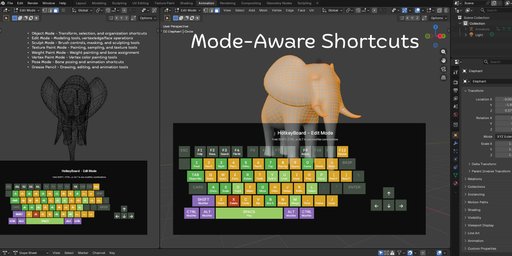
8 Mode Support - Object, Edit, Sculpt, Texture Paint, Weight Paint, Vertex Paint, Pose, and Grease Pencil modes
Real-Time Key Tracking - Keys highlight instantly as you press them (yellow feedback)
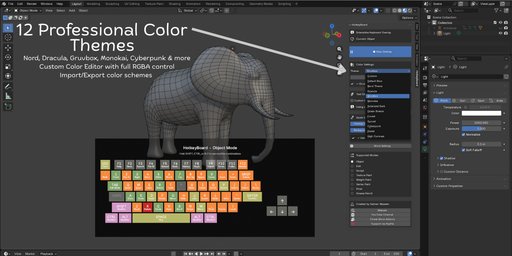
Color-Coded Priority System - Blue (primary), Green (secondary), Orange (tertiary), Purple (modifiers)
Modifier Combinations - Hold SHIFT/CTRL/ALT to see advanced shortcut combinations
Fully Scalable - Adjust from 0.4x to 2.0x or use auto-scaling
Mode-Aware - Shortcuts automatically update when you switch between modes
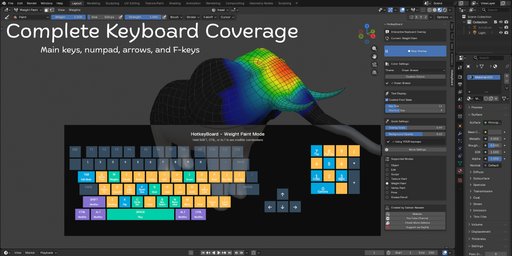
Smart Numpad Detection - Works with both physical numpad and emulated numpad
Customizable Opacity - Adjust background transparency (0.5 to 1.0)
Zero Performance Impact - Efficient GPU rendering, no lag
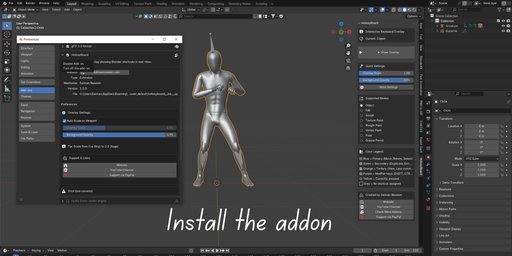

**All 8 Blender Modes Covered:
**
Object Mode - Transform, selection, organization shortcuts
Edit Mode - Complete modeling toolset (extrude, inset, bevel, knife, etc.)
Sculpt Mode - Brush controls, masking, remeshing, sculpting tools
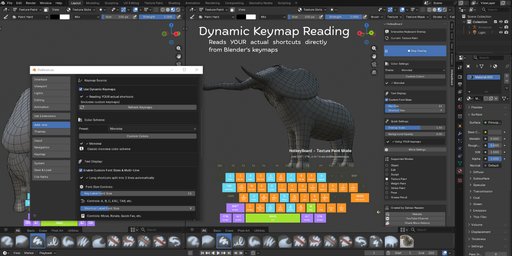
Texture Paint Mode - Painting, sampling, cloning, texture workflows
Weight Paint Mode - Weight painting, gradient tools, bone assignment
Vertex Paint Mode - Vertex color painting and editing
Pose Mode - Bone animation, keyframing, IK/FK switching
Grease Pencil Mode - 2D drawing, animation, editing tools
** Intelligent Color System:
**
HotkeyBoard uses color psychology to guide your learning:
Blue Keys (Primary) - Essential shortcuts like G (Move), R (Rotate), S (Scale), A (Select All), B (Box Select), TAB (Edit Mode). Start here!
Green Keys (Secondary) - Common operations like D (Duplicate), E (Extrude), M (Merge), P (Parent), I (Insert Keyframe). Learn these next.
Orange Keys (Tertiary) - Specialized tools like Z (Shading), N (Properties), T (Toolbar), view controls, F-keys. Master when ready.
Purple Keys (Modifiers) - SHIFT, CTRL, ALT - combine with other keys for advanced functions.
Yellow Keys (Active) - Real-time highlighting of keys you're currently pressing.
Gray Keys - No shortcut assigned in current mod
✓ 500+ keyboard shortcuts database (Blender 4.5 optimized)
✓ Real-time key press tracking and highlighting
✓ Color-coded priority system (5 colors, 5 priority levels)
✓ 8 Blender modes supported (Object/Edit/Sculpt/Paint/Pose/GPencil)
✓ Modifier combination display (SHIFT/CTRL/ALT)
✓ Mode-aware automatic switching
✓ Scalable interface (0.4x - 2.0x range)
✓ Auto-scaling viewport responsive mode
✓ Adjustable background opacity (0.5 - 1.0)
✓ Smart numpad emulation detection
