N-panel Navigator
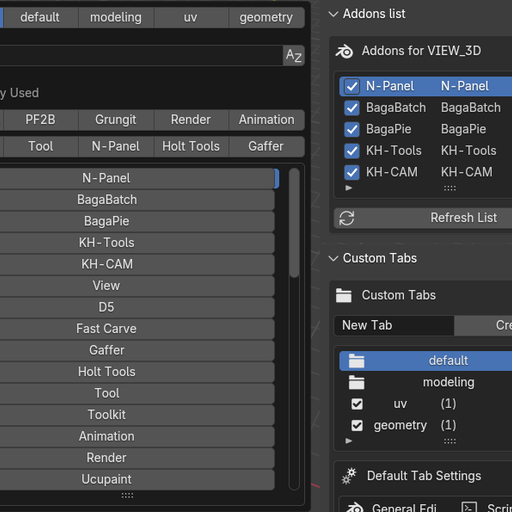
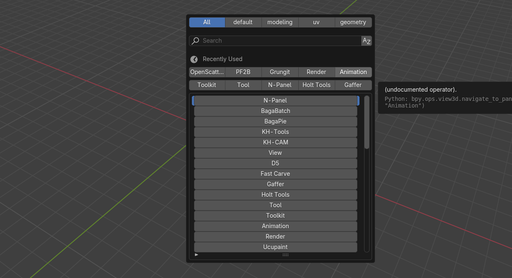
Stop scrolling the N-Panel forever. Instantly search, find, and navigate to any addon panel with a single hotkey (F7). Create custom tabs to organize your tools.
N-panel Navigator
Simple Addon Search & Navigation
Find addons and navigate directly to their panels in Blender. Click any addon in the search results and it immediately opens that addon's panel in the N-panel - no more manual hunting through categories.

The N-Panel Problem
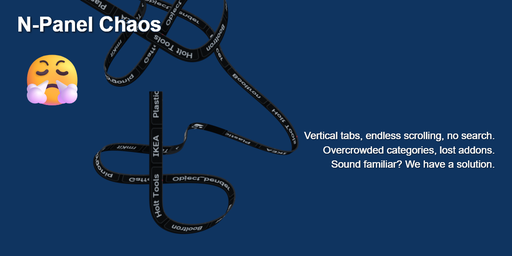
Blender's N-panel becomes frustrating as you install more addons:
- Vertical tab names are hard to read and take up precious screen space
- Endless scrolling through dozens of addon categories to find what you need
- No search function - you have to remember where each addon is located
- Can't reorder tabs - addons appear in random order based on installation
- Shared categories get overcrowded (Tool, Edit, Modifier panels become a mess)
- Context switching means hunting through irrelevant addons for your current task
- Lost addons - you forget what you have installed because they're buried
What This Addon Does
Direct Navigation (Main Feature)
* Search for any addon using the F7 popup menu
* Click an addon → instantly navigates to its N-panel
* Works in all Blender editors - 3D View, Shader Editor, Image Editor, etc.
Custom Tabs
Group your favorite addons into custom collections
Set different default tabs for different editors
Reorder addons within tabs
Save and share your setup with others
Why It's Useful?
Core Benefits (Always Work):
* Direct navigation - Click and go straight to any addon panel
* No more vertical tab hunting - horizontal search interface with instant navigation
* Instant access instead of scrolling through dozens of categories
* Context-aware filtering shows only relevant addons per editor
* Quick rediscovery of forgotten addons with immediate access