Knife Circle
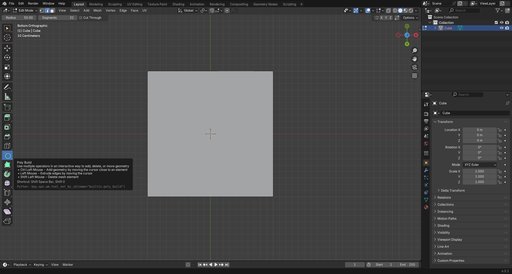
Knife Circle is a powerful Blender add-on for projecting precise circular cuts onto mesh objects with real-time preview. Perfect for creating clean geometric cuts with accuracy and speed.
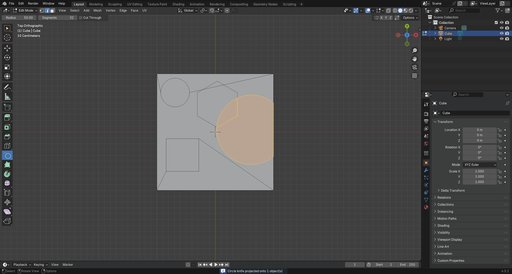
Knife Circle is a powerful Blender add-on for projecting precise circular cuts onto mesh objects with real-time preview. It features GPU-accelerated rendering, interactive radius control, and works seamlessly in both Object and Edit modes. Perfect for creating clean geometric cuts with accuracy and speed.
Launch Offer: Get the add-on for 25% off, valid till Nov 28, 2025
FeaturesWhat does Knife Circle offer?
- Interactive Control
- Adjustable Segments
- Numeric Input
- Quick Shapes
- Cut Through
- Dual Mode Support
- Precision Mode
- Snap Mode
- Select one or more mesh objects
- Activate the Circle Knife tool in the toolbar
- Click to place the circle center
- Move the mouse to adjust the radius
- Confirm with Left Click or Cancel with Right Click/ESC
- Left Click - Confirm, execute the knife projection
- Right Click / ESC - Cancel, Exit without changes
- Mouse Move - Adjust Radius, Dynamic radius control
- Scroll Up - More Segments, Increase circle smoothness (max 256)
- Scroll Down - Fewer Segments, Decrease segments (min 3)
- Shift + Mouse Move - Precise Mode, 10x slower radius adjustment
- Ctrl + Mouse Move - Snap Mode, Snap radius to 5-unit increments
- X - Toggle Cut Through, Switch between surface/through modes
- T - Triangle, Set to 3 segments for a triangle
- S - Square, Set to 4 segments for a square
- C - Circle, Set to 32 segments for a smooth circle
- 0-9, Period - Numeric Input, Type exact radius value
- Backspace - Delete Digit, Remove last typed character
- Enter / Numpad EnterApply ValueConfirm numeric input
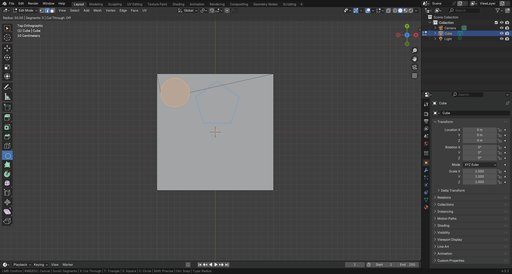
Click to set the circle center, move the mouse to dynamically adjust the radius with a real-time preview.
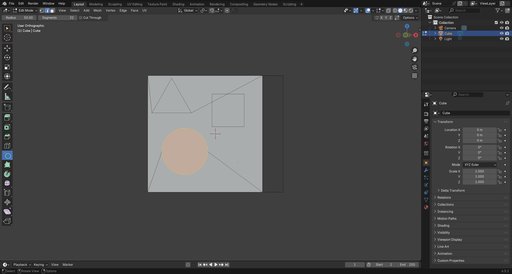
Adjustable SegmentsModify the number of segments on the fly using the mouse scroll.
Numeric InputType exact radius values for precise cuts. Start the tool, type a value like 75.5, and press Enter to apply.
Quick ShapesInstantly switch between common shapes with a single keypress - T for Triangle (3 segments), S for Square (4 segments), C for Circle (32 segments).
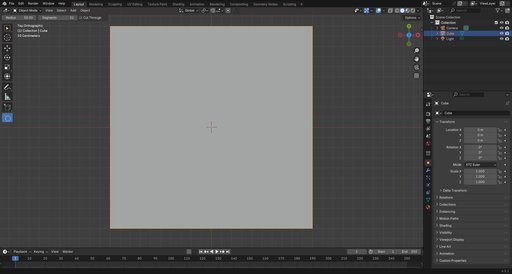
Cut ThroughToggle between two modes with the X key.
Blue preview cuts only visible front faces, Red preview cuts through the entire mesh.
Author