Lens Sim
Lens Sim is a Blender addon created to simulate camera lenses based on real-world optical data. By extending the standard blender camera you can easily choose and render dozens of lenses in Cycles.
Render with Real-World Lenses
Lens Sim is a Blender addon created to simulate camera lenses based on real-world optical data. By extending the standard blender camera you can easily choose and render dozens of lenses in Cycles. By simulating the physical characteristics of glass and the aperture opening we get common lens effects such as chromatic aberration, vignetting, distortion, lens softness, focus breathing and natural bokeh shapes. These effects contribute to the organic, imperfect look of physical photography. The standard camera provides an idealized, perfect clean render that misses out on these unique characteristics, making images feel sterile or too "perfect," which can detract from a "film-like" look. This addon inspires to improve that.
Blender Version: 4.5 - 5.0
Render Engine Used: Cycles
NB! The newest version of Lens Sim only works when rendering with NVIDIA OptiX GPU's or CPU in Cycles. It uses the OSL camera shaders that were introduced in Blender 4.5, so make sure you are using the newest Blender version.
Anamorphic lens in action, notice the lens breathing and oval bokeh shape. Closeup showing the chromatic aberration.
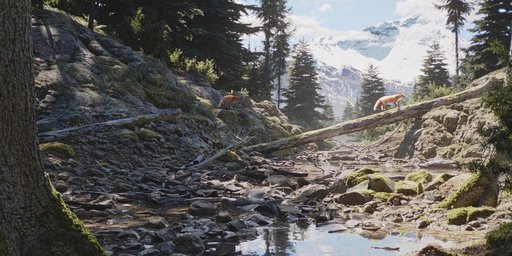
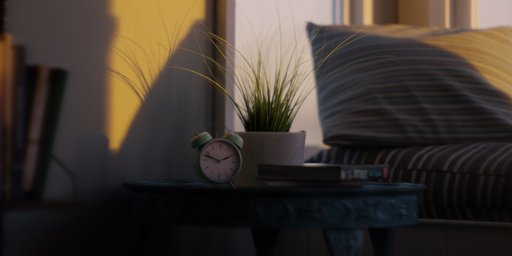
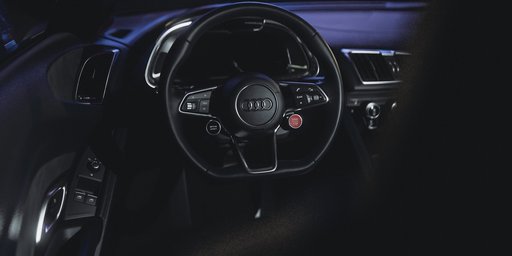
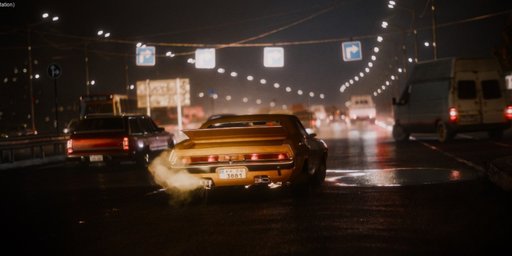
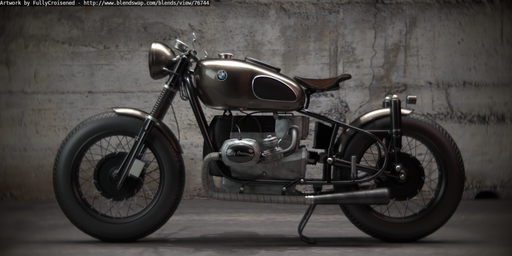
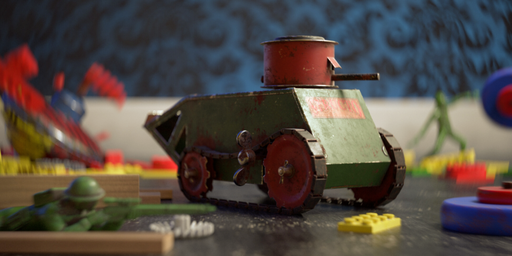
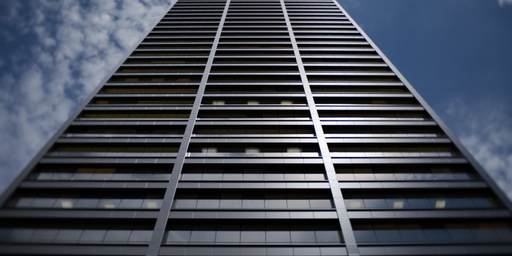
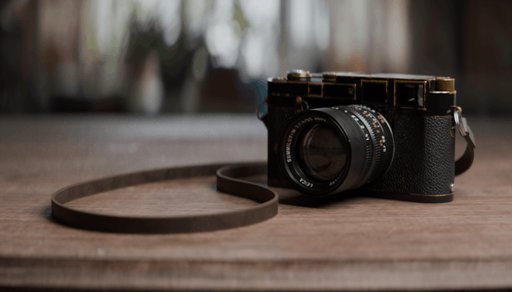
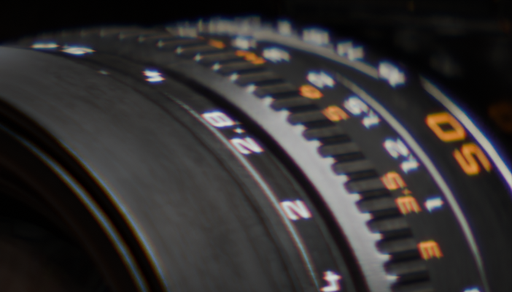
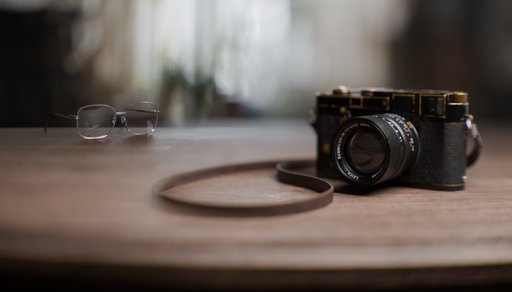
Choose between an extensive selection of lenses, each carefully modeled with real-world data to provide a broad range of simulation possibilities. From wide-angle to telephoto. Each lens has a unique bokeh shape and distortion profile.
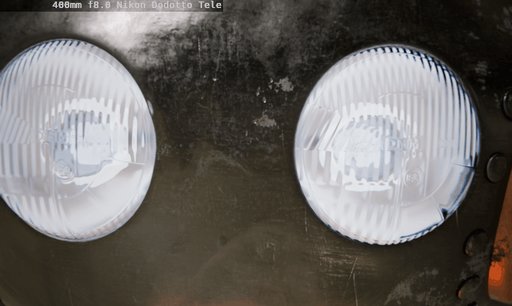
-
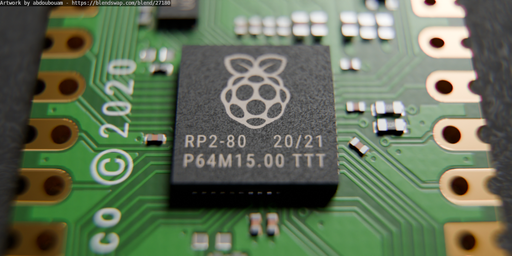
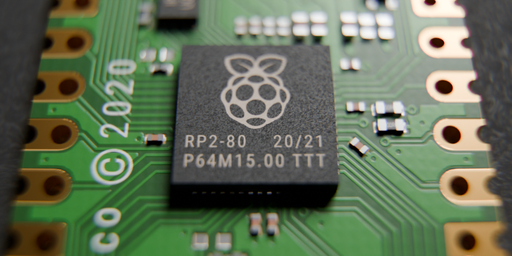
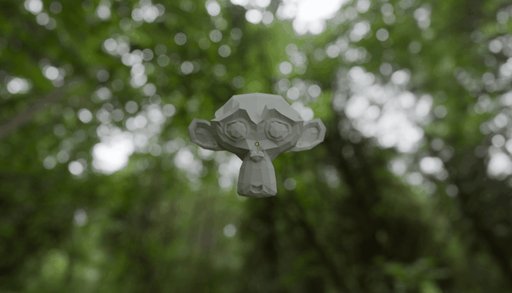
Dive into the world of macro photography with specialized lenses that excel at capturing tiny objects. Perfect for showcasing delicate subjects, such as flowers or small objects.
Model by abdoubouam -
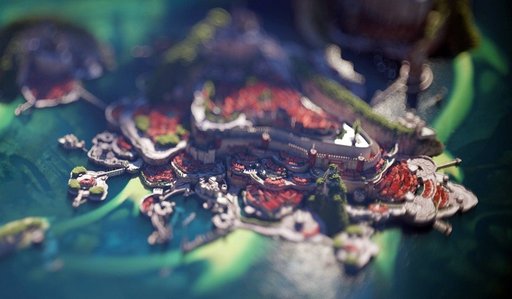
Experience the magic of tilt-shift photography, by shifting and tilting the lens, you can manipulate perspective, giving your images an intriguing and surreal quality.
Scene by Piotr Krynski -
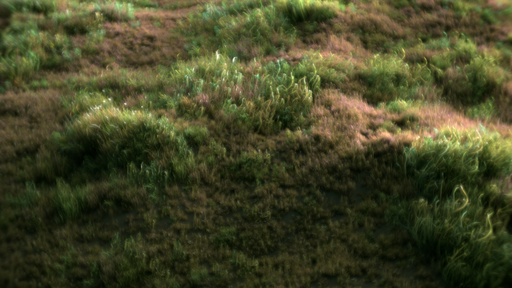
Soft lenses offer a creative way to introduce a gentle aesthetic into your work. These lenses create an inviting and dreamy atmosphere, enhancing the mood and emotional depth.
Scene by Gleb Alexandrov
Key Features
- Full Blender Integration Lens Sim is seamlessly integrated with Blender’s native camera and Cycles rendering engine. With multi-camera support, you can maintain your standard workflow when designing shots. Whether you are starting from scratch or adapting current scenes, the process of creating and converting cameras is simple and intuitive.
*With a single click, you can extend your Blender camera into a Lens Sim camera. By tracing a single ray from the focus object to the lens, we can determine the ideal sensor position for that distance, removing the necessity of manual lens focusing. *
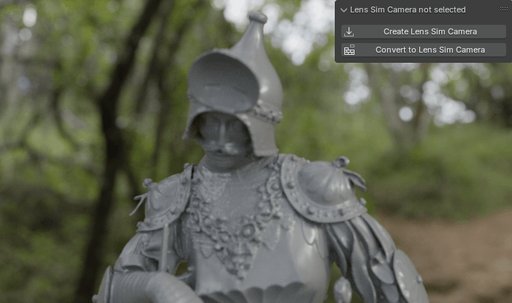
-
Real-World Accuracy Built on actual lens patent data, Lens Sim replicates the optical characteristics of real-world lenses, from intricate distortions to natural bokeh. Experience professional-grade optical effects like chromatic aberration, lens distortion, focus breathing, and precise depth of field. You get true-to-life results without needing complicated geometry setups.
-
Custom Lens Design You can easily create your own unique lenses, adjust their specifications to suit your needs, save your designs for future use, and share them with friends and fellow enthusiasts. Unleash your creativity and take your optical projects to the next level!
*Each lens is implemented through a built-in data table. By guiding rays towards the aperture opening we get little to no loss of rays at higher f-stops *
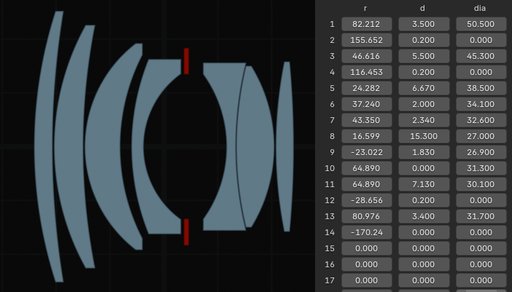
-
Render Farm Compatibility Lens Sim works native within Blender, without relying on the addon itself during rendering. This means once your scene is set up, Lens Sim’s features are fully integrated into Blender’s system, allowing it to run seamlessly on any render farm that supports Blender. Note that the render farm must support OSL camera shaders that was introduced in Blender 4.5.
-
Editing Tools Tailor lenses to specific scenes by adjusting parameters like custom chromatic aberration ramp, tilt shift, add extra lens distortion, use a custom aperture image, emulate anamorphic effects, add swirliness to your bokeh, extend the field of view beyond the original lens design and add lens dirt.
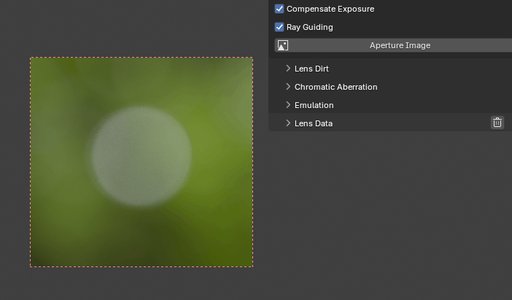
Custom aperture shapes. With the ability to use personalized aperture designs, you can infuse your 3D renders with a distinctive style that reflects your artistic voice (due to current OSL limitations, the image resolution is limited to max 512x512px).
*Split diopters enables sharp focus on two distinct subjects at different distances simultaneously, creating a unique visual impact. *
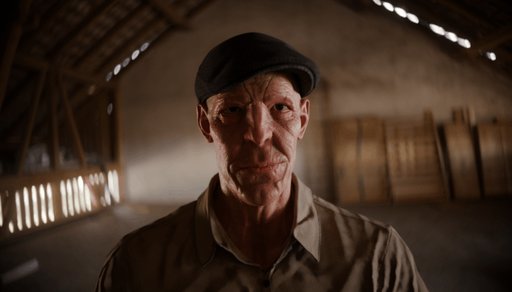
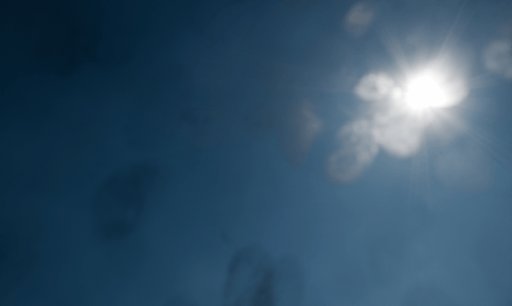
Lens Dirt, add imperfections on front of the lens that scatters and blocks light. Slight smudges and hazy patches gives the scene a lived-in, cinematic feel.
Customize the standard Blender camera using the "Simplified Lens System". Add effects like vignette, swirliness, distortion, split diopter and chromatic abberation
80+ built in lenses, including:
- Simplified Lens Model (Adds functionality to blenders standard camera)
- 10mm f1.6 Helios-58
- 10mm f3.5 Samsung Fisheye
- 10-100mm f2.8 Zeiss Vario-Sonnar
- 13mm f2.8 Nikon R-UW AF Fisheye-Nikkor
- 15mm f4.0 Venus Laowa Wide Angle Macro
- 15mm f2.8 Sigma EX DG Diagonal Fisheye
- 20mm f8.0 Nikon Gyogyotto Fisheye
- 20mm f4.0 Nikon Nikkor
- 22mm f2.05 Canon STM
- 24mm f2.8 1.332x Super wide-angle large aperture anamorphic lens
- 24mm f1.8 Sigma EX DG Aspherical Macro
- 24-35mm f3.5 Konica Minolta MD Zoom
- 25mm f2.5 Minolta Fisheye 1978
- 28mm f2.8 Leica Elmarit
- 28mm f2.8 Ricoh smc Pentax-FA Soft
- 30mm f2.0 Samsung
- 30mm f3.5 Sony E Macro
- 35mm f2.8 Konica Hexanon
- 35mm f1.8 1.33x Sirui Anamorphic Lens
- 35mm f2.0 Helios -23, 2x Anamorph Adapter
- 35mm f2.0 Helios-23
- 35mm f2.5 Angenieux R1, 2x Anamorphic Adapter
- 35mm f2.5 Angenieux R1
- 35mm f4.5 Meyer
- 35-70mm f3.6 Olympus Zuiko Auto-Zoom
- 36mm f2.5 1.942x Anamorphic lens for digital projection display
- 36-193mm f3.6-4.65 Tokina AT-X
- 37mm f2.9 Mir-1
- 45mm f2.8 Tale78 Nikon AI Nikkor
- 45mm f1.8 Samsung
- 50mm f1.5 Jupiter-3
- 50mm f2.0 Leica Summicron R
- 50mm f2.5 Canon Compact Macro
- 50mm f2.8 Rodenstock Ragnar, 2x Anamorph Adapter
- 50mm f2.8 Rodenstock Rognar
- 50mm f2.8 Zeiss Tessar
- 50mm f3.5 Kodak 1942, Heliar-type
- 50mm f2.0 Jupiter-8
- 50-135mm f3.5 Konica Minolta MD Zoom
- 55mm f1.4 Zeiss Planar
- 57mm f1.2 Konica Hexanon
- 59mm f2.0 Helios-44, 2x Anamorph Adapter
- 59mm f2.0 Helios-44
- 60mm f2.8 Samsung Macro ED SSA OIS
- 61mm f2.5 Anastigmatic anamorphic lens
- 70mm f2.4 Ricoh HD Pentax-DA Limited
- 85mm f1.1 Saburo Murakami 1958
- 85mm f1.5 Canon Serenar
- 85mm f1.5 Zeiss Biotar 1929
- 85mm f2.8 Richo smc Pentax-F soft
- 90mm f4.0 Agfa Color Telinear
- 100mm f2.0 German Lens 1936
- 100mm f2.0 Kodak Petzval 1950
- 100mm f5.6 Rodenstock Sironar-N
- 100mm f1.9 Kodak Petzval 1948 Cooke Triplet
- 120mm f4.1 Hasselblad HC Macro (Fujinon)
- 135mm f2.3 Vivitar Series 1
- 167mm f5.0 Single lens system
- 167mm f5.0 Single lens system, 2x Anamorph Adapter
- 200mm f4.0 Konica Minolta Hexanon
- 200mm f4.0 Leica Telyt
- 400mm f8.0 Nikon Dodotto Tele
- 800mm f6.3 Leica Telyt-S
- 1000mm f11.0 Olympus E Zuiko Auto-T
Main Features
- Multiple Scene Cameras
- Schematic Viewer
- Custom Presets
- Chromatic Aberration
- Custom Chromatic Aberration Colors
- Screen Space Chromatic Aberration
- Aperture Control
- Focusing System
- Custom Aperture Image
- Color Filter
- Dolly Zoom
- Lens Dirt
- Split Diopter
- Tilt Shift
- Bloom/Glare
- Custom Lens Distortion
- Radial Blur
- Custom Squeeze Factor
- Custom Bokeh Aspect
- Add Bokeh Swirliness
- Add Extra Dof
- Add Extra Focal Length
- Generate a working geometry lens setup from the schematic
- Implement Your Own Lenses
- Photonstophotos Optical Bench Hub , GOI, Importer (Alpha)
- Zemax Importer (Experimental)
https://www.photonstophotos.net/GeneralTopics/Lenses/OpticalBench/OpticalBenchHub.htm
https://www.photonstophotos.net/GeneralTopics/Lenses/OpticalBench/OpticalBenchGOI.htm
Consider Before Purchasing
Although this product is optimized to the best of my capabilities, it will always be slower than the native Blender camera. AOV passes will also be negatively affected by the optical vignetting. Also, some features in Cycles, in particular the Vector pass and Window texture coordinates, require inverse mappings from rays to image coordinates. This is not yet supported with OSL camera shaders. Be sure to read the Documentation section and Tutorials before buying and for a full breakdown of the system and its caveats.
Documentation link >> https://superhivemarket.com/products/lens-sim/docs
The addon was mainly developed and tested on Windows, with help from testers I can confirm it also works on Linux and MAC. OSL camera shaders only work with GPUs that support OptiX, which means that you can render with GPU only on compatible NVIDIA graphics cards. CPU rendering is supported on all systems. Lucas stockner (lead OSL camera shader developer in Blender) was talking about Hip/CYCL/Metal support for the OSL cameras at the recent blender conference, and it seems like it's not going to happen anytime soon.
I do provide support for the older version of Lens Sim, v2.#.#, Blender 4.2+. That version works on all GPU vendors, but it will render ~50% slower and has a more complicated setup, where I simulate the lenses in a material setup. Except for fixing bugs and providing support, I will not add new features, as I want to focus on the current version that uses OSL camera shaders.
I have opted in for all future Blender Market sales, so keep an eye out for those :)
Documentation
Installation
1: Save the .zip file of the addon to your computer.
2: Open Blender and go to Edit > Preferences > Add-ons.
3: Click "Install from Disk..." from the "Extension Settings" dropdown menu(top right side), select the downloaded .zip file and press "Install From Disk".
4: If not enabled, find the Lens Sim Add-on in the "Add-ons" panel and enable the addon by checking the box next to its name.
Usage
Lens Sim only works when rendering in Cycles with an NVIDIA OptiX GPU or CPU. To avoid black renders make sure your GPU drivers are up to date and that OptiX is enabled in the System preferences (also, your graphics card must be enabled in the OptiX menu).
Data
The addon data folder can be found in the "AppData\Roaming\Blender Foundation\Blender\4.2(current blender version)\extensions\user_default\lens_sim" folder.
Lenses that comes with the addon are found in the "lens_sim\LensSim_Data\lenses" (in the addon data folder) directory or the User Data folder set under the Addon Preferences. To share lenses simply copy or paste the lens.txt file into your User Data folder and the lens will pop up in the addon.
Some included bokeh images are found in the "lens_sim\LensSim_Data\textures\bokeh" (in the addon data folder) folder. You can use them for the "Aperture Image".
Limitations
-
Lens Sim works with Blender 4.5+, NVIDIA OptiX GPU's or CPU, Cycles Render engine only. The OSL camera shader is a requirement for it to work so older blender versions is not supported. Certain features or advanced settings may have limitations when used with other plugins. The focusing method is the same as the standard camera, so it should be compatible with most setups. But, always verify compatibility with your specific rendering setup to avoid potential issues.
-
All AOV passes and the image alpha will be affected by the optical vignetting. Passes like depth, position and the motion vector will be quite useless due to its sampling method, I believe they are set from the first sample so if that sample hitts the inside of the lens boundary it will be black. The Mist pass for example(that takes the depth average) will be darkened towards the edges since some of the rays hits the edges of the lens, making it quite useless for adding mist. AOV passes that is an average of all accumulated samples is less useless but still affected by the optical vignetting. This means that you will be able to reconstruct the whole render via combining passes like (DiffDir + DiffInd) * DiffCol etc, but the passes will be darkened towoards the edges of the circle of illumination. There is currently not a way to tell cycles to discard a ray completely inside the OSL camera shader, so there is not much I can do about these issues.
-
Some features in Cycles, in particular the Vector pass and Window texture coordinates, require inverse mappings from rays to image coordinates. This is not yet supported with OSL camera shaders.
-
No support for orthographic rendering.
-
The max number of lens elements is set to 30 (soft limitation). Lens types supported is spherical, cylindrical and aspherical lenses with 10 conic constants (also a soft limitation).
-
There is only support for a single aperture. It shouldn't be hard to implement but it might break the current ray guiding setup so its not something I've seen necessary to have.
-
This is a general system for rendering lenses, so some custom lenses might not work, especially with the ray guiding system. I have had some issues with smaller lenses where the curvature of the lens was quite large, like the 15mm f8.0 Zeiss Hologon. That lens is tiny with very curved lenses, it ran into some floating point issues. Most normal looking lenses should work.