Smart Material Painter
Smart Material Painter
Professional Procedural Weathering & PBR Painting Tool
Elevate your texturing workflow with Smart Material Painter, a robust Blender extension designed to bring high-end procedural weathering and multi-channel PBR Painting
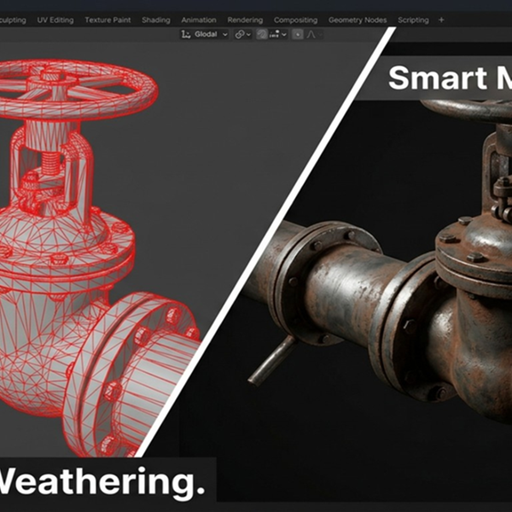
Smart Material Painter is a professional-grade texturing suite designed to bring high-fidelity procedural weathering and PBR painting directly into the Blender viewport. Forget complex node-spaghetti; this add-on provides a streamlined interface for applying realistic wear, grime, and environmental aging to any 3D asset. Whether you are working on hard-surface industrial models or cinematic environment props, Smart Material Painter automates the weathering process while maintaining 100% non-destructive control.
Key Features
Procedural Edge Wear: Automatically detect geometry peaks to simulate paint chipping and metal scraping.
Dynamic Grime & Dust: Uses Ambient Occlusion and Curvature maps to intelligently settle dust in crevices and recesses.
Layered PBR Workflow: Stack materials like base metal, primer, paint, and rust with advanced opacity and mask controls.
Smart Mask Presets: One-click presets for common effects like "Leaking Rust," "Sun Bleached," and "Heavy Industrial Grease."
Real-Time Feedback: Optimized to work seamlessly in both Eevee and Cycles.
Installation
Open Blender and go to Edit > Preferences > Add-ons.
Click Install and select the downloaded .zip file.
Enable the add-on by checking the box next to "MeshMind: Smart Material Painter."
Ensure you have "Node Wrangler" enabled for the best experience.
Location
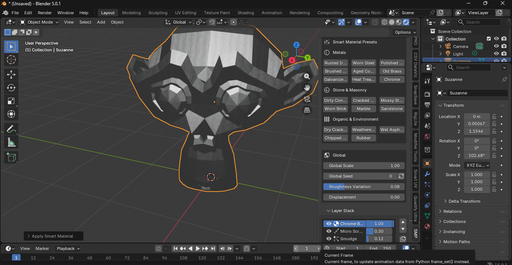
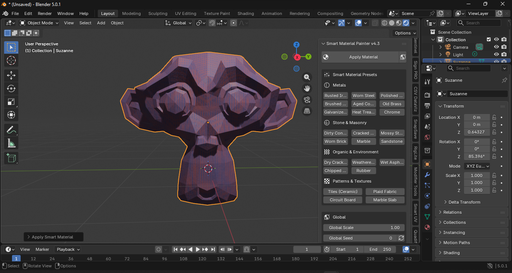
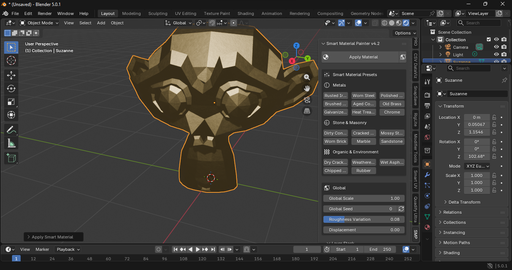
The tool panel is located in the 3D Viewport Sidebar (N-panel) under the tab labeled "SMP" or "Smart Painter."
Usage Instructions
Prepare: Select your object and ensure it has proper UV coordinates.
Initialize: Click the "Initialize Smart Material" button to set up the procedural base.
Paint & Weather: Use the sliders in the N-panel to adjust "Wear Intensity," "Dirt Spread," and "Rust Coverage."
Bake (Optional): Once satisfied, use the built-in bake utility to export your procedural setup into standard PBR textures for use in game engines or other software.
Support & Community
We are constantly updating the mask libraries. If you encounter issues or have feature requests, please contact us through the BlenderKit message system or visit our official documentation page.