JiggleGen
JiggleGen is an addon that creates and manages proxy meshes for cloth simulations. With an integrated batch operation you can now generate every piece for your whole character. Don't worry anymore about Surface Deform & Collision modifiers.
How does it Work?
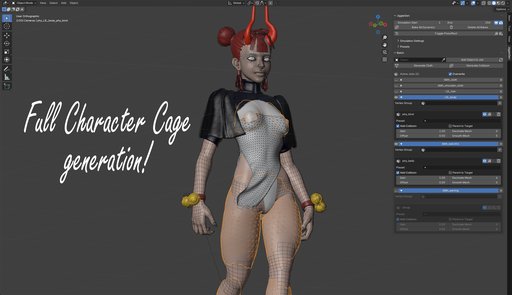
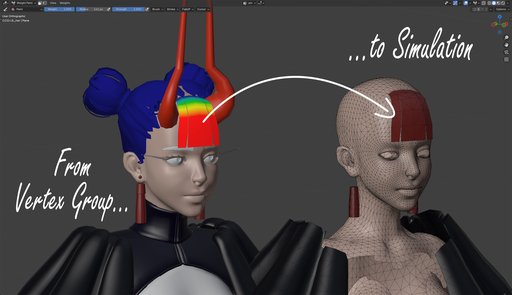
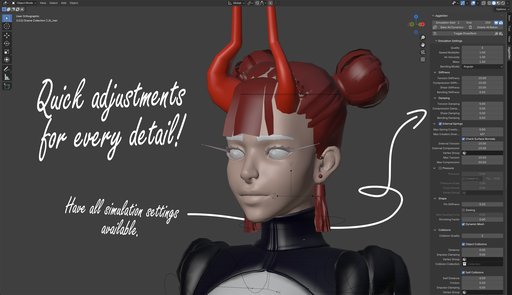
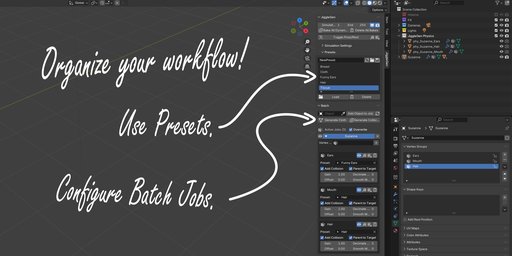
Create a vertex group, paint the areas that you want to make jiggly, choose a preset and hit generate. Don't like it? Just overwrite it! Everything can now become a wobble pudding. JiggleGen comes with a intuitive workflow, that allows you make quick adjustments to archive the perfect results for your animation.
Key Features
JiggleGen comes with a wide range of features. Here are some of the key features:
-
Cloth & Collision Mesh from Vertex Groups Quickly generate simulation-ready cloth and collision geometry from any vertex group
-
Batch Cloth & Collision Generation: Process multiple vertex groups or objects in a single batch
-
Integrated Preset Library: Save, load, and reuse cloth setups using Blender’s native preset system. No custom file management needed.
-
Overwrite Existing Meshes: Regenerate cloth/collision meshes without manual cleanup. Perfect for fast iterations and testing.
-
Optional Modifiers during Generation
-
Auto Parenting: Generated cloth mesh can automatically be parented to the target object.
-
Compact Utility Panel with Smart Shortcuts
-
Smart Collision Exclusion: Create a collision Mesh, which is the opposite of all selected vertex group mesh data. Great for characters with both jiggly and > rigid areas.
You can find the full feature list in the documentation:
https://silk-gate-2a7.notion.site/JiggleGen-Documentation-25dd5677f0e38016a412c6e8d296d8b1?source=copy_link
FAQ
What is JiggleGen?
JiggleGen is a Blender add-on that automates the creation of cloth-based proxy meshes for jiggle and tissue simulations. It streamlines the setup process by generating simplified cages driven by vertex groups, making secondary motion effects faster and easier to manage.
Who is JiggleGen for?
JiggleGen is intended for experienced Blender users who are already familiar with the basics of cloth simulation and modifiers such as Surface Deform.
Will using JiggleGen slow down my system?
JiggleGen uses low-quality cloth modifiers to reduce calculation load. However, performance still depends on your system’s power and the complexity of the generated geometry.
How do I define the area that should jiggle?
You can mask the simulation area using a Vertex Group on the target object. JiggleGen uses this group to decide which parts of the mesh will move.
Do I need a specific topology for JiggleGen to work?
Yes. The target object should be low-resolution, one-sided (no thickness), have outward-facing normals, and contain no separate geometry islands.
Is JiggleGen only for characters?
No. While it’s commonly used for character tissue and jiggle effects, you can use JiggleGen for any object where you need simplified secondary motion.
Can I still use Subdivision or other modifiers?
Yes, you can use modifiers like Subdivision on your original mesh. Keep in mind that the ProxyMesh is stripped of modifiers except for the Armature.