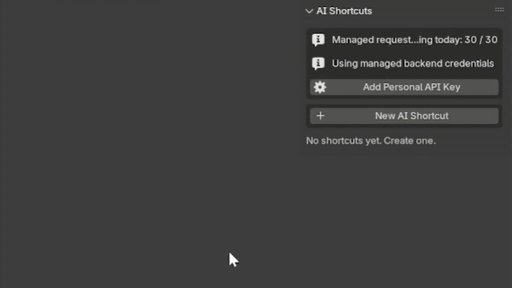
AI Shortcuts: Add new buttons to blender
Stop digging through menus. Just describe what you want in plain English, and the AI writes the code and builds the tool instantly. From quick objects to complex automations, it’s like having a script dev on call 24/7.
AI Shortcuts : Vibe coding in blender
Tired of repetitive tasks? Wish you could make custom tools without coding? AI Shortcuts lets you vibe code your ideas into instant one-click Blender tools.
Stop digging through menus. Just describe what you want in plain English, and the AI writes the code and builds the tool instantly. From quick objects to complex automations, it’s like having a script dev on call 24/7.
Build the personalized toolset you’ve always wanted and speed up your creative flow.
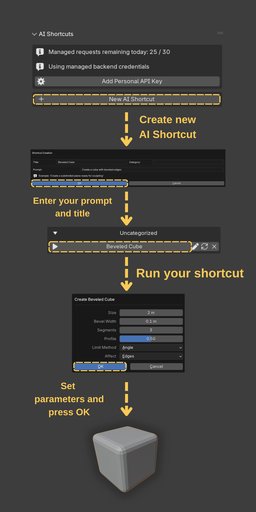
Installation & Setup (5-Minute Guide)
Getting started is quick and easy:
Install the Addon
Download the .zip file after purchase. In Blender, go to Edit > Preferences > Add-ons, click Install, and select the downloaded file.
Enable It
Locate AI Shortcuts in your addons list and check the box to enable it.
Get a Gemini API Key (Optional)
This addon is powered by Google's Gemini AI. Get a free API key from Google AI Studio. The free tier is generous and covers heavy daily use.
Enter Your Key
In the AI Shortcuts preferences, paste your API key into the designated field.
If you add your own API key you will have wider limits and have ability to use high end llm models like Gemini 2.5 Pro.
You're Ready!
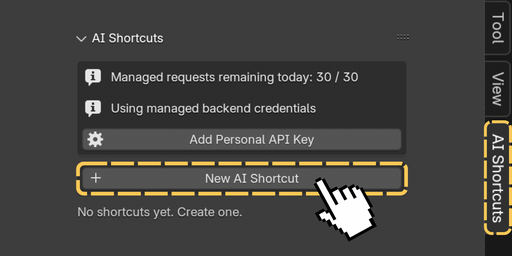
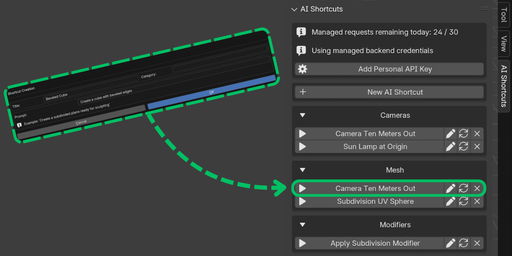
The AI Shortcuts panel now appears in your 3D View sidebar (press N to open it).
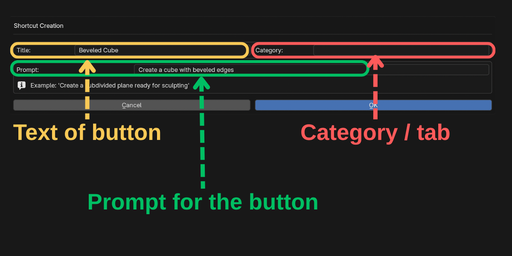
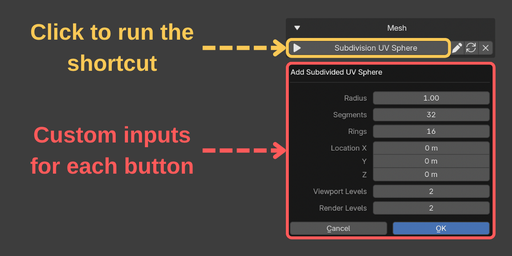
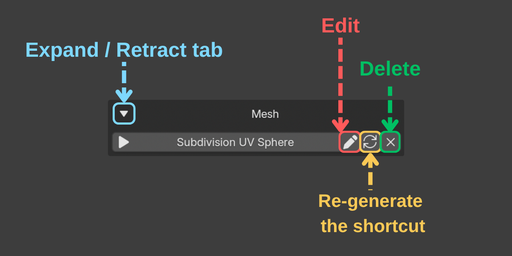
**Example Use Cases
AI Shortcuts scales with your imagination. Here are some ideas:
**
Basic Asset Creation & Scene Management
"Create a cube with random dimensions and apply a bevel modifier."
"Add a Suzanne head and a Subdivision Surface modifier with 2 levels."
"Delete all materials in the scene that are not assigned to any object."
"Select all objects larger than 10 meters on any axis."
Advanced Workflow Automation
"For every selected object, set its origin point to the center of its geometry."
"Create a new collection named 'Render-Ready' and move all objects with a polycount over 50,000 into it."
"Apply all modifiers on the selected objects, then create a new linked duplicate for each."
"Add a Decimate modifier to all selected meshes and set the ratio to 0.4."