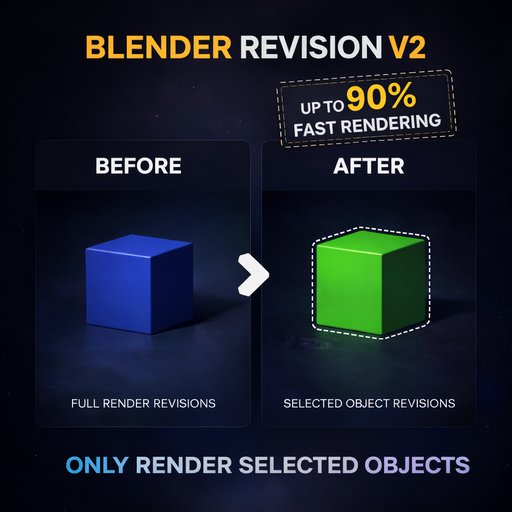
Blender Revision V 2.1.0
Render only selected objects and composite them over an old render for faster revisions. Includes occlusion modes, auto render border, edge-fix controls, light selection, and timeline support.
BlenderRevision V2
BlenderRevision V2 is a revision workflow add-on for Blender that lets you render only selected objects and composite them over an existing render.
Instead of re-rendering the entire frame after every small change, you can update only the part you revised. This makes look development, client changes, object replacement, and render fixes much faster and more practical.
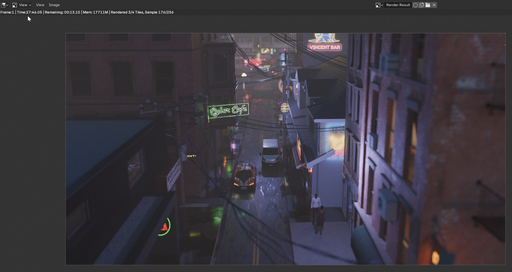
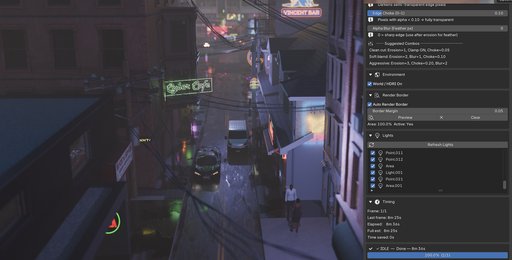
Timing Comparison
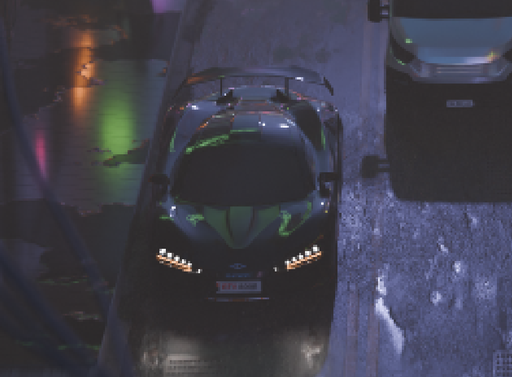
A full render of this scene took 27 minutes and 46 seconds to complete.
Using BlenderRevision V2, the same scene was revised by rendering only the selected object, completing in just 8 minutes and 36 seconds.
This results in a significant time reduction while maintaining the same visual quality.
Instead of re-rendering the entire scene, BlenderRevision focuses only on the necessary changes , making it ideal for fast iteration and client revisions.
Up to 3x faster revision workflow depending on scene complexity and selected area.*
Why BlenderRevision?
Rendering a full frame again for a tiny change can waste a lot of time.
BlenderRevision V2 helps speed up revision work by allowing artists to:
* render only selected objects
* composite revisions over an old render
* keep visual consistency with the previous output
* avoid unnecessary full-frame re-renders
* iterate faster during production
It is designed for artists who want a cleaner and faster revision workflow inside Blender.
Main Features
- Render only selected objects
- Composite over an existing render
- Multiple occlusion modes
- Auto render border for faster processing
- Edge cleanup controls
- Works with Cycles and EEVEE
- Timeline and preview range support
- Light selection controls
- Progress, timing, cancel, and reset tools
How It Works
- Set your old render path
- Select the object you want to revise
- Click Use Selection
- Choose the occlusion mode
- Adjust edge or border settings if needed
- Click Process
- BlenderRevision V2 renders only the selected revision area and composites it back over the previous render output.
Occlusion Modes
Hybrid
Best for more advanced scenes and overlapping render situations.
Fast
A faster exact cutout workflow for simple revision cases.
Object Mode
Useful for lightweight workflows where only specific object visibility handling is needed.
These modes give you flexibility depending on your scene complexity and revision needs.
Edge Cleanup
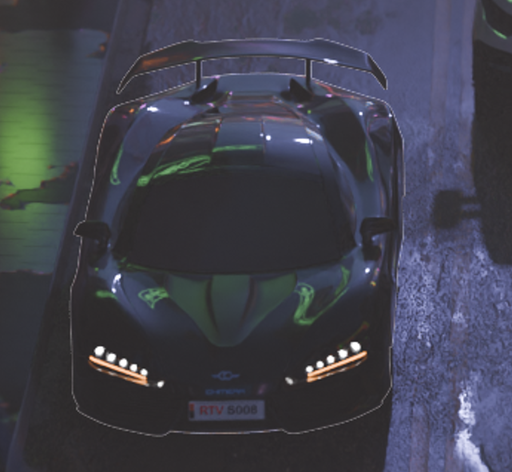
BlenderRevision V2 includes edge cleanup controls to help reduce visible fringe or unwanted edge artifacts during compositing.
Useful controls include:
- fringe fixing
- alpha clipping
- edge expansion
These tools help create cleaner revision results, especially when patch renders need to blend smoothly into an older render.
Best Use Cases
BlenderRevision V2 is useful for:
- product render updates
- material changes
- object color revisions
- lookdev adjustments
- client feedback changes
- scene fixes without full re-render
- faster iteration on heavy projects
Built For Faster Revisions
BlenderRevision V2 was created for artists who want to work faster without re-rendering everything from scratch.
It focuses on a simple idea:
when only one object changes, only that part should need revision.
Created By
Vincent Ilagan
BlenderRevision V2 is built to make Blender revision work faster, cleaner, and more efficient for real production use.