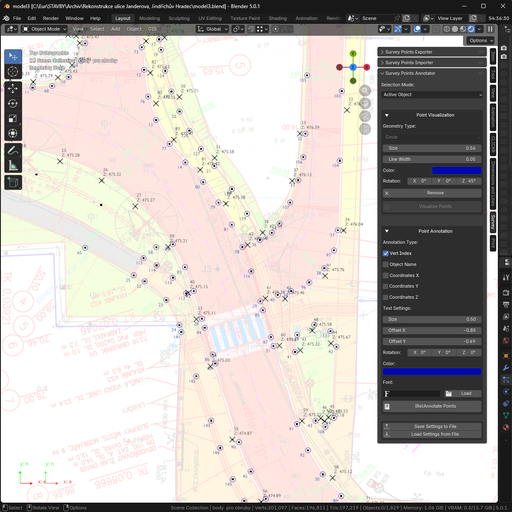
Survey Points Annotator – Geodetic & Construction Workflow
Survey Points Annotator is a Blender add-on for fast annotation of survey points. It visualizes and labels points with IDs and coordinates and creates clear, printable drawings for geodetic and construction workflows.
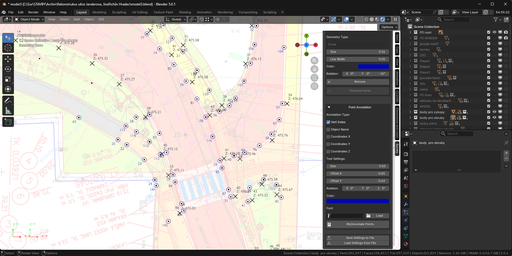
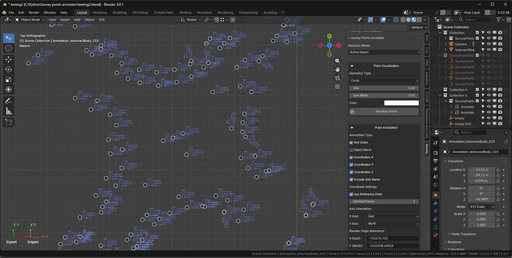
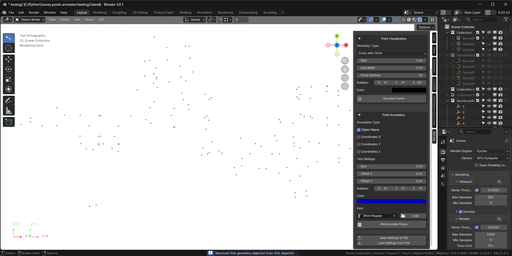
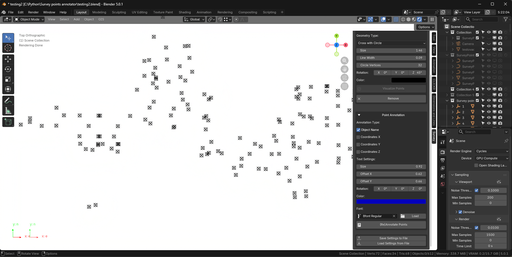
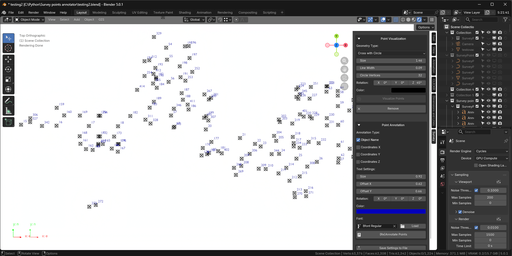
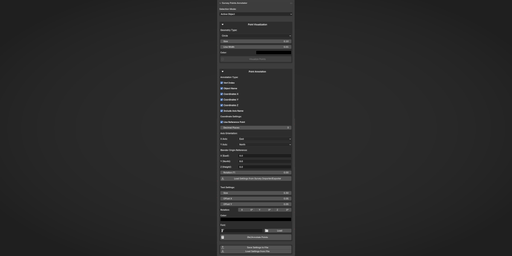
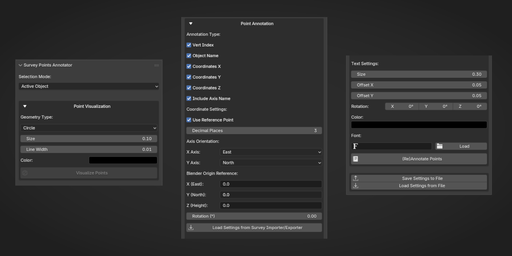
Survey Points Annotator is a professional Blender add-on for fast, clear, and reliable annotation of survey points — designed for geodetic, construction, and civil engineering workflows.
It solves the missing step between raw survey data and real-world use:
clear, printable drawings with unambiguous point identification.
No more manual labeling, scripting, or error-prone workarounds.
🔧 What This Add-on Does
* Visualizes survey points with clear geometry markers
* Annotates points with IDs, names, and coordinates
* Supports mesh vertices and empty objects
* Handles coordinate transformations (reference point, axis orientation, rotation)
* Produces clean, readable drawings ready for printing or field work
*
Built for people who actually use survey drawings on site, not just in Blender.
🎯 Key Features
Flexible Selection Modes
* Annotate all vertices of a mesh object (Geometry Nodes–based, performance optimized)
* Annotate all empty objects in a selected collection
Point Visualization
* Marker types: Circle, Sphere, Triangle, Cross, Cross with Circle
* Fully customizable size, color, line width, rotation, and subdivisions
* Geometry Nodes instancing for large datasets
* Shared geometry data blocks for memory efficiency
Text Annotation
* Vertex index (1-based numbering, consistent with Importer/Exporter)
* Object name
* Coordinates (X / Y / Z)
* Adjustable font, size, offset, rotation, and color
Coordinate Transformation
* Reference point offset
* Axis orientation mapping (X/Y directions)
* Z-axis rotation
* Decimal precision control
* Direct loading of settings from Survey Points Importer / Exporter
🔗 Integrated Workflow
Survey Points Annotator is part of the Geodetic & Construction Workflow suite:
* Survey Points Importer – import survey data from TXT / CSV
* Survey Points Annotator – visualize and annotate points
* Survey Points Exporter – export processed data back to files
All add-ons share the same coordinate system settings, ensuring consistent results from import to final output.
🚀 Typical Use Cases
* Creating printable survey drawings with labeled points
* Preparing field staking documentation
* Visualizing survey data for construction planning
* Annotating large point sets without performance loss
* Replacing manual labeling and custom scripts
✅ Why Use Survey Points Annotator?
Because survey data without clear annotation is useless in the field.
This add-on turns abstract point data into clear, readable, build-ready drawings — in seconds.
Documentation
Overview
Survey Points Annotator is a professional Blender add-on for visualizing and annotating survey points with geometry markers and text labels.
It is designed for geodetic, construction, civil engineering, and GIS workflows, where clear point identification and printable drawings are required.
The add-on supports both mesh-based survey points and empty-object–based workflows and integrates seamlessly with Survey Points Importer and Exporter.
Supported Workflows
Survey Points Annotator works in two main modes:
Active Object Mode
* Annotates all vertices of a selected mesh object
* Annotates a single empty object
* Uses Geometry Nodes for efficient point visualization on meshes
* Ideal for large datasets imported as a single mesh
Collection (Empty Objects) Mode
* Annotates all empty objects in a selected collection
* Creates geometry markers as child objects
* Suitable for organized workflows with named survey points
Point Visualization
Each survey point can be visualized using customizable geometry markers:
Available geometry types:
* Circle
* Sphere
* Triangle
* Cross
* Cross with Circle
Customization options:
* Size (scale)
* Line width (for outline-based geometry)
* Rotation
* Color (emission material)
* Subdivisions (sphere)
* Circle vertex count (empty-object mode)
Performance considerations:
* Mesh workflows use instanced geometry via Geometry Nodes
* Empty-object workflows use shared mesh data blocks
* Both approaches are optimized for batch processing
Text Annotations
Survey Points Annotator supports multiple annotation types:
* Vertex Index (1-based numbering for meshes)
* Object Name
* Coordinates (X, Y, Z)
Text annotations are fully customizable:
* Font selection (with font loader)
* Text size
* Offset (X / Y)
* Roation
* Color
Annotations are created as standard Blender text objects and can be edited if needed.
Coordinate Transformation
The add-on supports coordinate transformation to match real-world survey systems:
* Reference point offset (origin transformation)
* Axis orientation mapping (X / Y directions)
* Z-axis rotation
* Decimal precision control
This allows coordinates displayed in Blender to match survey coordinate systems such as local grids or UTM.
Settings Integration
Survey Points Annotator integrates directly with the Geodetic & Construction Workflow suite:
* Shared reference point and axis orientation settings
* Load settings directly from Survey Points Importer or Exporter
* Ensures consistency across import, annotation, and export steps
Settings can also be:
* Saved to an external file
* Loaded between projects
* Shared with team members
Typical Use Cases
* Creating print-ready survey drawings
* Field staking documentation
* Visual inspection of survey data
* Annotating large point datasets efficiently
* Replacing manual labeling and custom scripts
Notes
* Geometry Nodes mode is recommended for large mesh-based datasets
* Empty-object mode offers more individual control per point
* Annotation updates are performed by re-annotating points via the add-on UI