DRH - Color Ramp Studio
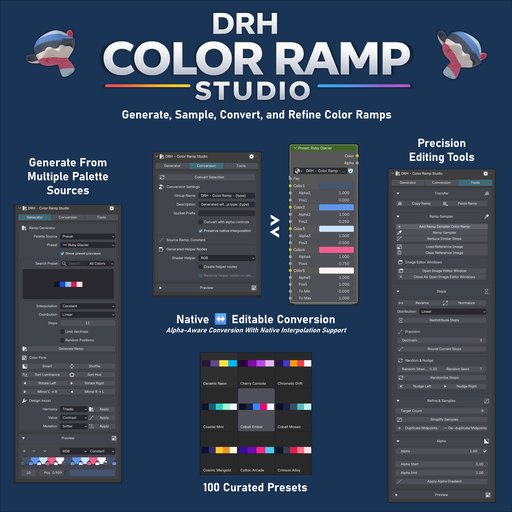
Build better Color Ramps faster in Blender with 100 curated presets, image and palette-based generation, Ramp Sampler tools, alpha-aware conversion, and restore-ready workflows for Shader, Geometry Nodes, and Compositor use.
Why DRH - Color Ramp Studio
Need a faster way to create, sample, refine, and reuse Color Ramps in Blender? DRH - Color Ramp Studio helps you go from idea or reference to usable ramp setups much faster, with flexible palette generation, Ramp Sampler tools, editable conversion workflows, and precise refinement controls for real production work.
Introductory price: $9.99 USD.
What You Can Do
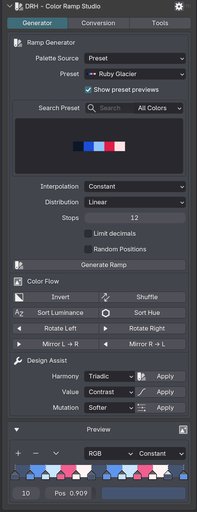
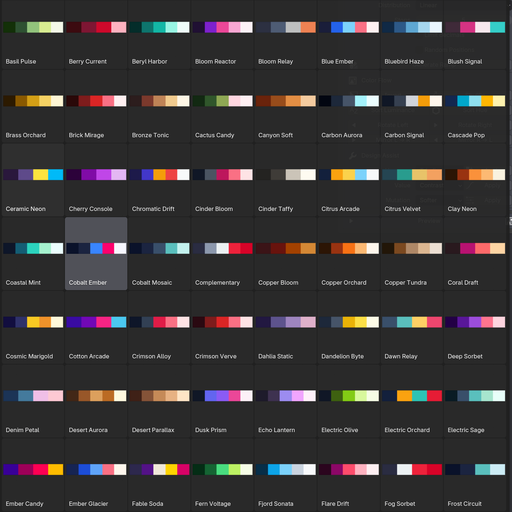
- Generate Color Ramps from 100 curated presets
- Build ramps from multiple palette sources, including image-based extraction
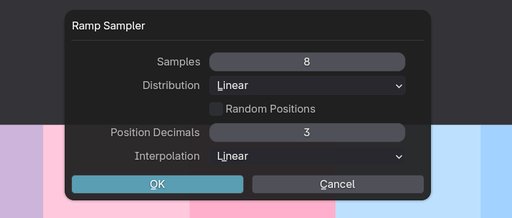
- Sample gradients from visual references with Ramp Sampler
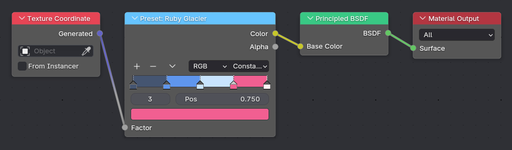
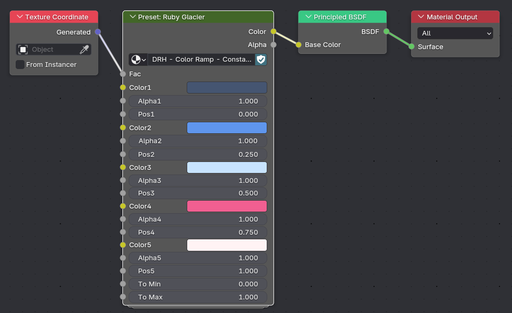
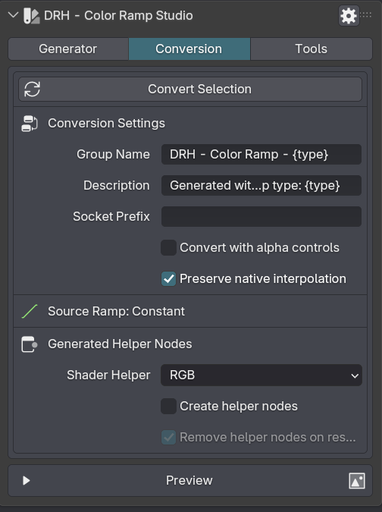
- Convert native Color Ramp nodes into editable group-based setups
- Preserve native interpolation behavior during conversion
- Restore converted groups back into native Color Ramps
- Use alpha-aware conversion for more flexible editing
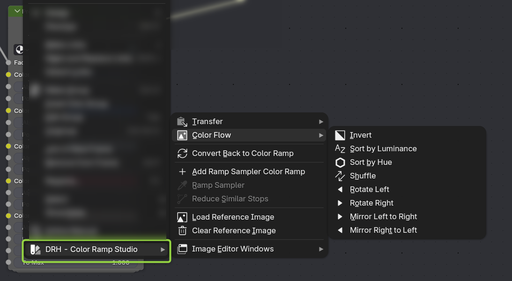
- Access tools from the Node Editor sidebar and Shader Editor context menu
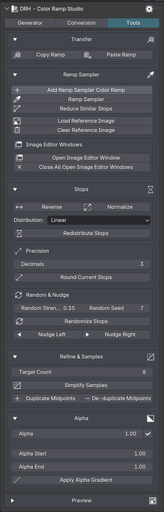
- Copy, paste, reverse, normalize, randomize, and redistribute stops
- Refine ramps with sorting, alpha tools, mutation, and value controls
Faster Ramp Building From Real Sources
This is not just a preset browser. DRH - Color Ramp Studio gives you multiple starting points for look development, iteration, and production-ready ramp building.
Generate ramps from:
* curated preset palettes
* complementary color relationships
* analogous color relationships
* random palettes
* greyscale ramps
* stripe-based ramps
* image-based palette extraction
That means you can move faster whether you are building from scratch, exploring variations, or starting from reference material.
Turn References Into Usable Color Ramps
Ramp Sampler is one of the strongest workflow tools in the add-on.
It helps you sample gradient information from visual references and transfer it into usable Color Ramp results inside Blender.
This is especially useful for:
* matching reference artwork
* extracting cleaner gradient structure
* building ramps from visual inspiration
* speeding up look development and iteration
Edit More Freely, Restore When Needed
Color Ramp Studio does more than generate ramps. It also gives you a cleaner workflow for editing and reusing them with more control.
- Convert native Color Ramp nodes into editable group-based setups
- Preserve native interpolation modes during conversion
- Preserve restore data for cleaner round trips back to native Color Ramps
- Use alpha-aware conversion with dedicated alpha controls
- Work across Shader, Geometry Nodes, and Compositor contexts
This makes the workflow more flexible when interpolation behavior, alpha handling, and reusability matter.
Refine, Clean Up, and Reuse Faster
Once a ramp exists, the add-on gives you the tools to clean it up, reshape it, and reuse it faster.
It includes tools for:
* copy and paste ramp data
* reverse, normalize, and redistribute stops
* randomize positions and shuffle colors
* sort by luminance or hue
* mirror, rotate, and invert colors
* simplify samples and limit stop precision
* apply alpha gradients and uniform alpha values
* expand harmony, mutate palettes, and design value flow
Useful for:
* shader development
* gradient matching from references
* procedural workflows
* look development and iteration
Requirements and Installation
- Use Blender 4.2 or newer
- Download the ZIP from this product page
- In Blender, go to Edit > Preferences > Add-ons > Install...
- Choose the downloaded ZIP file
- Enable DRH - Color Ramp Studio
After enabling, access it from:
* Node Editor > Sidebar > DRH-Ramp Studio
Also available in:
* Shader Editor > Context Menu
Compatibility
- Version: 1.0.0
- Blender: 4.2+
- Location: Node Editor > Sidebar > DRH-Ramp Studio
- Also available in: Shader Editor > Context Menu
- Platforms: Windows, macOS, Linux
This is a source-based add-on with no obfuscation, no binary-only content, and no external services or account requirements. File access is only used when selecting image files for palette-based workflows.
Documentation and Support
User Manual (PDF)
https://raw.githubusercontent.com/pacosalasv/DRH_Color_Ramp_Studio-Support/main/docs/manual/user-manual.pdf
Public support is handled on GitHub
https://github.com/pacosalasv/DRH_Color_Ramp_Studio-Support
Need help or have a question? Use the GitHub Discussions page for support, guidance, and compatibility help.