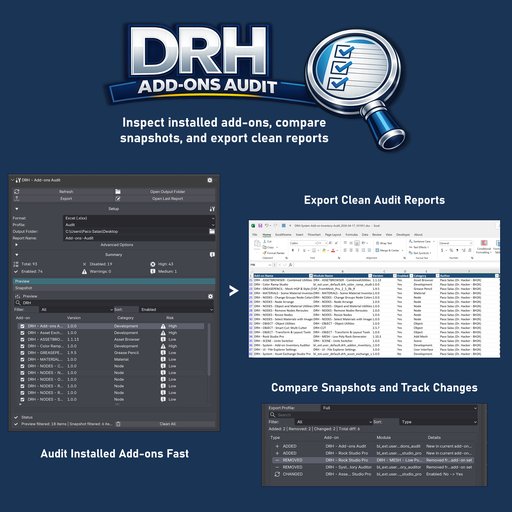
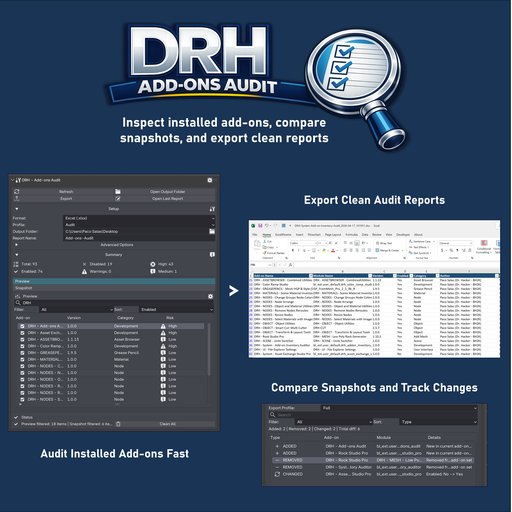
DRH - Add-ons Audit
Audit, compare, export, and maintain Blender add-ons across installations with conflict review, health scoring, snapshot diffs, setup profiles, safer maintenance tools, and clean reporting for troubleshooting and production oversight.
Why DRH - Add-ons Audit
Need a better way to inspect Blender add-ons across installs, compare snapshots, review conflicts, export setup profiles, and package supported add-ons? DRH - Add-ons Audit gives you a practical workflow for scanning add-on environments, surfacing problems that need attention, exporting clean reports, and applying safer maintenance actions inside Blender.
Introductory price: $4.99 USD.
What You Can Do
- Scan add-ons across the current Blender install, user paths, detected system installs, and extension paths
- Review legacy and extension add-ons with metadata, compatibility, structure, and maintenance signals
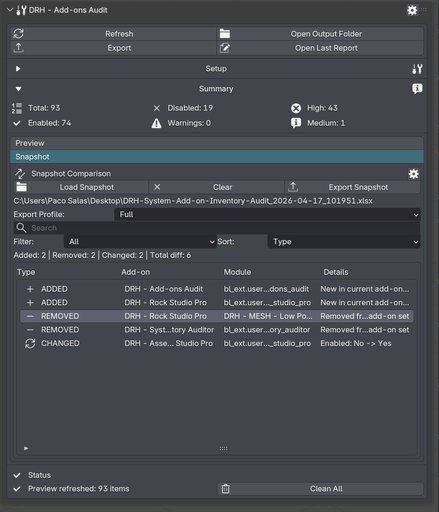
- Compare snapshots to track added, removed, and changed add-ons over time
- Export audits and snapshot diffs in Excel, CSV, TSV, JSON, XML, HTML, and Markdown
- Review duplicates, shadowed copies, version conflicts, update support, operator conflicts, and hotkey conflicts
- Use Smart Switch, duplicate cleanup, batch enable and disable, rollback, setup profiles, and packaging tools
- Customize preview columns, snapshot columns, column widths, and per-level risk rules
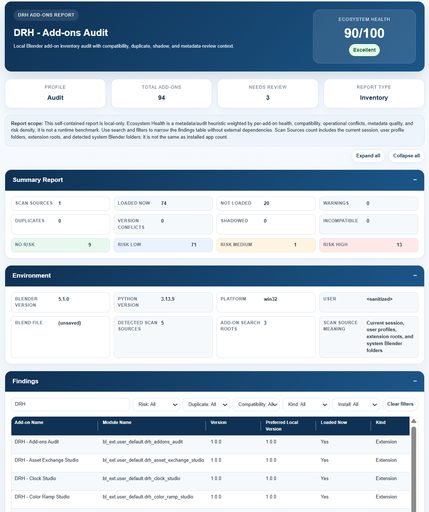
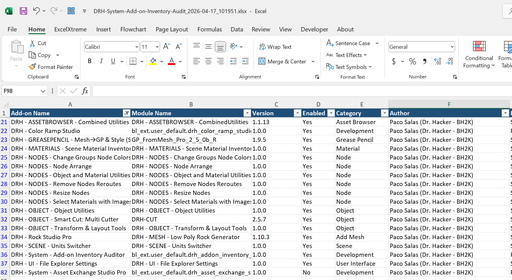
See More Than a Simple Add-on List
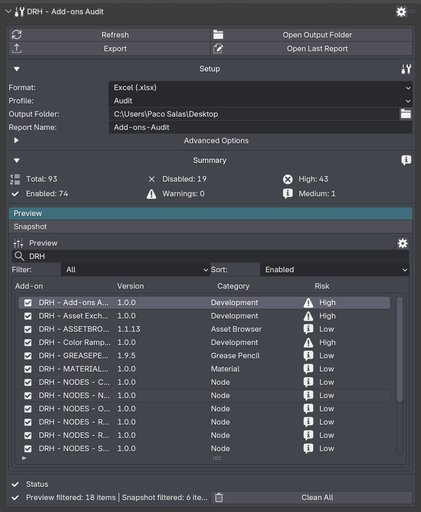
DRH - Add-ons Audit scans the current Blender installation, user profile paths, detected system installs, and extension locations to build a broader view of your add-on environment.
Review details such as:
* add-on name, module, version, author, category, location, and enabled state
* installation name, installation version, scope, source root, path, and last modified data
* legacy and extension-based installs
You can also open the selected install folder directly for faster inspection.
This makes it easier to compare setups, troubleshoot environment differences, and document what is actually installed.
Spot Risk, Conflicts, and Maintenance Problems Faster
This add-on helps surface what needs attention before it becomes a bigger maintenance problem.
Track and review:
* compatibility state, maintenance status, metadata status, and structure status
* duplicate state, shadow state, version conflicts, and active version status
* potential update support, operator conflicts, and hotkey conflicts
* health scoring with suggested actions
You can also filter for broken, incompatible, duplicate, shadowed, low-health, extension, legacy, selected, and update-support rows.
These review signals help you spot risky or messy installs faster without digging through folders manually.
Compare Changes and Export Clean Reports
Track add-on changes over time with snapshot comparison built for real review work.
- Compare the current audit against previous exports
- Detect added, removed, and changed add-ons
- Track changes in version, enabled state, installation, path, duplicate state, shadow state, compatibility, update support, and risk level
- Search, filter, and sort snapshot results for faster review
- Export snapshot diffs with Basic, Standard, or Full snapshot profiles
Reporting is flexible enough for quick audits, technical review, and cleaner handoff.
Export formats: Excel, CSV, TSV, JSON, XML, HTML, and Markdown.
Export profiles:
* Audit
* Basic
* Compatibility
* Full
* Inventory
* Operations
* Security
* Summary
Maintenance, Profiles, and Packaging Tools
DRH - Add-ons Audit goes beyond reporting and gives you utility actions for real maintenance workflows.
- Smart Switch can dry run or switch to the newest safe duplicate version when automatic switching is appropriate
- Duplicate cleanup can dry run or disable enabled duplicate rows in the current Blender installation
- Batch enable and disable tools work on selected add-ons
- Rollback restores the last saved enable or disable transaction
- Export setup profiles with enabled state and supported preferences
- Import setup profiles back into Blender
- Package selected or active add-ons into installable ZIP files when the source files and archive structure validate correctly
This is especially useful for:
* environment cleanup
* setup reuse
* troubleshooting
* packaging
* repeatable maintenance workflows
Requirements and Installation
- Use Blender 4.2 or newer
- Download the ZIP from this product page
- In Blender, go to Edit > Preferences > Add-ons > Install...
- Choose the downloaded ZIP file
- Enable DRH - Add-ons Audit
After enabling, open:
* 3D Viewport > Sidebar > DRH - Add-ons Audit
Compatibility
- Version: 1.0.0
- Blender: 4.2+
- Location: 3D Viewport > Sidebar > DRH - Add-ons Audit
- Platforms: Windows, macOS, Linux
This is a source-based add-on with no obfuscation, no binary-only content, and no external services. File access is used to scan installations, read manifests, compare snapshots, export reports, create installable packages, and import or export setup profiles.
Documentation and Support
User Manual (PDF)
https://raw.githubusercontent.com/pacosalasv/DRH_Addons_Audit-Support/main/docs/manual/user-manual.pdf
Public support is handled on GitHub
https://github.com/pacosalasv/DRH_Addons_Audit-Support
Need help or have a question? Use the GitHub Discussions page for support, guidance, and compatibility help.