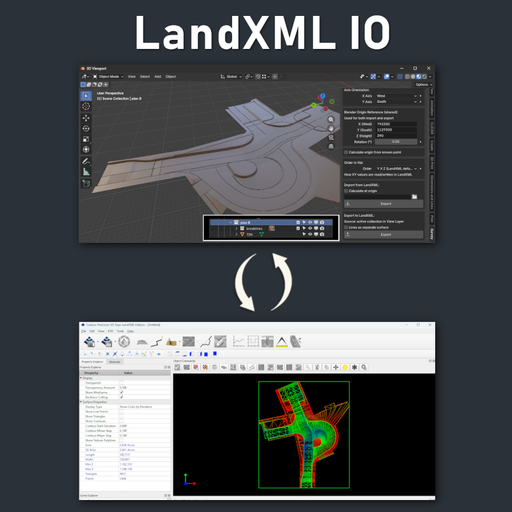
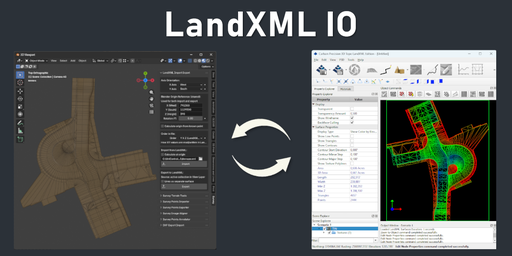
LandXML Import Export
Create your own LandXML files for machine control directly in Blender.
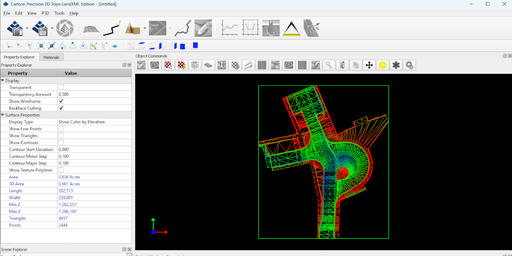
About
Create your own LandXML files for machine control directly in Blender.
LandXML Import Export is a Blender add-on designed for geodetic, terrain, and construction workflows where real-world coordinates matter.
Instead of relying on expensive CAD software just to prepare machine control data, you can build your terrain model in Blender and export it to LandXML for downstream use in GPS-guided earthworks and construction workflows.
The add-on is especially useful for creating and preparing TIN-based terrain models with breaklines — the kind of data commonly used in machine control systems.
What this add-on does
Import from LandXML into Blender:
- TIN surfaces
- Breaklines
- Contours
- Boundaries
- CgPoints
- PlanFeatures
Export to LandXML:
- TIN surfaces
- Breaklines
This makes it possible to inspect existing LandXML data and, more importantly, create your own LandXML models directly from Blender geometry.
Export workflow
TIN surfaces are generated directly from mesh faces and automatically triangulated during export.
Breaklines are exported from separate edge-only mesh objects, where each object must form a single connected non-branching polyline.
Both TIN surfaces and breaklines are gathered from the active collection during export.
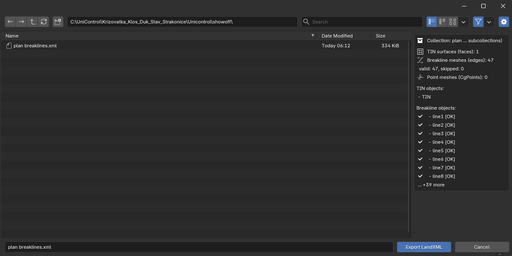
Invalid breakline objects are skipped and reported automatically.
Built for real-world coordinates
LandXML Import Export is not just a simple geometry converter.
It gives you control over:
- real-world coordinate reference of the Blender origin
- axis orientation
- XY order used in the LandXML file
- origin calculation from a known survey point
- centered import with preserved coordinate reference
This is essential when working with survey data, terrain models, and machine control workflows where correct positioning is critical.
Units support (Metric & Imperial)
- LandXML units are automatically detected on import
- Geometry is internally converted to Blender meters (1 BU = 1 m)
- Reference values remain in the original survey units (e.g. feet)
- Export writes correct based on current settings
This ensures consistent behavior across different coordinate systems and software.
Why use Blender for this?
Machine control is becoming more and more common, while many traditional CAD tools remain unnecessarily expensive for smaller teams, independent professionals, or custom one-off projects.
This add-on makes Blender a practical tool for preparing LandXML-based terrain data in a flexible and affordable way.
Export validation
During export, the add-on checks breakline validity and reports invalid branching objects to help prevent broken LandXML output.
Interface location
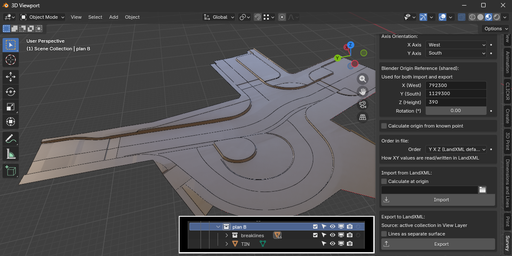
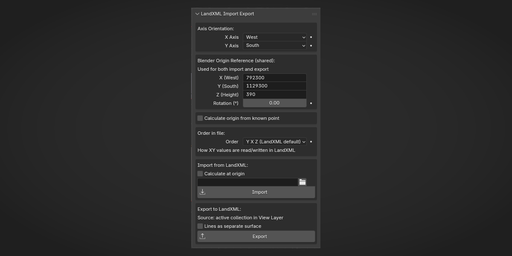
3D Viewport → N Panel → Survey → LandXML Import Export
Ideal for
- terrain modeling
- geodetic workflows
- construction preparation
- excavation planning
- machine control model creation
- LandXML inspection and conversion
Documentation
Import and export LandXML survey data with support for real-world coordinates, axis orientation, Blender origin reference, Z rotation, and file XY order.
Designed for geodetic, terrain, and construction workflows, especially where Blender is used to create or inspect LandXML data for downstream machine control use.
Panel location:
3D Viewport → N Panel → Survey → LandXML Import Export
Installation
- Open Blender (5.0+).
- Go to Edit -> Preferences -> Get Extensions -> arrow in the upper right corner -> Install from Disk.
- Select the ZIP file and click Install from Disk.
Main Features
Import from LandXML:
- TIN surfaces
- Breaklines
- Contours
- Boundaries
- CgPoints
- PlanFeatures
Export to LandXML:
- TIN surfaces
- Breaklines
The add-on applies axis orientation, Blender origin reference, Z rotation, and file XY order consistently on both import and export.
Axis Orientation
- X Axis / Y Axis can be set to East, West, North, or South
- One axis must be East/West and the other North/South
- Used for coordinate conversion during both import and export
Blender Origin Reference
- X (East), Y (North), Z (Height) define the real-world coordinates of Blender world origin
- Rotation is applied around Z
- The same reference is used for both import and export
Units (Metric & Imperial)
The add-on supports both metric and imperial LandXML files.
- Linear units are automatically detected from the LandXML tag on import
- Geometry is internally converted to Blender meters (1 BU = 1 meter)
- Blender Origin Reference and known point coordinates are always interpreted in the current LandXML unit (e.g. feet for imperial files)
- On export, the add-on writes the block according to the currently selected unit
This ensures consistent coordinate transformations and allows working seamlessly with both metric and imperial survey data.
Calculate Origin from Known Point
The add-on can calculate the Blender origin reference from a known point already present in the scene.
Typical workflow:
- set axis orientation and rotation
- enter known coordinates
- select the corresponding point in the scene
- calculate origin
- apply the calculated reference values
Order in File
Choose whether LandXML uses:
- Y X Z - this should be LandXML default
- X Y Z
This affects only the order of horizontal values in the file, not the axis mapping itself.
Import
The importer:
- reads the LandXML file
- creates a new collection under the active collection
- creates subcollections only for element types that exist in the file
Supported import data:
- TIN Surfaces
- Breaklines
- Contours
- Boundaries
- CgPoints
- PlanFeatures
Optional Calculate at Origin can center imported geometry at Blender origin while preserving coordinate reference.
Export
Export uses the active collection as the source, including nested subcollections.
- Meshes with faces are exported as TIN surfaces
- Edge-only meshes are exported as breaklines
- Vertex-only meshes are exported as CgPoints
TIN surfaces are generated directly from mesh faces and automatically triangulated during export.
Breaklines are exported from separate edge-only mesh objects, where each object must form a single connected non-branching polyline.
Both TIN surfaces and breaklines are gathered from the active collection during export.
Invalid breakline objects are skipped and reported automatically.
Notes
- Breaklines can also be exported as a separate surface named "lines"
- Export preview shows collection name, object counts, and breakline validity
- The add-on requires Blender 5.0.0+