OneClick Multi-Camera Render
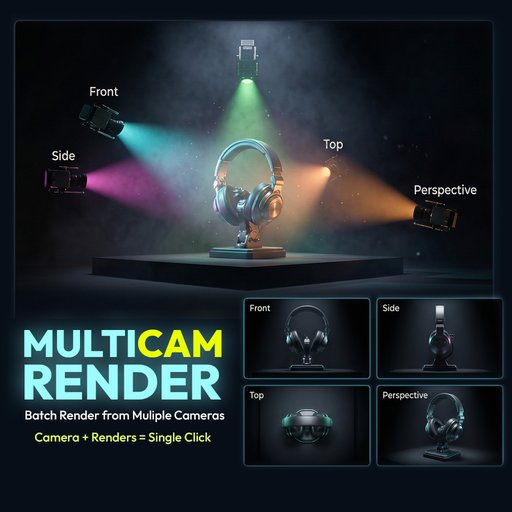
Batch render from multiple cameras in one click.
OneClick Multi-Camera Renderer is a production-ready N-Panel addon for Blender 4.x that lets you generate a standard multi-angle camera rig and render all selected cameras automatically — sequentially
# OneClick Multi-Camera Renderer
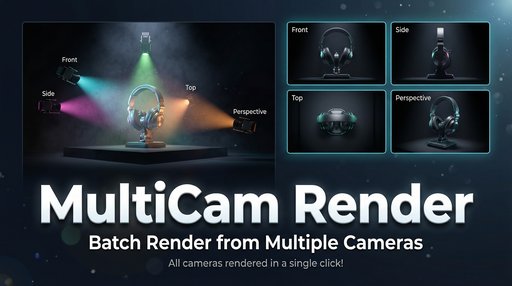
Batch render from multiple cameras in one click.
OneClick Multi-Camera Renderer is a production-ready N-Panel addon for Blender 4.x that lets you generate a standard multi-angle camera rig and render all selected cameras automatically — sequentially and efficiently.
Perfect for product renders, asset previews, portfolio shots, marketplace thumbnails, and client presentations.
## Why This Add-on?
Manually switching cameras and rendering one by one wastes time.
This addon:
• Creates standard camera angles instantly
• Lets you preview cameras with one click
• Renders all selected cameras automatically
• Organizes output in timestamped folders
• Keeps your workflow clean and fast
No complicated setup. No node hacks. Just efficient rendering.
## Core Features
Multi-Camera Rig (One Click)Generate 4 cameras instantly:
- Front
- Side
- Top
- Perspective (3/4 angle)
Includes automatic Track To constraints with focus control.
Smart Camera List
- Dynamic checklist of all scene cameras
- Enable / disable per camera
- Click camera name to preview instantly
- Select All / Deselect All / Refresh
Batch Render Engine
- Renders all checked cameras sequentially
- Opens render window for live progress
- Creates timestamped output folder automatically
- Escape key cancels safely and restores viewport
Live Camera Controls
Edit in real-time:
- Focal length
- Sensor width
- DOF toggle
- Focus distance
- Clip start / end
- Position & rotation
All updates reflect instantly in viewport.
Focus Control Panel
- Control Track To target Empty
- Adjust display shape (axes, cube, sphere, etc.)
- Resize focus object
- Live XYZ position control
Per-Camera Resolution
Each camera can have:
- Independent resolution presets
- Portrait / landscape flip
- Link All Cameras toggle
- Live viewport border preview
Presets include:
HD, FHD, 2K, 4K, Square, Instagram, Cinema, Ultrawide, Custom
Render Settings Control
Choose:
- Follow System settings
- Or use Custom mode
Includes:
- Samples & adaptive sampling
- Denoising (OpenImageDenoise / OptiX)
- Light paths control
- Film transparency
- Motion blur
- Color management (AgX / Filmic / Standard)
- Quick presets: Draft, Preview, Production, Ultra
Output Formats
- PNG
- JPEG
- EXR
- TIFF
Control compression and color depth directly.
## Who Is It For?
• Product visualization artists
• Marketplace sellers
• Game asset creators
• 3D freelancers
• Anyone needing consistent multi-angle renders
## Installation
- Download the ZIP file
- Blender → Edit → Preferences → Add-ons → Install
- Select the ZIP file
- Enable the addon
- Open 3D Viewport → N-Panel → OneClick
## Requirements
Blender 4.0+
No external dependencies.
Support & Documentation
Setup guides, updates, and documentation:
👉 https://addons.digibee.in/blender/multicam-render/
Support and questions:
📩 support@digibee.in
Actively maintained with fast support responses.
## Tags
blender
camera
render
batch render
multi camera
product render
automation
workflow
viewport
3d
cycles
eevee
© Arun C — Digibee.in