Graph Editor Timeline Controls
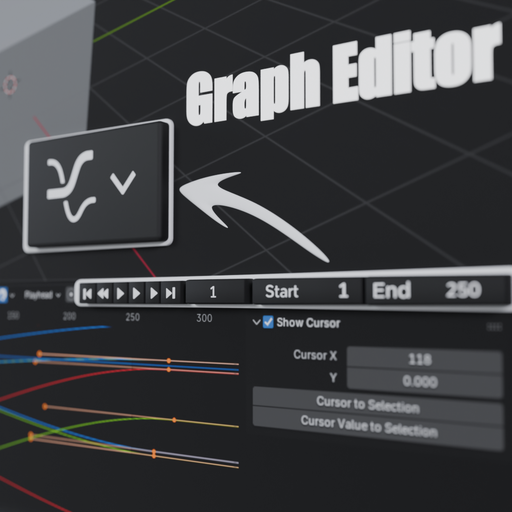
Adds Timeline playback controls (Play, Reverse, Pause, Frame Start/End, Current Frame) directly into the Graph Editor header for faster animation workflow.
Graph Editor Timeline Controls
Graph Editor Timeline Controls
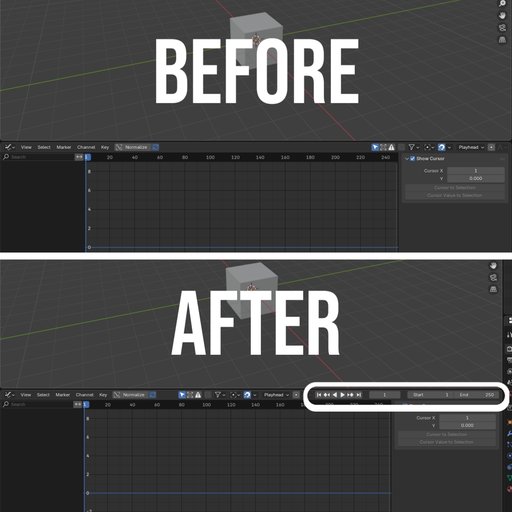
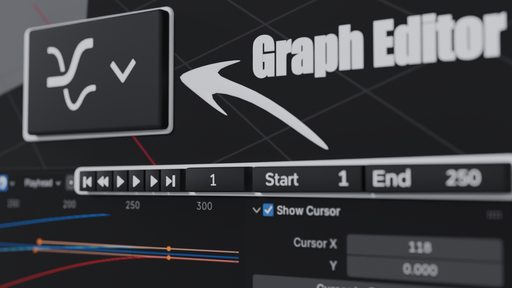
This add-on brings essential Timeline playback controls directly into the Graph Editor header, improving animation workflow and reducing the need to switch between editors.
It adds familiar Timeline controls such as:
- Play Forward
- Play Reverse
- Pause
- Jump to Start / End
- Previous / Next Keyframe
- Current Frame field
- Start and End frame controls
These controls are placed in the same style and position as the Timeline interface, making them feel native to Blender.
With this add-on, animators can preview and control playback directly inside the Graph Editor while adjusting curves and keyframes, resulting in a faster and more efficient animation workflow.
Installation
- Download the add-on .zip file.
- Open Blender.
- Go to Edit → Preferences.
- Navigate to the Add-ons tab.
- Click Install in the top-right corner.
- Select the downloaded .zip file.
- Enable Graph Editor Timeline Controls from the add-ons list.
Once enabled, the Timeline playback controls will appear in the Graph Editor header, allowing you to control animation playback directly from the Graph Editor.